Struggling with slow patient intake and manual paperwork? Discover how Patient On-Boarding Workflow Automation with Intuz as your trusted workflow automation partner can cut wait times, boost staff efficiency, and delight patients. From digital forms to real-time data sync, learn practical steps of implementation and tools to transform your patient on-boarding workfloes.
Whenever a new patient joins a primary care clinic or hospital, they need to get onboarded quickly. This involves completing health forms, understanding clinic policies, arranging payment details, and establishing communication channels with the doctor.
For many small and medium-sized healthcare companies, onboarding still occurs on paper, with administrative staff later transferring the information into an Electronic Medical Record (EMR) or Electronic Health Record (EHR) system.
Naturally, the manual process is slow and error-prone, not only frustrating patients but also adding unnecessary strain on the staff.
However, every cloud has a silver lining.
The 2024 CAQH Index reports that the industry has the potential to save upwards of $20 billion by shifting to automated workflows.
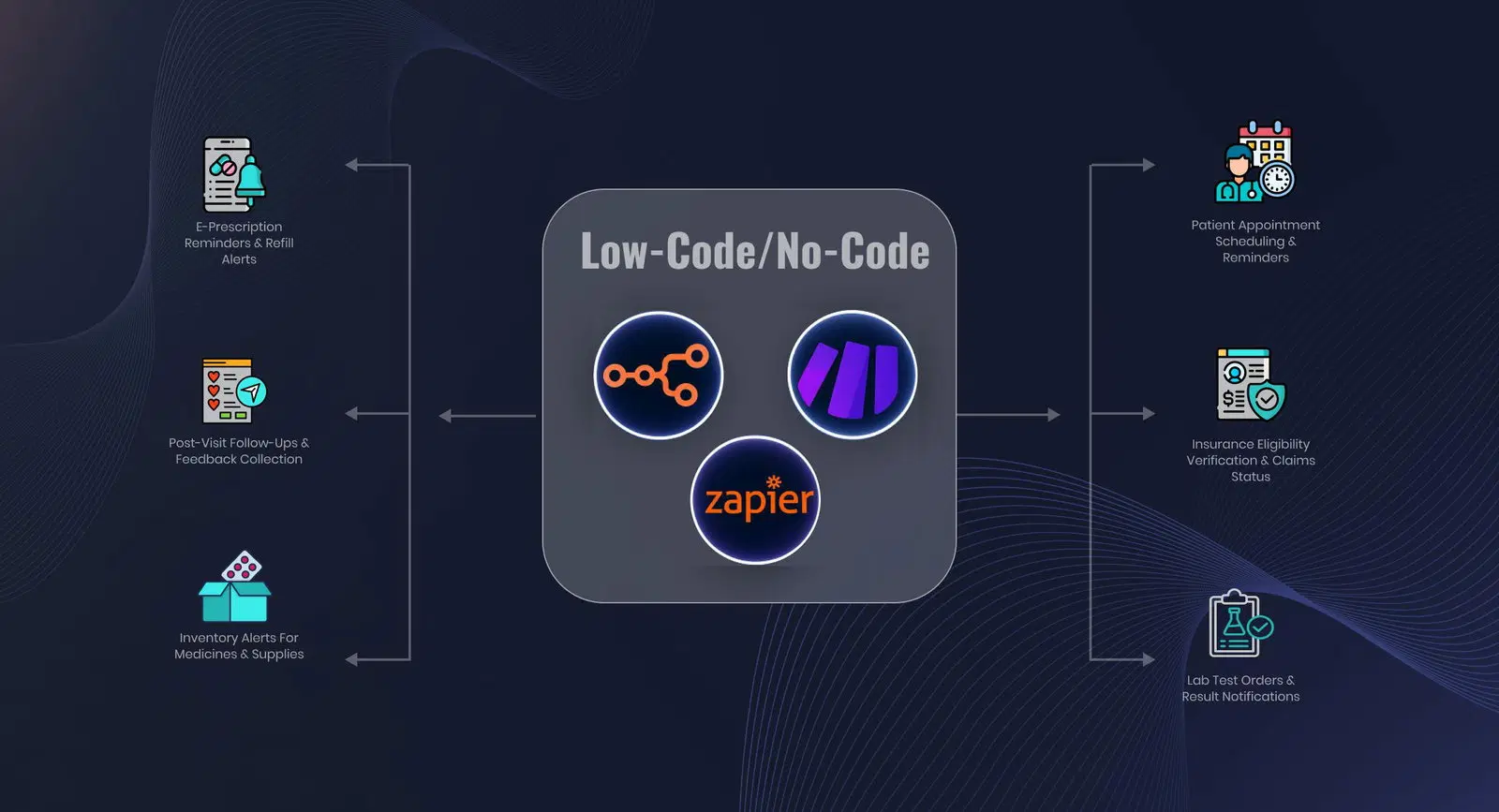
Low-code/no-code (LCNC) tools can make it possible by configuring ready-made modules to handle registration, trigger reminders, manage documents, and sync data. They also reduce dependence on in-house developers, keep costs manageable, and optimize daily operations.
Keen to learn how to design and deploy patient onboarding automation workflows using LCNC tools? This blog is for you. Additionally, receive practical guidance on how Intuz can assist with the process.
Show
- The 2024 CAQH Index estimates the healthcare industry could save over $20 billion by shifting to automated workflows, with low-code/no-code tools making this accessible for small and mid-size providers.
- Automating patient registration and intake alone can reduce time nurses spend on administrative tasks by 20%, freeing them for direct patient care. Real-time insurance eligibility API checks save an average of 12 minutes per verification compared to manual methods, directly reducing claim denials and revenue leakage.
- Using targeted SMS appointment reminders (sent 48 and 24 hours before) has been shown to reduce no-shows by 7–11%, improving both clinic efficiency and revenue.
- Intuz recommends using standardized data formats like HL7 or FHIR when syncing intake data to EMR/EHR systems to eliminate manual field mapping and ensure accurate, real-time data flow across all clinical systems.
Top 5 Patient Onboarding Workflows to Automate
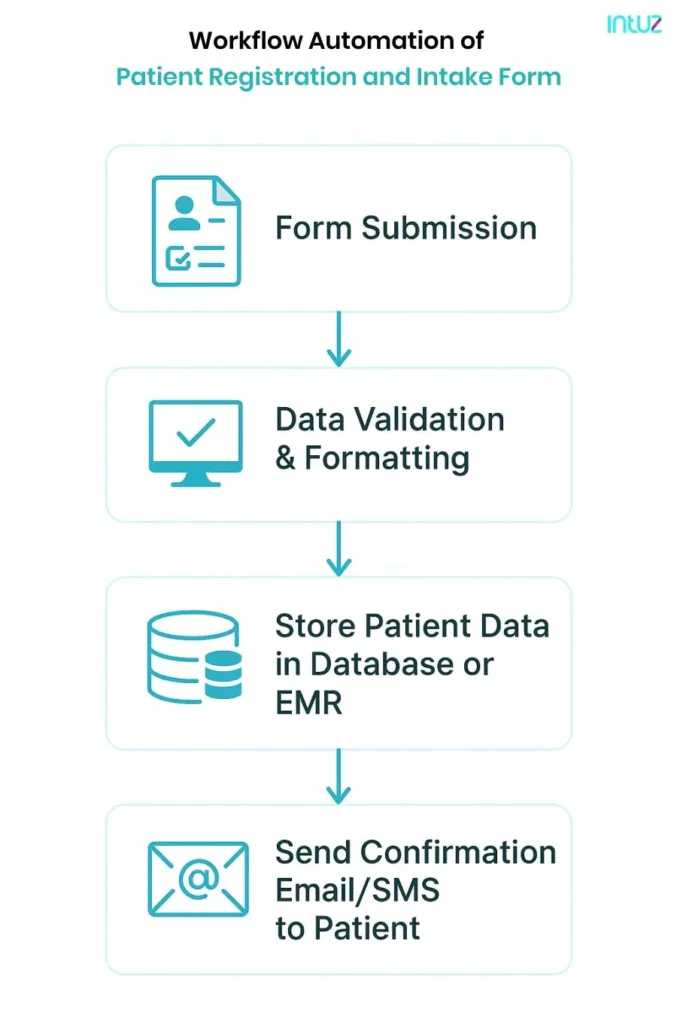
1. Patient registration and intake form
Paper-based registration results in duplicate data entry, incomplete fields, and lengthy queues at the front desk. Automating this task from the outset reduces the time nurses spend on administrative tasks by 20% and enables them to provide faster, better care to those in need.
Here’s what to do:
- Choose a HIPAA‑compliant form builder that integrates with your existing systems; many small clinics use Typeform, Jotform Enterprise, or built-in form modules in platforms like Athenahealth or Kinnser
- Connect the form to your patient database or EMR/EHR via an API or middleware tool (for example, Zapier or Workato) so staff do not have to re‑enter data
- Add field validation and conditional logic to ensure all required fields are captured and that patients only see relevant questions
- Configure pre‑population rules, enabling returning patients to see their existing information and update what has changed
Intuz Recommends
Make the forms mobile‑friendly and responsive across devices and browsers. That way, patients can complete them on a phone or tablet before arriving at the clinic.
2. Scheduling initial assessments and reminders
Missed slots, double bookings, and last-minute changes result in lost revenue and inefficient use of clinician time. An automated scheduling flow ensures accurate calendars and informed patients.
What works best:
- Use a workflow automation tool with calendar sync, for example, Kinnser’s built-in scheduler, Acuity Scheduling, or Mend, so your care team’s availability is always current
- Enable self‑service rescheduling links within reminder messages, empowering patients to reschedule their appointments without calling the front desk
- Layer in multi‑channel reminders (SMS, email, or automated phone calls) and track patient consent for each
- Build a wait‑list management rule that automatically offers cancelled slots to the next patient in the queue
Intuz Recommends
When setting up reminder workflows, schedule them to go out twice, 48 hours and 24 hours before the appointment. Using targeted text message reminders has the potential to minimize no-shows by 7–11%.
3. Collection of required documents
A critical component of onboarding is gathering patient identification information, including insurance cards and previous medical records.
This process, if not automated, can result in back-and-forth communication with the patients. A digital document workflow ensures everything is in place before the first appointment.
Here’s how to do it right:
- Use scanning and OCR (optical character recognition) tools, such as ABBYY FlexiCapture or built‑in OCR in your EMR, to extract key details like policy numbers or dates of birth and map them into the patient record
- Configure the patient portal to flag incomplete uploads or low‑resolution images immediately, prompting resubmission
- Store uploaded files in a secure repository with role‑based access, ensuring staff can retrieve them without searching through email threads
- Automate follow‑up reminders for missing documents via email or SMS, linking directly to the patient portal
Intuz Recommends
OCR systems struggle with handwritten uploads. If your patient demographic skews older or less tech‑savvy, plan for staff review of flagged uploads. We also recommend including simple upload guidelines with visual examples in your portal.
Explore Solutions
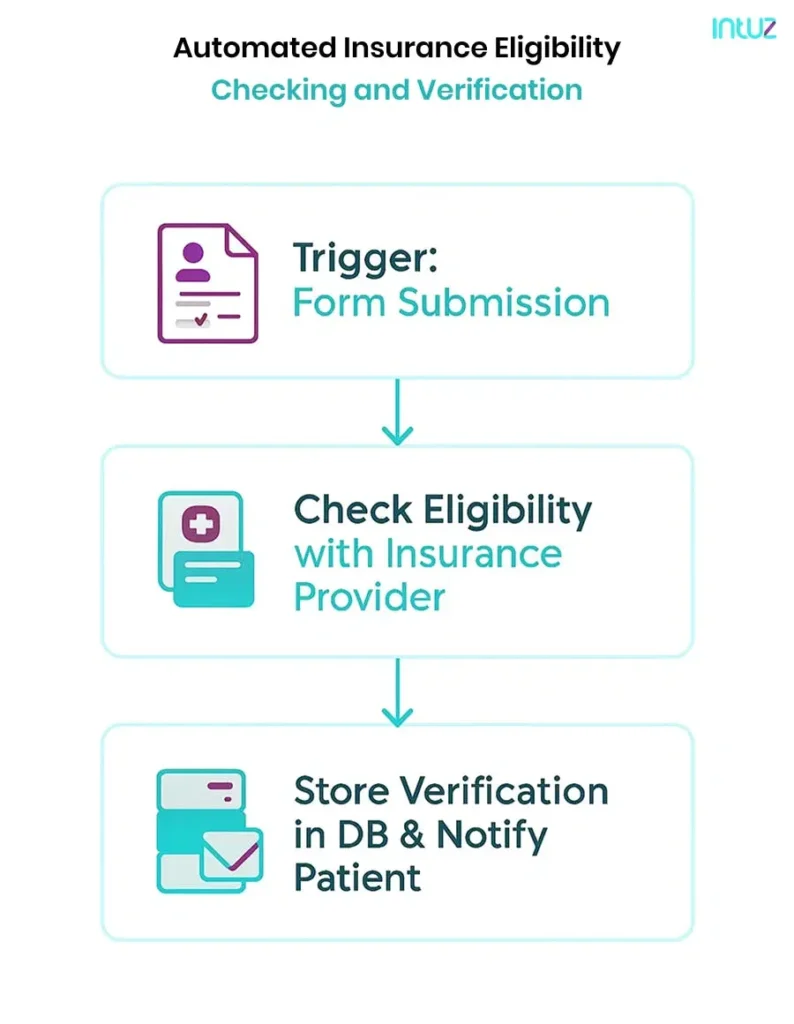
4. Insurance eligibility checks and verification
Did you know real-time eligibility checks can save you an average of 12 minutes per verification compared to manual methods? In Home Health AI environments where field staff complete multiple visits per day, that 12-minute saving compounds quickly — and automating overnight batch verification ensures every next-day visit is financially cleared before the nurse leaves the office. Why deal with claim denials only because coverage issues were discovered late? Automate this step before delivering services and avoid revenue leakage.
Here’s how to do that:
- Integrate real‑time eligibility APIs (such as Availity, Waystar, or Change Healthcare) directly into your intake workflow or EMR to verify coverage while reviewing patient details
- Run batch verification jobs (for example, every night) to validate coverage for all patients scheduled the next day
- Link your eligibility tool with scheduling systems so that only patients with valid coverage are confirmed
- Log all verification outcomes in your system for audit readiness and billing follow‑up
Intuz Recommends
Run bulk eligibility API calls overnight or during off‑peak hours. This reduces the risk of hitting rate-limit caps during high-volume clinic times, ensuring real-time checks stay fast and reliable when your staff need them most.
5. Data sync with EMR/EHR systems
When intake data, scheduling, and billing systems operate in silos, operational integrity suffers, and administrative staff waste considerable time re-entering information and correcting errors. To avoid fragmentation, here’s what to do:
- Use native EMR connectors or middleware tools such as Redox, Bridge Connector, or Zapier for Healthcare to push intake form data directly into your EMR/EHR
- Set up real‑time synchronization rules so changes in one system, like an updated phone number or insurance detail, instantly reflect across scheduling, billing, and clinical records
- Enable audit trails to log every data sync event, making troubleshooting and compliance reviews straightforward
- Test with sample records first and verify that each field is mapping correctly before full rollout
Intuz Recommends
Use standardized data formats like HL7 or FHIR. For example, configure your intake forms to send allergy data in FHIR format so it drops straight into the EMR’s allergy field without manual mapping.
How to Automate Patient Onboarding Workflow: Expert Insights by Intuz
1. Audit and map the onboarding workflow
Before building any automation, you need a clear picture of where your processes slow down. At Intuz, we start by spending time with your administrative staff members to understand how patient information is collected, logged, and transferred between systems.
We then document these steps and use tools like Miro or Lucidchart to create a clear flow of the entire onboarding process, i.e., showing actions, hand‑offs, and approvals.
Intuz Recommends
We also review EMR data to uncover hidden inefficiencies, such as incomplete task histories or delayed record updates, and feed those findings into the process map. This combined research, involving your staff and the flowchart we create, helps us pinpoint exactly where automation will have the greatest impact and which pain points to tackle first.
2. Design and configure automations
Once the process map is in place, we’ll focus on one or two high-impact areas, such as automatically assigning a nurse task when an intake form is marked as complete, and configure automations within the systems you already use.
At Intuz, we often work with LCNC tools like Athenahealth, and CareCloud because their workflow engines allow us to create rules and triggers without custom coding.
We develop standardized templates for intake, consent, and insurance forms. Fields are built with conditional logic, so patients only see questions relevant to them. Auto-fill pulls information from previous visits to reduce repetitive entry.
Each template is thoroughly tested across various devices to ensure readability and accessibility, with field validation in place to catch incomplete or incorrect submissions before they reach your team.
Intuz Recommends
Always define the exact conditions that should trigger an automated action, and make them as specific as possible.For example, instead of a vague rule like “send a welcome email after registration,” we help you configure a precise trigger: “When the digital intake form status changes to ‘Complete’ and the patient record has a verified email address, then send the welcome email template.”By setting conditions this way, you avoid sending messages too early, duplicating tasks, or creating unnecessary alerts.
3. Build necessary integrations
Automation only works when systems share data. We identify every healthcare system integration point, such as EMR, insurance verification APIs, e‑signature tools, communication gateways, and connect them using secure middleware like Redox or Bridge Connector.
The goal? To ensure sensitive patient information flows only where it should.
Our team also handles API configuration, sets up staging environments for safe testing, and ensures every vendor relationship includes a Business Associate Agreement and user-level permissions to meet HIPAA and local compliance standards.
Intuz Recommends
We configure notifications within your existing platforms or through integrated services like Twilio or SendGrid, making sure each message is secure and aligns with patient consent preferences. By building integrations methodically, we help you avoid silos and give your staff a single source of truth.
4. Test the workflow with dummy data and deploy
Thorough testing prevents costly errors when automations go live. At Intuz, we simulate real onboarding scenarios using dummy patient records, sample insurance IDs, and test documents.
Each workflow, such as form submission, document upload, eligibility check, and notifications, is run end‑to‑end so we can observe how data moves between systems, how triggers fire, and whether any unexpected delays or errors appear.
We document every result and adjust configurations until each workflow performs consistently using a custom dashboard. We also set up alerts and filters within it, allowing managers to drill down to specific clinics, staff members, task types, or metrics as shown below.
Intuz Recommends
We encourage all our clients to begin with simple workflows and expand gradually. Once your intake task assignments are running smoothly, we can layer in automated welcome emails, follow‑up reminders, or alerts for missing documentation. Throughout the process, our team tests each automation with sample records, verifying that every trigger works exactly as intended.
Ready to Streamline Your Patient Onboarding?
Every day your team spends on manual onboarding tasks is time taken away from patient care. With the right workflows and integrations in place, you can minimize errors, reduce wait times, and optimize staff capacity.
Book a consultation with Intuz today. We’ll review your current process and provide a complimentary roadmap of your automation deployment strategy, tailored to your specific systems, staff, and patient volume.
FAQs
How does workflow automation specifically reduce administrative workload during patient onboarding?
Automation eliminates manual data entry, scanning forms, and email follow-ups by integrating systems like EHRs and intake portals. Hospitals using automated onboarding report a 30% reduction in administrative workload, freeing staff for higher-value tasks and accelerating patient processing.
What impact does automation have on patient data accuracy and compliance?
Automated onboarding reduces errors by up to 80%, as data is extracted directly from forms and entered into records without manual handling. These systems also enforce consistent compliance with HIPAA regulations by automating access controls and encryption, minimizing the risk of data breaches.
How does onboarding automation enhance the patient experience?
Patients spend less time filling out paperwork and waiting. Automated intake cuts onboarding time by up to 70%, lets patients self-schedule online, and gives instant feedback or reminders, directly correlating with higher patient satisfaction scores.
What tasks in the patient onboarding process are most frequently automated?
Most commonly automated tasks include digital form completion, identity and insurance verification, real-time eligibility checks, data transfer to EHRs, and automated status notifications to both staff and patients.
What measurable outcomes do US healthcare providers achieve after automating patient onboarding?
Providers report fewer errors (up to 80% reduction), shorter onboarding cycles (up to 70% faster), improved compliance, 30% lower administrative time, higher staff productivity, 40% better cash flow in practices, and up to 16.3 billion dollars in annual savings industry-wide