SaaS companies adopt MCP to standardize AI context across tools, enable secure agent integrations, and scale AI workflows faster. Intuz helps SaaS teams design, implement, and integrate MCP-ready architectures—ensuring production-grade security, interoperability, and long-term scalability for AI-driven platforms.
Here’s a scenario you’ve probably been in: you ship your first AI feature and realize it works, providing there was a demand to be met. This gives you the confidence to roll out more AI features over time.
Now, since each team needs access to different parts of your product – support data, billing records, and integration logic – this increases engineering effort with every release. Security reviews expand. Large Language Models (LLMs) operate with partial context.
Your team ends up compensating with longer prompts, rigid rules, and manual checks. The good news is that the Model Context Protocol (MCP) defines a single governing layer for tool access, data exposure, and action execution – no wiring features independently.
In this blog, you’ll learn what MCP is, why and when a SaaS company should implement it, and how Intuz can be helpful to you in this endeavour.
Show
- MCP is an open standard that acts as a universal connector for LLMs, standardizing three things: tool access, data exposure, and action execution — so AI features no longer need to be wired into your product independently.
- Traditional LLM integrations fail in SaaS because they bind product behavior to feature-level code: change becomes expensive (one backend update breaks multiple features), security becomes uneven, and behavior drifts across features.
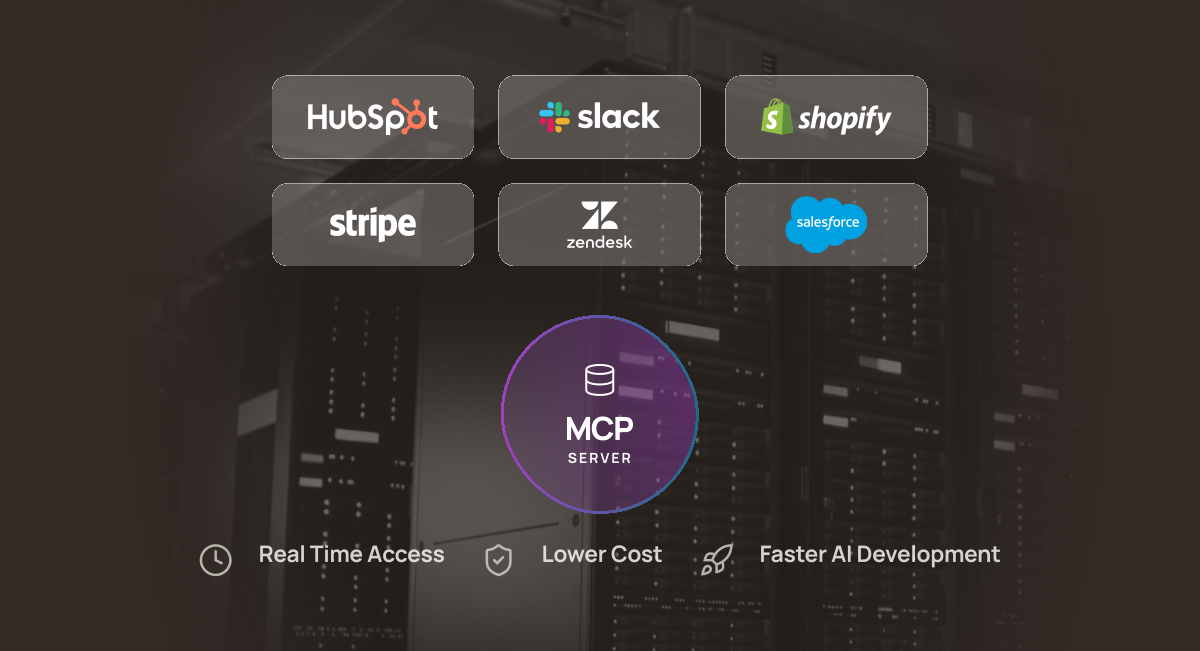
- Adopting MCP delivers three core gains: real-time access to live internal tools and data, lower long-term engineering cost (fix once at the MCP layer, every feature inherits it), and faster AI feature development through a shared, reusable capability layer.
- Practical SaaS use cases include in-app AI copilots, real-time usage and billing insights, internal operations automation, runtime policy and compliance enforcement, and workflow orchestration across systems.
- The right time to implement MCP depends on stage: early-stage teams should avoid one-off point integrations, growth-stage teams should avoid building a parallel “AI layer,” and enterprise teams should enforce policy in architecture rather than in prompts.
What Is a Model Context Protocol (MCP)?
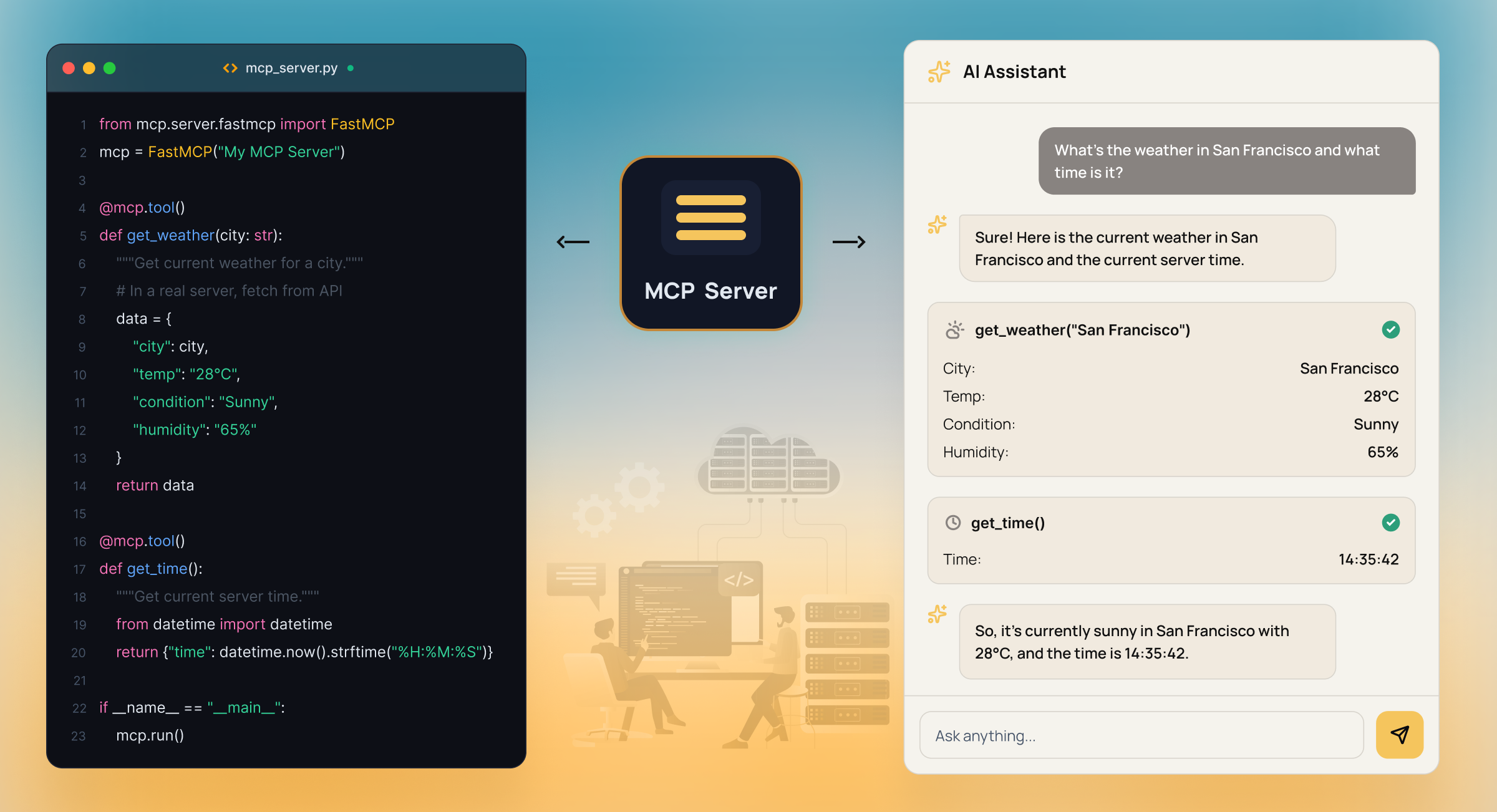
MCP is an open standard that defines how AI models interact with your product.
It acts as a universal “connector” or “language” for LLMs, enabling them to go beyond their static, pre-trained knowledge to access real-time information, perform specific actions, and become more valuable and automated.
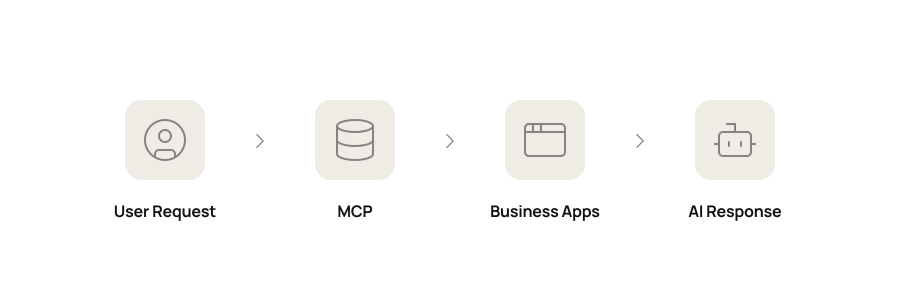
Here are three things MCP standardizes:
- Tool access: How a model invokes product capabilities, such as searching records, updating fields, or triggering workflows
- Data exposure: How internal data is flagged with clear schemas and boundaries
- Action execution: How models perform operations inside your product with explicit permissions
Also Read
How to Build Your Own MCP ServerWhy Traditional LLM Integrations Fail in SaaS Architectures
Typically, failure occurs because integrations bind product behavior to feature-level code paths. That means when a schema changes, the permission model evolves, or a backend service moves, every AI surface that’s associated with it must be updated independently.
This creates three concrete problems:
- Change becomes expensive: A single backend update can break multiple AI features in different ways, and you can’t trust refactors because the blast radius is unclear.
- Security becomes uneven: One feature can enforce role-based controls. Another can leak data through a shortcut. This demands every AI entry point to be audited manually.
- Behavior drifts: Two AI features querying the same data return different answers because one reshapes context differently. This turns debugging into a cross-feature tracing exercise.
The table below shows how the difference plays out with MCP in practice:
| Aspect | Traditional LLM Integration | MCP-Driven Architecture |
|---|---|---|
| Tool access | Hard-coded per feature | Discovered dynamically through a standard interface |
| Maintenance | Changes ripple across multiple pipelines | Changes handled once at the MCP layer |
| Security | Enforced inconsistently in each feature | Centralized permission and access control |
| Time to ship new AI capability | Requires new wiring and validation | Reuses existing tool and data surfaces |
| Scalability | Grows linearly with features | Grows as a shared product capability |
Why Should SaaS Companies Adopt MCP?
1. Real-time access to internal tools and data
With MCP, models no longer rely on pre-baked context. They query live systems through defined capabilities. For instance, a billing assistant can fetch real invoices. A support agent can inspect active tickets. Responses are generated from the current system state, not from cached context or stale reports.
Intuz Recommends
Pick one AI feature that currently passes large chunks of data into the prompt. Replace that with a small set of MCP tools that fetch data on demand.
2. Lower long-term engineering cost
MCP centralizes access logic. When a schema changes or a permission model evolves, you update one layer. Every AI feature inherits the fix. This contains the blast radius and restores your team’s confidence in refactors.
Intuz Recommends
Route all AI-originated reads and writes through MCP, even if existing APIs already exist. When a field changes or a rule updates, enforce it there first. Track how many feature-level changes you avoid in the next backend refactor.
3. Faster AI feature development
Because MCP creates a shared capability layer, new features reuse the same tool and data interfaces instead of adding bespoke wiring.
This enables your team to define new behaviors by composing existing MCP endpoints, rather than building and securing a new integration path for every use case. Shipping becomes additive instead of repetitive with MCP.
Intuz Recommends
List every internal call your last two AI features make. You’ll usually see the same systems repeated: tickets, users, events, and billing. Move those calls into a single MCP layer and remove them from feature code. From that point on, new AI features should compose those MCP-exposed tools instead of creating new endpoints.
Practical MCP Use Cases in SaaS Products
1. In-app AI copilots
An MCP-backed copilot becomes an interface to your product, querying the user’s own data, inspecting configuration, explaining limits, and triggering workflows using the same contracts as your application code.
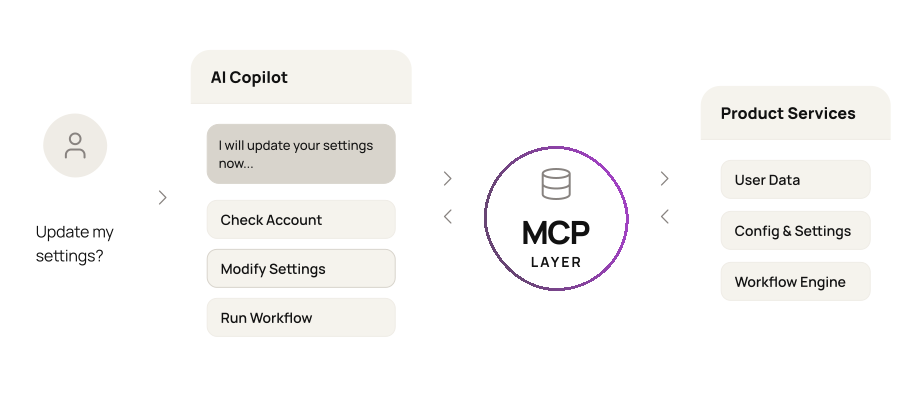
This allows end users to ask about their account, change settings, and run actions directly. In a nutshell, the copilot doesn’t invent behavior. It executes against the same services, validators, and permission layers as the rest of your system.
2. Usage and billing insights
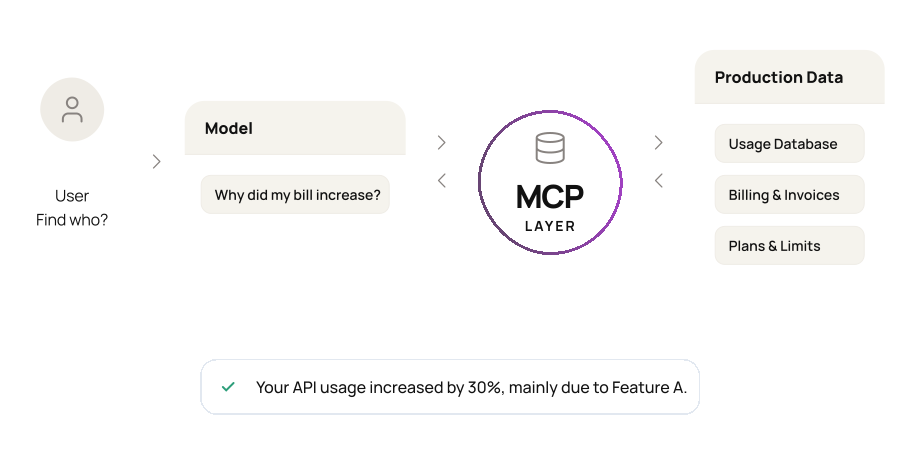
With MCP, a model can query usage events, plans, limits, and invoices in real time. A user can ask, “Why did my bill increase?” or “Which feature drove this month’s usage?” and the model answers by pulling directly from live systems.
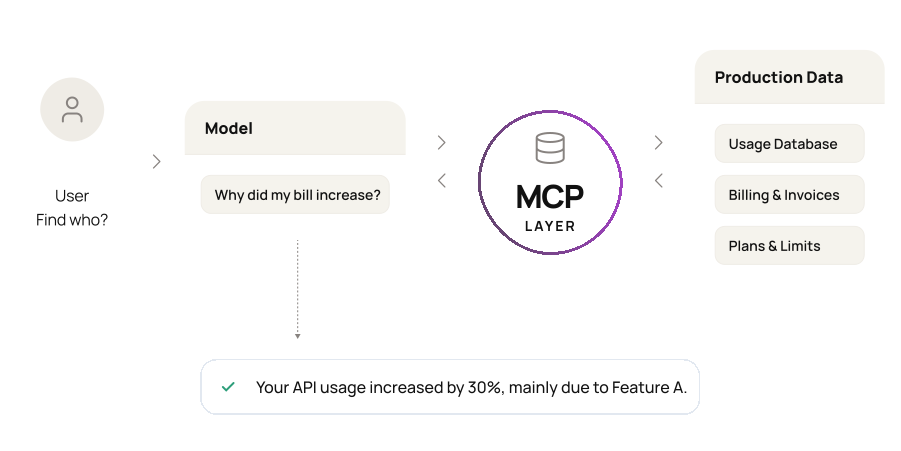
There’s no parallel analytics layer. Every response comes from production data sources, with results that remain consistent, auditable, and versioned according to your internal schemas.
3. Internal operations automation
MCP lets your internal teams interact with operational systems through a governed interface. For example, an ops lead can ask for a reconciliation, trigger a workflow, or generate a report using natural language.
Each request resolves to an explicit MCP tool with scoped permissions and deterministic side effects. This removes the need for ad hoc scripts and one-off internal tools.
4. Policy and compliance enforcement
With MCP, you can expose policy-backed tools that enforce scope, redaction, approvals, and data boundaries at runtime.
For example, when a user requests to export customer data, the model must call a compliance tool that checks tenant, role, region, and retention rules before returning any results. The model can’t bypass this path.
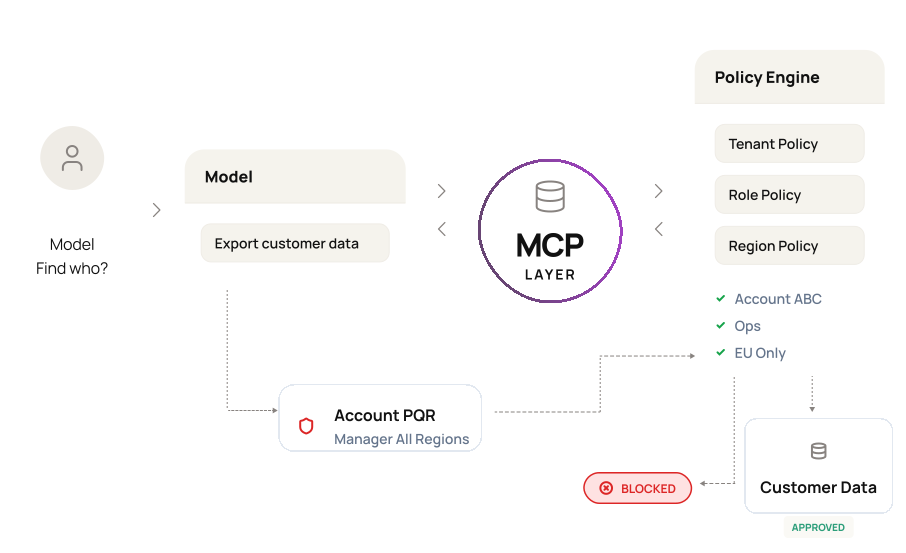
This setup ensures every access is evaluated by the same policy engines that already protect your product.
5. Workflow orchestration across systems
MCP helps expose cross-system operations as first-class tools. You can define workflows such as provisioning an account, upgrading a plan, or closing an account as sequences that span identity, billing, CRM, and provisioning services.
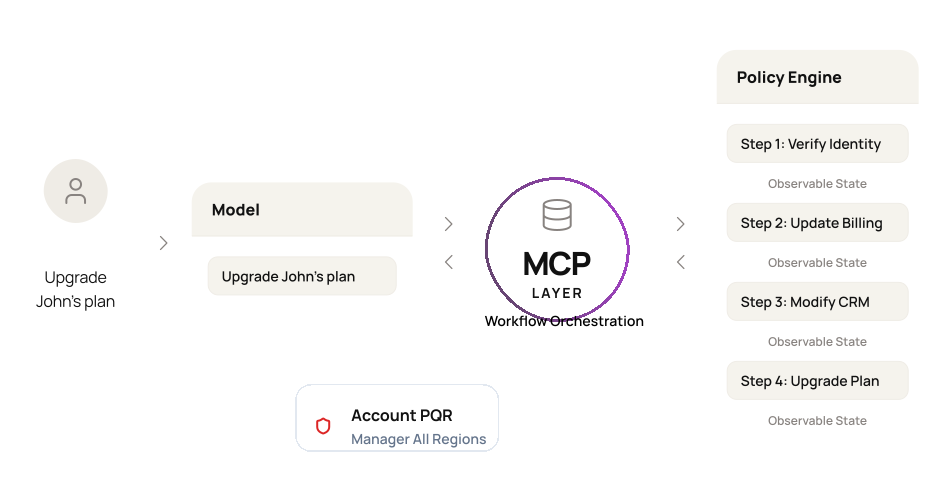
When a model executes these flows, each step becomes an explicit toll call with observable state and controlled side effects. And you have an AI feature without the brittle, one-off integrations.
When Should a SaaS Company Implement MCP?
MCP becomes relevant when AI becomes part of your product’s core architecture. The signals below indicate whether you’ve already crossed the line – depending on where you stand in your SaaS company journey:
1. Early-stage SaaS
- Your second or third AI feature requires new glue code
- Prompts carry large context because models can’t query live state
- Product behavior is hardcoded inside feature handlers
Common Mistake to Avoid
Shipping point integrations you’ll later have to unwind (e.g., each AI feature calling getUser(), getPlan(), getUsage() in its own handler)
2. Growth-stage SaaS
- Multiple teams ship AI features in parallel
- Access control is reimplemented per feature
- Debugging requires tracing across endpoints and services
- The same systems are exposed repeatedly to models
Common Mistake to Avoid
Building a parallel “AI layer” (e.g., a separate AI service that re-implements auth, schemas, and data access)
3. Enterprise SaaS
- AI features must enforce tenant isolation and compliance rules
- Customers expect AI to act on real product state
- Internal teams need governed cross-system automation
- Audits require traceable AI behavior
Common Mistake to Avoid
Enforcing policy in prompts instead of architecture (e.g., “don’t show PII” in the prompt while the tool still returns raw data)
How Intuz Can Help You Implement MCP on Top of Your Existing Infrastructure
If you’re a SaaS company that wants to take the next step and deploy MCP to your architecture, then you need an AI development partner that understands your core needs. That’s where Intuz steps in.
With 16+ years of experience delivering AI systems for SaaS and SMB platforms, we work at the intersection of product infrastructure and AI behavior. A typical MCP server development services looks like this:
1. System and surface mapping
We start by mapping the systems your AI features already touch: billing, CRM, analytics, support, and internal tools. In parallel, we identify every AI surface in your product: in-app copilots, support agents, analytics, and ops workflows. This gives you a single view of where models act and what they depend on.
2. Tool and contract design
We extract those dependencies into explicit MCP tools. Each capability has a single contract: one way to read a user, one way to fetch usage, one way to update state.
3. MCP gateway implementation
We wrap your existing APIs behind MCP. No business logic is duplicated. MCP serves as the gateway between models and your systems, enforcing contracts and policies centrally.
4. Feature migration
We reroute existing AI features through MCP. Prompt payloads shrink. Feature-level glue code disappears. Behavior becomes consistent across every surface.
5. Safety and evolution
We design for partial data, tool failure, and ambiguous intent at the MCP layer. As your product evolves, we revisit whether MCP alone is sufficient or whether multi-agent patterns make sense.
Let’s take the example of our client, French Florist in Los Angeles.
They started with a legacy system that limited personalization and slowed operations. We helped them ship:
- AI-driven inventory forecasting
- A custom iPad app for order handling
- Personalized gifting with video messages
- Over 13 integrations, including Onfleet, Klaviyo, and Yotpo
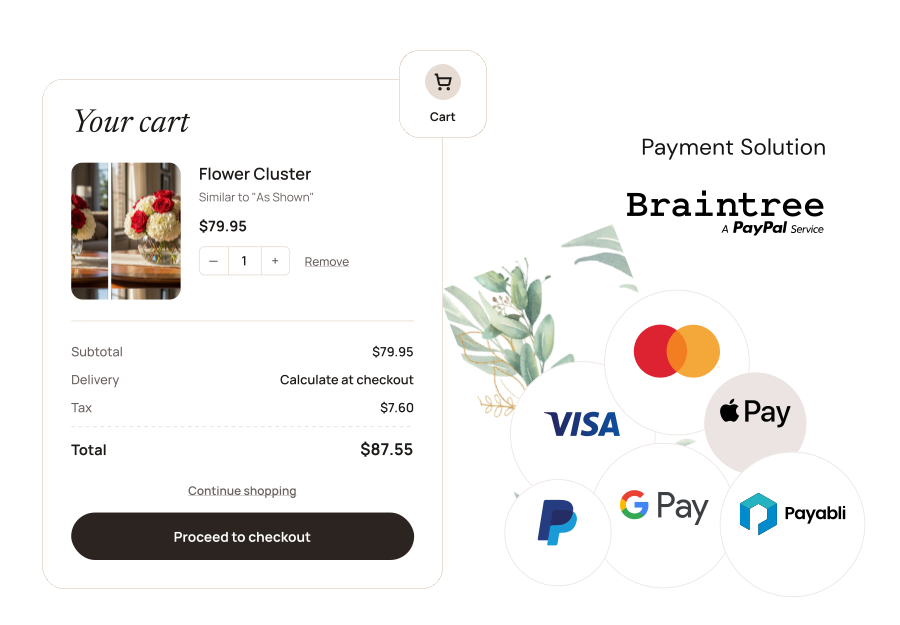
MCP-style integration unified customer data, orders, delivery, and marketing into one controlled interface. As the system matured, different AI agents began handling marketing, delivery coordination, and sales engagement.
You see, most teams start with MCP because it grounds AI in a real product state with clear boundaries. As workflows span functions, we help you evolve toward agent-to-agent systems where multiple models coordinate across domains.
Book a free 45-minute MCP consultation with Intuz to evaluate whether MCP fits your SaaS AI roadmap.
FAQs
What is MCP and how does it work for SaaS products?
MCP (Model Context Protocol) is an open standard that defines how AI models interact with your product’s tools, data, and services through a single, standardized interface. Instead of building custom wiring for every AI feature, your SaaS product exposes capabilities through MCP — tool access, data exposure, and action execution all governed by one contract. Models query live systems, respect permissions, and perform actions with deterministic side effects. The result is AI behavior that’s consistent, auditable, and aligned with your product’s existing security model.
Why should SaaS companies adopt MCP instead of building custom LLM integrations?
Custom integrations bind AI behavior to individual feature code paths. When a schema changes or a permission model evolves, every AI surface breaks independently. MCP centralizes access logic — one update propagates across all AI features automatically. This contains blast radius during refactors, eliminates inconsistent security enforcement, and removes the drift that happens when two features query the same data differently. For most SaaS teams shipping more than two or three AI features, the maintenance cost of custom wiring outpaces the initial convenience within a single product cycle.
At what stage of SaaS growth does MCP make sense?
MCP becomes relevant earlier than most teams expect. If your second or third AI feature requires new glue code, or if your prompts carry large context payloads because models can’t query live state, you’ve already crossed the threshold. For growth-stage companies, the trigger is parallel AI development across teams where access control gets reimplemented per feature. Enterprise-stage companies need MCP for tenant isolation, compliance, and auditable AI behavior. The pattern that signals it’s time: the same internal systems — users, billing, tickets — get exposed to models repeatedly through separate code paths.
Can MCP integrate with existing APIs without rebuilding backend services?
Yes. MCP acts as a gateway layer over your existing APIs, not a replacement for them. The implementation wraps current endpoints behind MCP contracts — no business logic is duplicated, and no services are rewritten. Tools are defined to expose specific capabilities: read a user record, fetch usage events, trigger a workflow. The backend stays unchanged. What changes is that AI features now route through MCP instead of calling services directly, which means security, schema validation, and permission enforcement happen in one place rather than being scattered across feature handlers.
What does MCP implementation typically involve for a SaaS company?
A structured MCP implementation follows five steps: mapping the systems your AI features already depend on, designing explicit tool contracts for each capability, wrapping existing APIs behind an MCP gateway, migrating existing AI features to route through that gateway, and designing for partial failures and tool errors at the MCP layer. The scope varies with product complexity — a focused SaaS product with three to five AI surfaces can complete initial implementation faster than a platform with dozens of integration points. Intuz typically begins with a system audit before committing to a timeline.
How much does MCP integration cost for an existing SaaS app?
It depends on scale, but real ranges are predictable. For a small SaaS, server setup runs roughly $1k–$4k and integration development $3k–$8k mid-market sits around $3k–$10k for setup and $8k–$20k for integration; enterprise reaches $8k–$18k for setup and $20k–$45k for integration. Monthly hosting and model spend scale from near-zero for a first AI surface to $1,500–$5,000+ for platform-wide usage. Most teams reach break-even within 12–18 months because each backend system is integrated once and reused across every AI feature instead of re-wired per feature. For a deeper breakdown by platform layer and approach, see our dedicated MCP integration cost guide.
Work with Intuz
Ready to Build MCP Server to Your SaaS?
Tell us what you're building — we'll map the fastest path.
Let's Get Started
Share this article