We’ll walk you through the steps to automate patient eligibility verification and claim processing workflows, with expert tips, technologies, and research-backed insights. Plus, discover how Intuz—your workflow automation partner—supports you end-to-end.
Given the shift towards value-based care and increasing focus on patient-centered approaches, the last thing anyone in healthcare wants to do is to manually process patient insurance verification and claims.
You see, some private payers reject about 15% of all claims, and the hospital admin staff naturally ends up spending $20 billion per year contesting these denials. That’s constant delays, costly corrections, and lost revenue.
But automating insurance eligibility verification and claims processing can offer much relief. If you’re in a similar boat and would like to know more, this blog’s for you.
Show
- Private payers reject roughly 15% of all claims, forcing hospital admin staff to spend approximately $20 billion per year contesting denials — making automation not a luxury but a necessity.
- Automating real-time eligibility verification via API/EDI 270/271 eliminates wait times at intake, returning benefit coverage, co-pay details, out-of-pocket status, and timestamps instantly with no admin follow-up.
- A tiered exception-handling system — routing inactive policies to front-office staff and complex payer mismatches to billing teams — prevents rework and reduces claim denials before they happen.
- Claims automation pulls CPT, ICD-10, and modifier codes directly from EHR encounter records, populates payer-specific forms, and submits electronically via clearinghouses, eliminating manual re-entry entirely.
- Automated ERA/EOB reconciliation compares each payment line against contracted payer rates, flags short-pays beyond a set threshold, and triggers AR follow-up — driving measurable improvements in Days in AR and net collection rate.
Steps to Implement Patient Insurance Eligibility Verification and Claims Processing Automation
1. Collect and validate patient insurance details
Kickstart the process with the first moment of contact, where capturing accurate insurance information lays the groundwork for streamlined processing.
There are several digital tools, such as patient portals and mobile intake apps, that can help you collect key patient data, including demographics, policy details, and contact information for insurers, and automatically enter them into your system.
You can also install self-service kiosks in the reception area, allowing patients to scan their insurance card or enter information directly into the portal on the spot.
But your job doesn’t end here. Before sharing details with the payer, set up automated workflow checks to reduce rejections. For instance:
- Use rules-based validation to ensure policy numbers meet the correct format and insurer code standards
- If a patient is returning, auto-fill stored insurance data and prompt them to confirm or update it
Intuz Recommends
Sure, details can be typed into the system by hand. Why do that when you can deploy Optical Character Recognition (OCR) software or AI-powered scanners to extract content from patient documents in any format? Some widely used, HIPAA-compliant options for the same include ABBYY FlexiCapture, Scanbot SDK, Anyline, and Veriff.
2. Seamlessly integrate with Electronic Health Record (EHR) tools
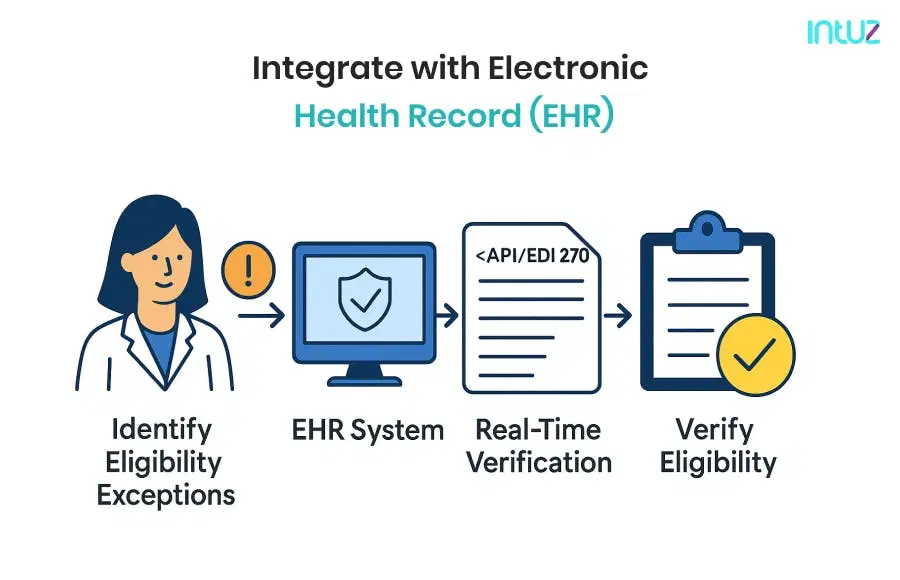
Instead of manually copying patient and insurance data between systems, EHR workflow automation can help you push and pull information in real time, minimizing version control problems.
For example, Epic supports this via App Orchard–approved FHIR (Fast Healthcare Interoperability Resources) apps, Oracle Health uses Millennium APIs and HL7 (Health Level Seven) interfaces, and Athenahealth offers REST-based APIs for instant lookups.
These integrations rely on several healthcare data standards. FHIR resources like “Coverage” and “Patient” are ideal for modern, API-based exchanges, while HL7 v2 270/271 messages are still common with payers using older systems.
Intuz Recommends
If your environment deals with both formats, an integration engine like Mirth Connect or Rhapsody can bridge the gap, translating between FHIR and HL7 so your workflow runs smoothly regardless of the payer’s technology. Do you need help in finalizing a tool? Get in touch with our experts.
3. Automate real-time eligibility verification using API/EDI 270
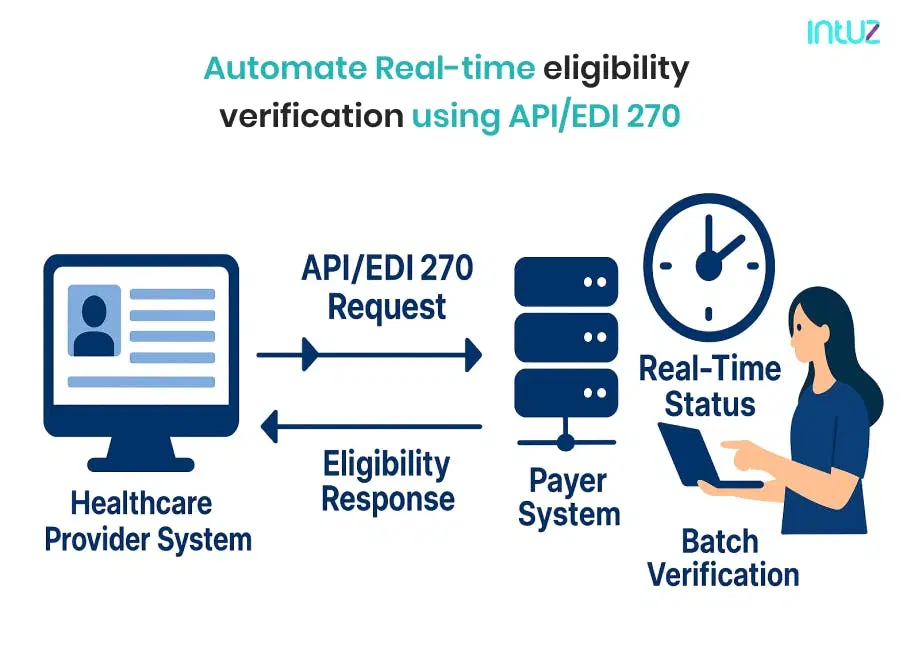
Eligibility checks work best when they happen instantly—no patient wants to wait to get their insurance processed amidst a crisis. Automation makes that possible through either traditional EDI 270/271 transactions or API-based verification.
The difference between the two comes down to technology and flexibility:
- EDI 270/271 is a standardized, legacy format that sends an eligibility request (270) and receives a response (271)
- API-based verification uses web-friendly protocols for faster, more dynamic data exchange
The latter obviously brings immediacy. Your system sends a request during intake and receives back benefit coverage, co-pay details, out-of-pocket status, and verification timestamps in real-time. No follow-up is needed from your admin staff or the patients themselves.
You can connect to payers either directly or through a clearinghouse, such as Availity, Eligible, and Optum. Aggregate connections to multiple insurers, simplifying the setup so you don’t have to build and maintain individual payer links.
Intuz Recommends
Automate both real-time and batch verification. You see, real-time checks make sense at key points in the patient journey, such as scheduling or check-in, when you need instant coverage confirmation.On the other hand, batch verification runs eligibility checks for multiple patients at once, typically overnight, and helps confirm next-day appointments without tying up your resources during operational hours.
4. Identify exceptions and notify stakeholders
Even with robust automation in place, some eligibility checks will flag problems, such as inactive coverage, ineligible plans, or missing/invalid data.
Catching these exceptions early is imperative to prevent rework and claim denials. Therefore, your automation should be configured to trigger alerts to the right people at the right time when such scenarios arise.
For instance, if a coverage check shows a terminated policy, the system could immediately send a notification to your front-office staff to contact the patient before the appointment.
If the issue is more complex, such as conflicting policy data between the EHR and the payer’s system, it might be routed to the billing team for manual review and resolution.
In practice, exception rules might look like this:
- “If eligibility status = inactive → send email + dashboard alert to front-office.”
- “If payer response = plan does not cover CPT (Current Procedural Terminology) code → route to billing queue with note ‘Coverage not applicable.”
- “If patient demographic data mismatch > 2 fields → flag for verification call before claim submission.”
Intuz Recommends
Create tiered exception rules based on urgency and payer behavior. For instance, that could include sending a reminder to the billing supervisor if an exception hasn’t been resolved within 24 hours.For recurring issues with a specific payer, such as frequent policy mismatches, schedule a monthly audit to adjust your data capture process and prevent repeat exceptions.
5. Maintain audit trails, compliance, and reporting
Every verification request, payer response, and exception resolution should be logged in an audit trail so you can see exactly when it happened, who handled it, and what action was taken. This audit history matters when you appeal denials or respond to compliance reviews.
Because of sensitive data, your system must enforce role-based access control (RBAC) so only authorized staff can view or modify this trail. Audit logs should typically capture:
- User IDs
- Timestamps
- Actions taken
Lastly, all the data should be encrypted both in transit and at rest.
Intuz Recommends
Want to measure the impact of automation and identify areas for improvement? Track key indicators on the performance side, including denial rate, average verification time, volume by payer, first-pass resolution rate, and more.
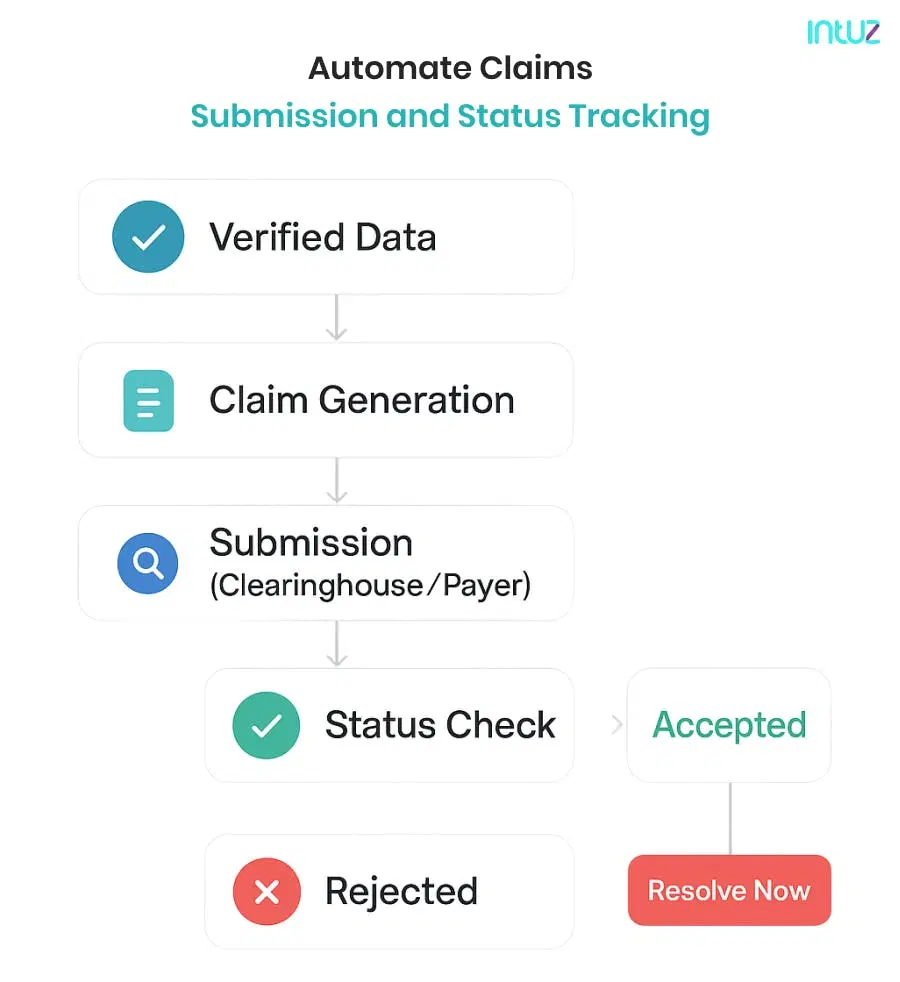
6. Automate claims submission and status tracking
Once patient coverage is verified, you can use automation to generate claims directly from your EHR. This eliminates the need to manually re-enter codes, dates, and service details.
Your system can simply pull relevant CPT, ICD-10, and modifier codes from the encounter record, populate payer-specific claim forms, and prepare them for submission in the correct format. For delivery, you have two main options:
- Electronic submission via a clearinghouse, which routes claims to multiple insurers through a single integration with basic validation rules
- Direct connection to the payer, which shortens turnaround times and is easier to manage
Intuz Recommends
Set automated status checks to run 48 hours after submission, and then again weekly until the claim is finalized. This helps you catch rejections early, often before the payer’s official notice arrives, and gives your team more time to resolve them before payment deadlines pass.
7. Post payments and reconcile
Submitting a claim is just one side of the coin.
The other half of your job starts with you receiving the payment.
When an Electronic Remittance Advice (ERA) or Explanation of Benefits (EOB) is received, ensure your system automatically compares each payment line in the ERA/EOB against the original claim and contracted payer rates, immediately flagging discrepancies, if any.
If a payment variance exceeds a set threshold, for example, a short pay of more than 5%, the system can trigger accounts receivable (AR) follow-up workflows.
In this case, it’s vital to monitor payment trends and metrics, including:
- Days in AR to track collection efficiency
- Variance reports by payer, service type, or CPT code
- Denial and adjustment patterns, including the most frequent denial reasons
- Net collection rate to measure payment performance against expected reimbursement
Intuz Recommends
Auto-tag underpayments in your system by reason code, for example, contract adjustment, coordination of benefits, or bundling. Over time, this will give you complex data on how often and why underpayments occur, helping you perform better during payer negotiations.
Core Technologies Use for Insurance Eligibility Verification and Claims Processing Automation
| Technologies | Purpose in Workflow |
|---|---|
| API/EDI integration | Connects your system to payer databases for eligibility checks |
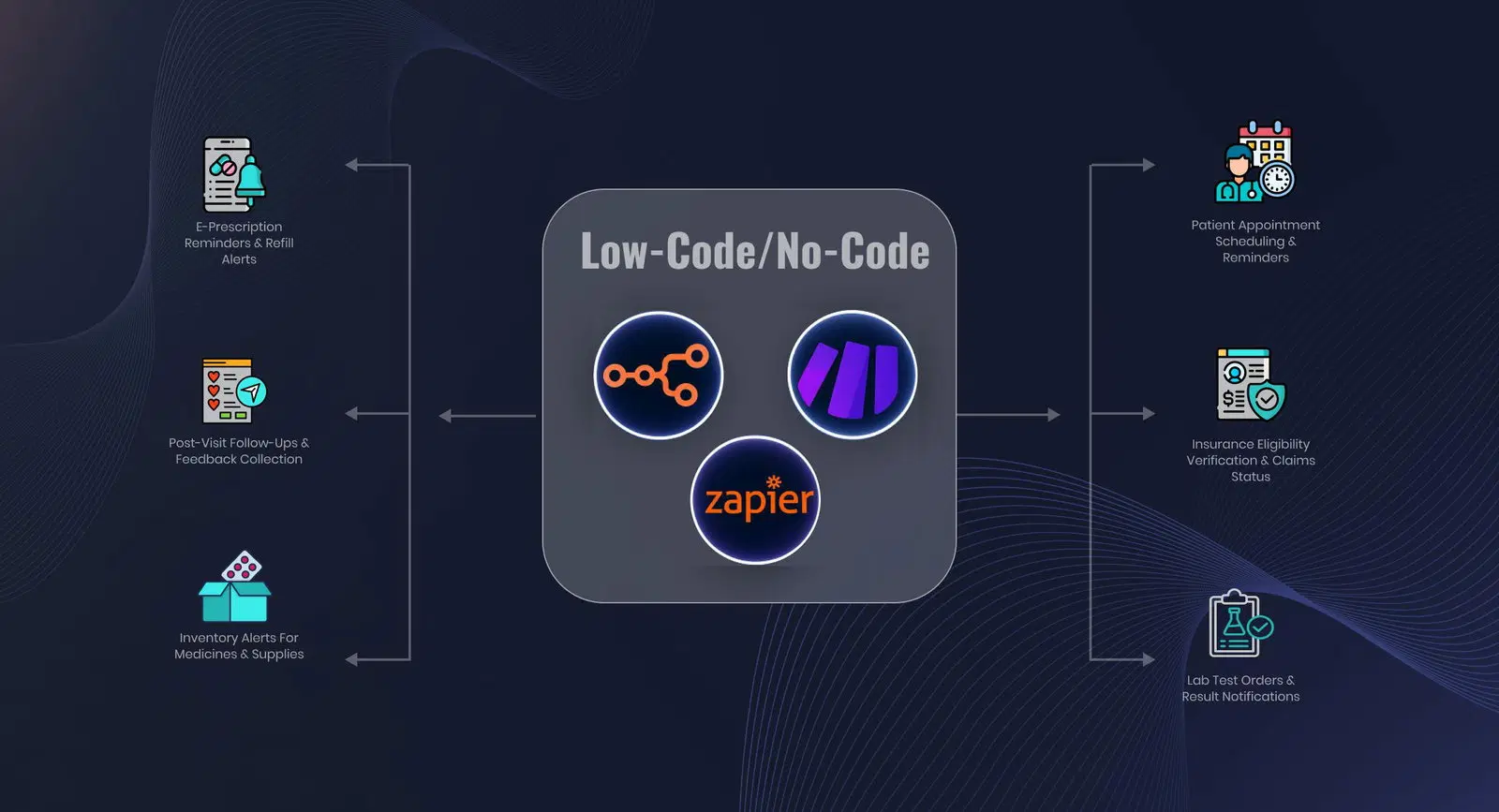
| Low-code/no-code automation platforms | Build and adjust workflows without extensive coding, speeding up deployment |
| Healthcare Data Standards | Ensure consistent, secure data exchange between systems |
| AI/NLP-based parsing | Extracts data from insurance cards, scanned forms, and payer communications to reduce manual entry |
| HIPAA-compliant cloud infrastructure | Stores and transmits PHI securely while enabling authorized remote access |
Why Healthcare Providers Choose Intuz for Workflow Automation
With us by your side, you actually get an production-ready AI development that’s 100% invested in the results you want to achieve and can measure.
We make insurance eligibility verification and claims processing predictable with outcome-linked pricing and a delivery model that stands the test of time. Our team integrates into your workflows quickly, communicates openly, and draws on experience from building secure, compliant solutions, especially in regulated industries, such as healthcare using our healthcare AI automation platform.
Need proof? Just ask Casepath, and they’ll tell you how we developed an AI-powered SaaS platform for them. It enables child protection agencies to manage cases securely, customize data collection, and generate instant AI case summaries.
Want the same for your healthcare business so that you’re able to process claims faster and focus more on patient care?
Book a free consultation today to find out how we can help you.
FAQs
Why is insurance eligibility verification important before patient visits?
Eligibility checks prevent claim denials, reduce patient billing disputes, and ensure accurate upfront cost estimates. According to CAQH, nearly 15% of claims are denied due to eligibility errors. Automating this step ensures providers capture correct coverage details, improving cash flow and patient satisfaction.
How does workflow automation reduce claim denials?
Automation validates patient data, coverage limits, and payer rules in real time. It minimizes manual entry errors and flagging missing documents upfront. Industry reports show automated claims reduce denial rates by up to 30%, saving administrative time and accelerating reimbursement cycles.
What technologies are used in claims processing automation?
Common tools include API/EDI integration, Low-code/no-code automation platforms, Healthcare Data Standards, AI/NLP-based parsing, HIPAA-compliant cloud infrastructure Many US hospitals leverage AI-powered claim scrubbing tools to improve first-pass acceptance rates and reduce administrative overhead.
How does insurance and claim processing automation impact revenue cycle management (RCM)?
Automating eligibility checks, coding validation, and claims submissions reduces A/R days and increases clean claim rates. A McKinsey study notes automation can cut RCM costs by 25–30%. This ensures providers receive faster reimbursements while maintaining compliance with payer policies.
What challenges do US providers face when automating insurance workflows?
Challenges include payer-specific rules, legacy EHR integrations, and staff adoption. Many providers also face HIPAA compliance concerns. However, selecting interoperable tools and phased automation rollouts helps overcome these barriers while maximizing ROI. Early adopters report efficiency gains within 3–6 months.
Work with Intuz
Automate Your Claims Workflow
Reduce denials and speed up reimbursements with Intuz.
Let's Get Started
Share this article