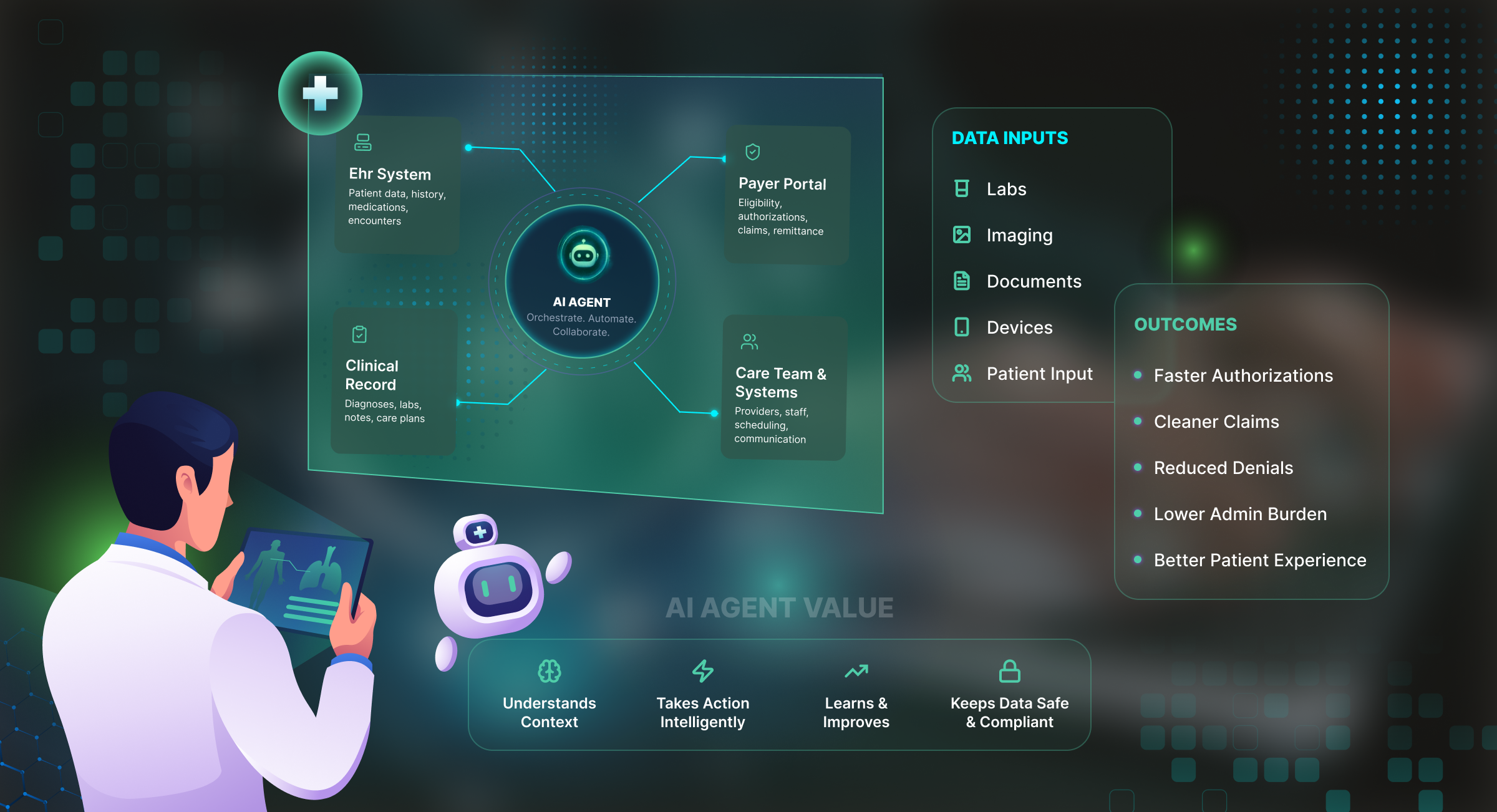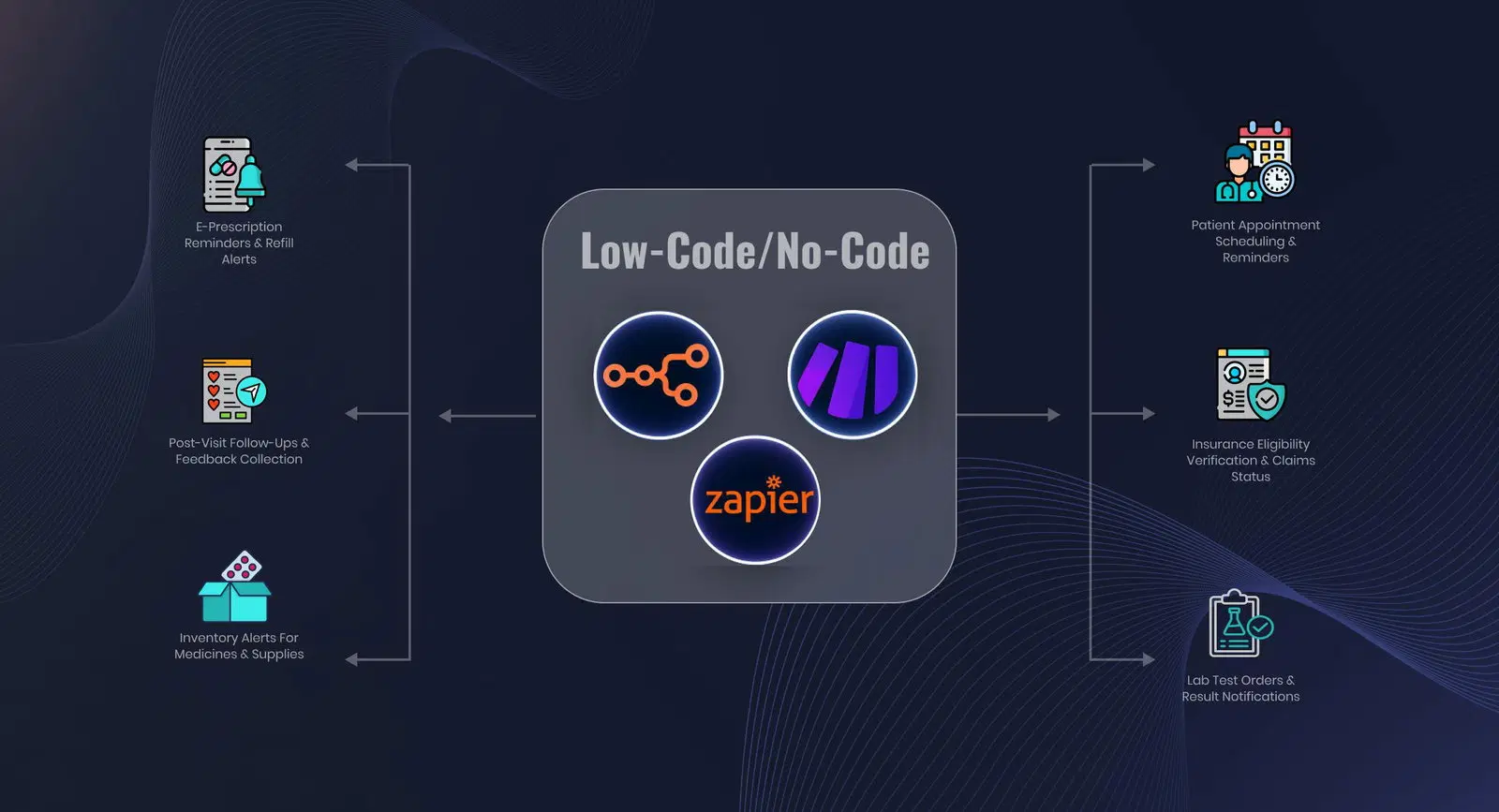
This blog post explains how the process works, where AI adds value, what implementation may cost, and how you can identify a practical first workflow to automate.
Your patients may be completing registration forms online. However, that doesn’t mean you or your staff aren’t spending hours transferring the same info into the EHR.
One study found that 1.3% of EHR timestamps were inaccurate when staff recorded events immediately, compared with 38.43% when they entered them more than 20 minutes later.
The good news is that EHR integration workflow automation can help close that gap.
Why Does Digital Patient Intake Still Create Manual Work?
A digital form improves collection. However, it doesn’t automatically connect that information to the EHR.
And when the two systems are disconnected, someone still has to open the submission, find or create the patient record, and enter demographics, insurance details, medications, allergies, consents, and emergency contacts.
The same problem appears in behavioral health workflow automation and other document-heavy healthcare processes. In fact, it isn’t limited to patient registration.
For example, our client Careonix, a home health provider, relied on a five-person team to process incoming physician orders and CMS documents manually.
Each order could take up to 20 minutes to print, file, and enter into the EMR, while some remained unprocessed for hours or even days.
The cost extended beyond the time spent on each order. Manual handling also created repetitive fax handling and data-entry work and limited visibility into order status, missing signatures, and pending work.
Careonix illustrates the broader issue: having an EHR in place doesn’t necessarily eliminate the manual work surrounding it.
EHR adoption itself is no longer the main obstacle. As of 2024, 91% of office-based physicians and more than 99% of non-federal acute care hospitals had adopted a certified EHR.
The remaining problem is often the workflow around it: information arrives electronically but still has to be transferred between systems by hand.
Traditional vs modern patient intake process
| Workflow stage | Disconnected digital intake | Integrated intake workflow |
| Submission | Patient completes a form or sends a document | Patient uses the same familiar channels |
| Data handling | Staff reads and re-enters information | The system captures or extracts structured fields |
| Validation | Staff checks every submission manually | Rules and confidence scores identify exceptions |
| EHR update | Staff finds, creates, or updates the record | Validated data moves through an approved integration route |
| Tracking | Status is spread across inboxes and work queues | Each action receives a status, timestamp, and audit record |
With patient onboarding automation, your staff doesn’t need to review every submission manually, only for the exceptions that require human attention.
Routine submissions that meet the required validation rules can move forward automatically, while missing, conflicting, or low-confidence information is routed to the appropriate team for review.
We used this broader approach for Careonix to automate order intake, extraction, validation, and EMR upload. In one workflow, automating pending-order retrieval and fax dispatch reduced processing time from five minutes to 30 seconds.
How Patient Intake Automation Works and Where AI Fits
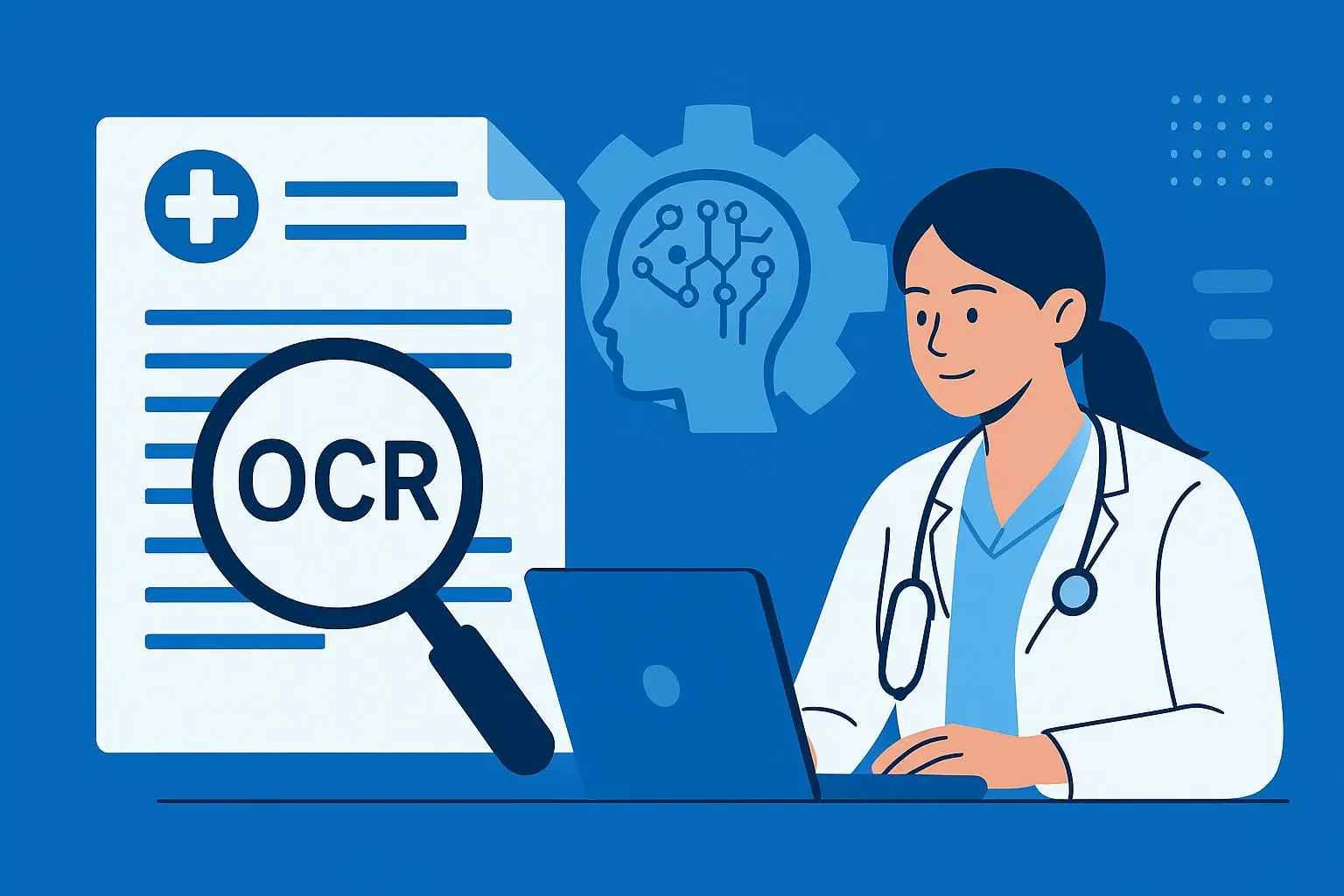
Understanding how healthcare AI automation works starts with how information reaches you. A portal or web form already produces structured data, while a fax, scan, PDF, or photograph may require document classification and optical character recognition before validation begins.
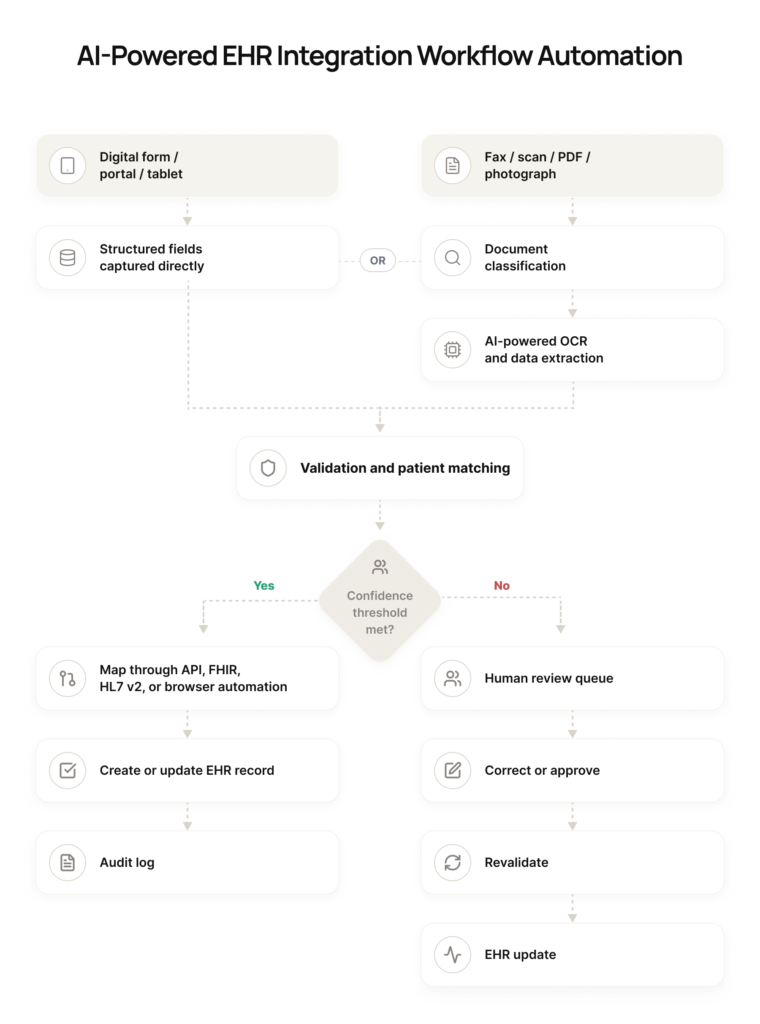
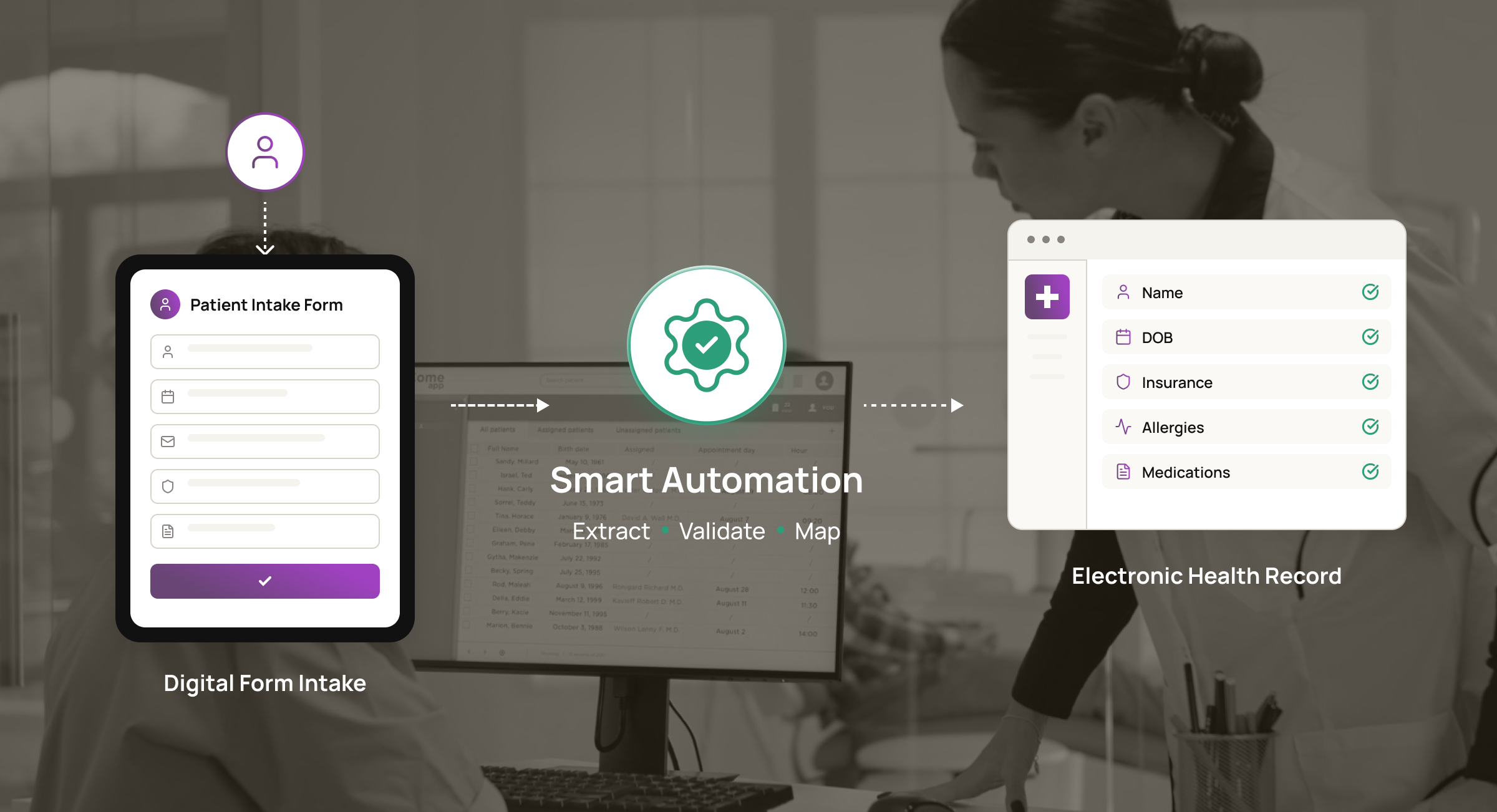
Once you account for that distinction, the end-to-end process follows six connected stages:
1. Capture the submission
Your patient completes an intake form through a secure link, portal, or tablet. The same workflow can also receive referrals, physician orders, CMS forms, and supporting documents through an upload or fax service.
2. Structure the information
For scanned material, AI-powered OCR identifies the document type and extracts information such as the patient’s name, date of birth, address, insurance member ID, referring physician, start-of-care date, and order number, and populates a structured review form.
3. Validate the information
Your workflow checks whether required fields are present, formats are correct, and values are plausible and consistent. It can also compare patient identifiers against EHR search results or your enterprise master patient index.
4. Apply confidence scoring and exception rules
Extracted fields may receive confidence scores indicating how certain the system is that each value was read correctly. A submission continues automatically when it meets your approved confidence thresholds and validation rules.
A low-confidence value, possible duplicate, missing consent, unreadable scan, or conflicting patient match moves to a review queue with the relevant field flagged.
5. Map the validated data to the EHR
You can move approved information through supported EHR APIs, HL7 v2 interfaces, FHIR resources, or existing integration middleware.
Patient registration and demographic information may map through an ADT message or the relevant FHIR resource, while insurance coverage, allergies, consent, and other data may follow separate mappings.
Where your EHR doesn’t provide a suitable interface, monitored browser automation can update approved fields or attach the document to the correct patient record or task.
6. Create the audit record
Your workflow records the source document, submitted or extracted values, validation results, reviewer decisions, EHR responses, timestamps, and failure status. Monitoring and alerts then show your team what completed successfully and what still needs attention.
AI workflow automation is most useful when the information entering your workflow varies in format or quality, as with blurry faxes, changing layouts, handwritten entries, and mixed document types.
Rules can handle deterministic checks such as required fields and accepted formats. AI supports document classification, data extraction, confidence scoring, and intelligent routing when the input is less predictable.
HIPAA considerations
Any vendor that creates, receives, maintains, or transmits PHI on your behalf must be covered by an appropriate business associate agreement. Your workflow should also include risk-based access controls, protection of ePHI during storage and transmission, monitoring, and audit records. A healthcare AI automation platform alone doesn’t establish compliance.
The Business Case: Benefits, Cost, and Implementation Timeline
EHR integration workflow automation can improve four measurable areas: processing time, manual effort, data quality, and exception turnaround. It also gives you a clearer capacity model. When volume increases, your staff can focus on unresolved cases instead of data entry.
The 2025 CAQH Index, based on data from more than 600 provider organizations and health plans, estimated that electronic transactions and improved data exchange avoided $258 billion in US healthcare administrative costs during 2024.
It also identified a further $21 billion savings opportunity through greater automation of manual and partially manual transactions. The study covers more than intake, but it shows the economic value of reducing repeated data movement.
EHR integration has no universal price because scope changes quickly. A structured form connecting to a documented API requires less work than several scanned document types, custom validation logic, or a legacy EHR that requires browser automation.
| Implementation complexity | Illustrative scope | Main cost drivers |
| Single workflow | One form or document lane with an accessible EHR interface | Field mapping, validation rules, volume, and security review |
| Multi-form workflow | Several intake or clinical document types with routing and middleware | Classification, exception paths, patient matching, and integration count |
| Complex deployment | Several workflows, custom extraction, or an EHR without a suitable API | Browser automation, monitoring, document variation, and recovery logic |
We currently offer introductory pilot pricing of $3,000 to $7,000 for one production-ready workflow. On an annual plan, ongoing lane support costs approximately $250 per month, while hosting is billed at cost.
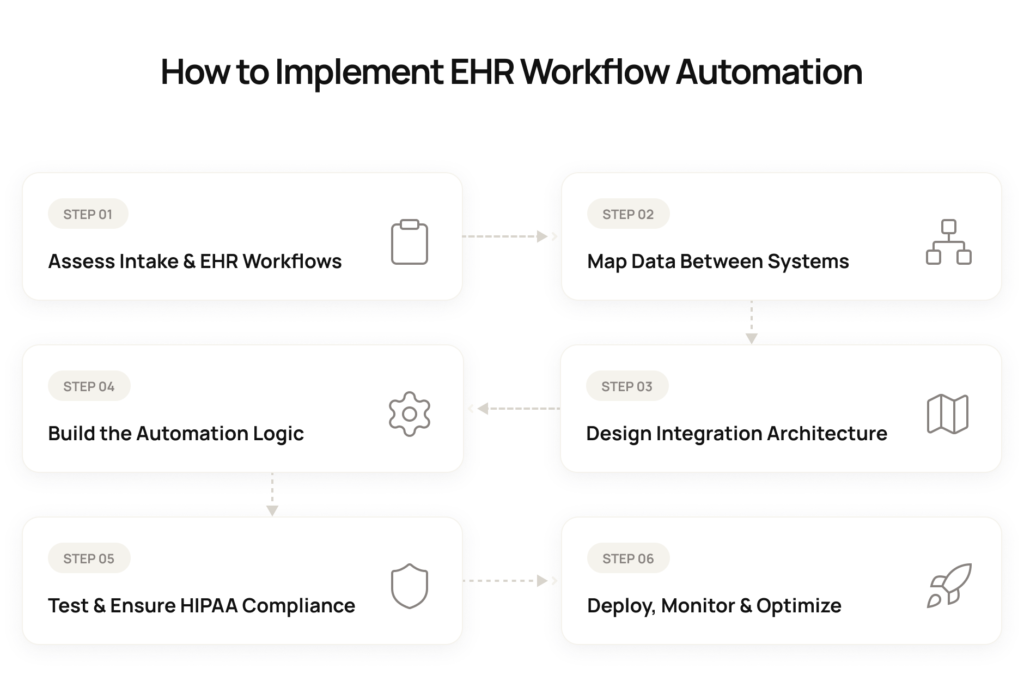
Broader, multi-workflow programs can even cost you tens of thousands as you add more forms, integrations, exception rules, and operational requirements.
We recommend a phased rollout so you can control the investment and prove value before expanding – as shown in the table below:
| Timeline | What we do |
| Week 1: Setup and validation | We help you select the workflow, review 10–20 sample records, map exception handling, and define a clear success measure. |
| Weeks 2–3: Build and integration | We automate the workflow steps, integrate the required systems, add monitoring and alerts, and run the workflow in test mode. |
| Weeks 4–5: Validation and go-live | We validate the workflow using real data, address edge cases, and move it into production with monitoring and human review active. |
| Week 6 onward: Stabilization and iteration | We refine the workflow based on real-world performance and begin planning the next automation lane using the same foundation. |
Intuz’s healthcare automation pilot follows this sequence so you can prove one lane before extending the foundation.
Why Choose Intuz for EHR Integration and Workflow Automation
Most EHR integration projects focus on getting data from one system to another. As a healthcare workflow automation partner, we focus on what happens after go-live: how the process is monitored, maintained, adapted, and scaled without having to rebuild it from scratch.
You don’t need to automate every intake task at once. We can start with one high-volume workflow where your staff still transfers information from forms, faxes, PDFs, or portals into the EHR manually.
Request a workflow assessment, and we’ll help you map the current steps, identify the exceptions and approval points, estimate the implementation range, and determine where automation can reduce manual work while keeping your staff judgment in the center.
FAQs
What does EHR integration actually eliminate in a form intake workflow?
It connects your digital intake forms and incoming documents directly to the EHR, so validated data auto-populates the chart instead of staff retyping it. Intuz client Careonix cut a 20-minute manual order-entry step to routine automatic processing, with only exceptions needing staff review.
How does validated data actually get written into the EHR?
Validated data moves through supported EHR APIs, HL7 v2 interfaces, or FHIR resources: registration usually maps through an ADT message or matching FHIR resource, with insurance, allergies, and consent mapped separately. If your EHR lacks a suitable interface, monitored browser automation updates approved fields instead.
How much does EHR integration workflow automation cost?
Introductory pilot pricing runs $3,000–$7,000 for one production-ready workflow. Ongoing lane support on an annual plan with hosting billed at cost. Multi-workflow programs scale into the tens of thousands as scope expands.
What drives that cost up or down?
Cost scales with complexity: a single form or document lane connecting to an accessible EHR interface is cheapest, driven by field mapping and validation rules. Multi-form routing, patient matching, custom extraction, or an EHR lacking a usable API push cost higher.
How long does implementation take?
A single workflow typically follows a six-week rollout: week 1 for setup and validation, weeks 2–3 to build and integrate in test mode, weeks 4–5 to validate with real data and go live, and week 6 onward for stabilization.
Does adding more workflows later extend the timeline back to square one?
No. A phased rollout proves one high-volume workflow first, then reuses that integration foundation, monitoring, and exception logic for each additional form or document lane, which usually launches faster than the original six-week build.
What ROI or benefits can I actually expect?
Automation improves four measurable areas: processing time, manual effort, data quality, and exception turnaround. For home health client Careonix, automating pending-order retrieval and fax dispatch alone cut processing time from five minutes to thirty seconds in that single workflow.
Is the pilot a low-risk way to prove ROI before committing to more?
Yes. The $3,000–$7,000 pilot delivers one production-ready workflow in about six weeks, so you can measure real processing-time and error reductions against actual volume before deciding whether to scale into a multi-workflow program billed at roughly $250 per lane monthly.
Is this kind of automation HIPAA-compliant?
Automation alone doesn’t establish compliance. Any vendor that creates, receives, or transmits PHI needs a signed Business Associate Agreement, plus risk-based access controls, encryption for ePHI in storage and transit, monitoring, and complete audit records covering every workflow step and EHR update.
Work with Intuz
Still Manually Re-Entering Patient Data Into the EHR?
Let's automate your workflow from digital form intake to EHR without manual data entry.
Let's Get Started
Share this article