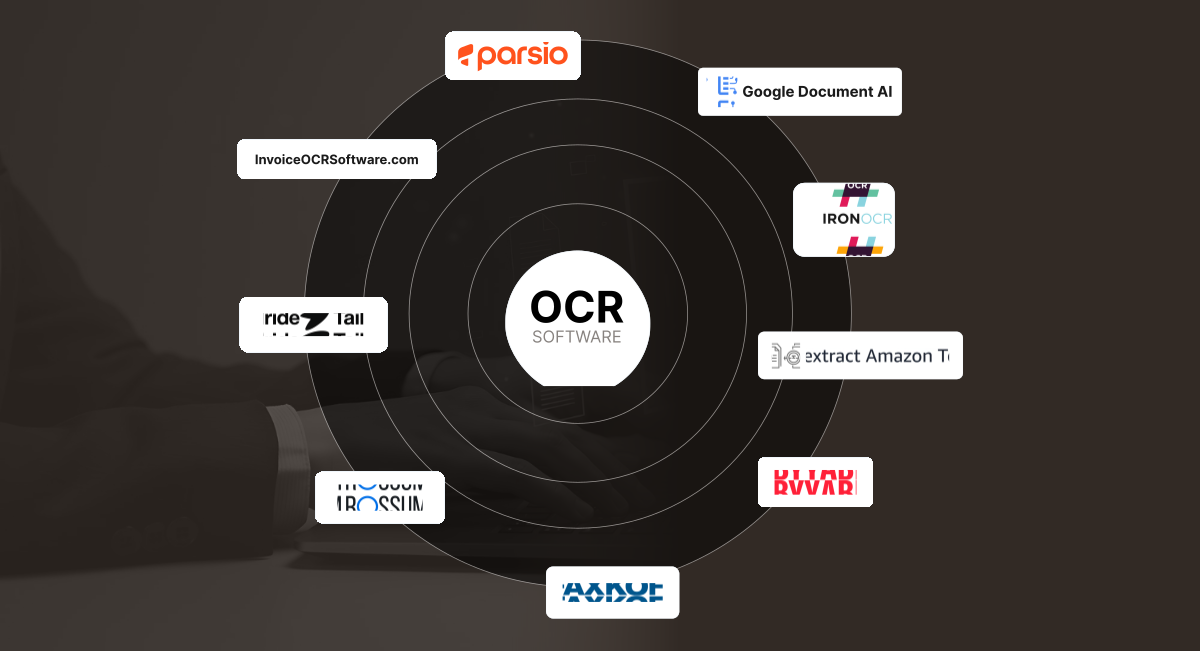
The best OCR software for invoice processing in 2026 are Parsio and Tailride for SMBs, ABBYY FlexiCapture and Rossum for enterprises, and Amazon Textract and Google Document AI for developer-built pipelines. AI-powered OCR reduces invoice processing costs from $12–20 (manual) to $2.36 (automated) and cuts processing time from 9.2 days to 3.1 days.
Manual invoice entry can take 10–30 minutes per invoice, whereas AI-augmented systems can reduce that to 1–2 seconds per invoice, while cutting cost per invoice from ~$12–20 down to ~$2.36. (Source: Billentis AP Automation Report, 2024)
Meanwhile, the OCR (optical character recognition) market is growing rapidly as well — from ~USD 10.6 billion in 2022 to a projected USD 32.9 billion by 2030 (CAGR ≈ 14.8 %)
So we have compile list of OCR/invoice-processing tools—some optimized for SMBs, some for large enterprises, and some API-centric—so you can pick the one best aligned with your scale, tech maturity, and budget.
Show
- AI-augmented OCR reduces invoice processing time from 10–30 minutes per invoice down to 1–2 seconds, cutting cost per invoice from $12–20 to approximately $2.36.
- The OCR market is rapidly expanding — from ~$10.6 billion in 2022 to a projected $32.9 billion by 2030, driven by enterprise adoption of document automation.
- For SMBs, tools like Parsio and Tailride offer affordable, easy-to-deploy solutions starting as low as $19–41/month, while enterprises can rely on ABBYY FlexiCapture or Rossum for 95–99% accuracy with deep ERP integration.
- Developer-focused solutions such as Amazon Textract and Google Document AI provide pay-per-use, cloud-native OCR that integrates natively with AWS and GCP pipelines respectively.
- Modern AI-OCR systems process invoices from capture through validation and ERP sync without manual entry — but tools vary significantly by volume, technical setup required, and cost scalability.
What is OCR Invoice Processing?
OCR invoice processing is the use of optical character recognition (OCR) and artificial intelligence to automatically read, interpret, and extract structured data from invoices — whether they arrive as PDFs, scanned images, or email attachments. The extracted data (vendor name, invoice number, dates, line items, totals) is validated and pushed to accounting or ERP systems without manual entry. Modern AI-OCR tools achieve 95–99% accuracy, even on complex, multi-page, or multi-language invoices.
How OCR Invoice Processing Works
- Capture— Invoices arrive via email attachment, scanned PDF, supplier portal upload, or direct photograph
- Extract— AI-powered OCR reads the document, identifies fields (vendor, date, invoice number, line items, totals) by context — not just position
- Validate— Extracted data is cross-checked against rules (e.g. line items must sum to total), flagging discrepancies for human review
- Route— Validated invoices are automatically routed for approval based on amount, vendor, or department rules
- Sync— Approved data is pushed directly to your accounting software (QuickBooks, Xero) or ERP (SAP, Oracle) with a full audit trail
How Accurate Is Invoice OCR?
Accuracy depends less on the brand and more on the type of OCR and how you measure it. As a benchmark:
| OCR type | Typical accuracy | Notes |
|---|---|---|
| Template / rule-based OCR | ~80–90% | Strong on fixed layouts it has seen; drops sharply on new vendor formats |
| AI / ML-based OCR | ~95–99% | Learns varied layouts; handles unseen invoices far better |
| Handwritten fields | ~80–90% | Still the hardest case across every engine |
When evaluating an OCR tool, test it against your own invoice set rather than relying only on a vendor’s published percentage. Include clean digital PDFs, scanned invoices, different layouts, multi-page documents, tables, different languages, and low-quality scans. Then measure at least four things:
- Field accuracy: How often are key fields such as vendor name, invoice number, date, subtotal, tax, and total extracted correctly?
- Line-item accuracy: Can the system correctly identify descriptions, quantities, prices, taxes, and totals?
- Exception rate: How many invoices require manual review?
- Straight-through processing rate: How many invoices can reach the accounting or ERP system without human correction?
Full Comparison – 9 Best OCR Software for Invoice Processing
| Tool | Best For | Starting Price | Accuracy | Integration | API Available |
|---|---|---|---|---|---|
| InvoiceOCRSoftware | SMB basics, plug & play | $29/mo or $0.05/page | Good | QuickBooks, Xero | Limited |
| Parsio | SMB + developers, email workflows | $41/mo | Very Good | 6,000+ via Zapier/Make | Yes |
| Tailride | Mid-scale SMB, multi-currency | $19/mo | Very Good | Xero, QuickBooks, Google Workspace | Yes |
| ABBYY FlexiCapture | Large enterprise, complex layouts | ~$9,700/year | 95–99% | SAP, Oracle, MS Dynamics | Yes |
| Rossum | Enterprise AP, template-free AI | $0.50/doc | 95–99% | SAP, Oracle, ERPs via API | Yes |
| Kofax ReadSoft | High-volume enterprise, compliance | ~$150/mo+ | Enterprise-grade | All major ERPs | Yes |
| Amazon Textract | AWS-native developer pipelines | $1.50/1,000 pages | High | Full AWS ecosystem | Yes |
| Google Document AI | GCP developers, international invoices | $0.05–1.50/page | High | Full GCP ecosystem | Yes |
| IronOCR | .NET developers, embedded OCR | $749 one-time | Configurable | Custom built | Library |
1. InvoiceOCRSoftware.com
InvoiceOCRSoftware.com is an online platform dedicated to invoice data extraction. It aims to provide plug & play OCR for SMBs who want to automate basic invoice processing without heavy infrastructure setup.
Best for: SMBs processing up to 1,000 invoices/year who want plug-and-play OCR without infrastructure setup or developer resources.
Key Features
- Prebuilt invoice templates and smart field detection
- Integration with common accounting tools (QuickBooks, Xero, etc.)
- Rule-based validation, e.g. if “total” doesn’t match line items
- Dashboard + export in structured formats (CSV, JSON, XLSX)
Pricing Model
Pay-per-use starting at $0.05 per page; subscription tiers from $29/month for 500 pages, with free trial—affordable for SMBs scaling from 100-1,000 invoices/year.
Advantages
- Easiest onboarding with minimal configuration
- Good for moderate invoice volumes
- Affordable for SMB budgets
- Integrates with common accounting tools
Limitations
- Limited customization for highly irregular invoice formats
- Accuracy may drop for low-resolution or multi-column invoices
- May lack advanced features like multilingual or handwriting extraction
- Not ideal for very high throughput or enterprise compliance
2. Parsio
Parsio leverages pre-trained AI OCR models to extract invoice data from PDFs/emails in seconds, with broad support for various formats and languages. Best for SMBs and developers needing AI-powered PDF and email invoice parsing with 6,000+ integrations and multi-language support.
Key Features
- AI-powered line-item and table recognition
- Auto-parse scanned, PDF, or digital invoices
- 6,000+ workflow integrations (Zapier, Make, webhooks)
- Multi-language and handwritten text support
Pricing Model
Free sandbox (30 documents); paid plans start at $41/mo for 1,000 docs and scale to business-level at $249/mo.
Advantages
- Highly flexible and API-driven, ideal for embedding
- Continuous learning improves accuracy over time
- Email-based ingestion reduces manual intervention
- Scales effectively with growing usage
Limitations
- Limited customization for highly irregular invoice formats
- Accuracy may drop for low-resolution or multi-column invoices
- May lack advanced features like multilingual or handwriting extraction
- Not ideal for very high throughput or enterprise compliance
3. Tailride
Tailride automates invoice capture from emails, supplier portals, and PDF uploads with a seamless, hands-off workflow designed for diverse business communications. Best for mid-scale SMBs processing invoices from multiple sources (email, portals, attachments) who need automated multi-currency reconciliation without developer resources.
Key Features
- Multi-source capture (emails, portals, attachments)
- Automated categorization and multi-currency reconciliation
- Human validation loop for flagged uncertainty
- Strong integrations for Xero, QuickBooks, Google Workspace
Pricing Model
Free plan for 10 invoices/month; paid plans start at $19/mo for 50 invoices, scaling for larger needs.
Advantages
- Balanced mix of UI + API for both technical and non-technical users
- Suitable for mid-scale invoice volumes
- Transparent confidence scores improve error handling
- Faster deployment for SMBs
Limitations
- May require occasional manual reviews or adjustments
- Not optimized for extremely high enterprise-scale throughput
- Limited performance in extreme cases like handwritten or damaged invoices
- May lack deep customization or advanced enterprise audit features
4. ABBYY FlexiCapture
ABBYY FlexiCapture is a mature, highly configurable platform built for enterprise-scale document intelligence, including invoices, purchase orders, contracts, and more. Best for large enterprises needing a highly configurable, compliance-ready document processing platform with deep ERP integration for SAP, Oracle, and Microsoft Dynamics.
Key Features
- Rule-based and AI-based classification + extraction
- Support for complex document layouts and multiple languages
- Workflow design, validation stages, and human-in-the-loop routing
- Integration with major ERPs (SAP, Oracle, Microsoft Dynamics)
Pricing Model
Subscription (starts ~$9,700/year for 30k pages, enterprise plans scale into six figures).
Advantages
- Highly customizable and robust
- Excellent for complex, multi-page invoices
- Strong integration and compliance capabilities
- Scales efficiently for high-volume processing
Limitations
- High upfront cost and implementation complexity
- Requires skilled setup and ongoing maintenance
- Longer ramp-up and deployment time
- Not cost-effective for most SMB use cases
5. Rossum
Rossum is a cloud-native invoice processing platform AI designed for enterprise-scale accounts payable. It emphasizes learning and adaptability across vendors. Best for enterprise AP teams processing large, diverse vendor invoice pools who need a zero-template AI that adapts to new formats through correction-based feedback.
Key Features
- Zero-template, neural-network-based parsing
- Feedback-loop training (correction-based reinforcement)
- Validation workflows and exception routing
- API connectors and plug-ins for ERPs
Pricing Model
Usage-based from $0.50/document; enterprise plans $1,000+/month—scalable but premium.
Advantages
- Neural, template-free processing handles layout variations
- Rapid adaptation using vendor feedback
- Highly scalable cloud infrastructure
- Strong ERP connectors and ecosystem support
Limitations
- Edge cases and low-quality scans remain challenging
- Requires ongoing oversight for feedback and retraining
- Cost per document may rise with higher volumes
- Customization for niche workflows can require additional effort
6. Kofax ReadSoft
An automation powerhouse for enterprise AP workflows, Kofax ReadSoft excels in high-accuracy data extraction and deep ERP integration for organizations managing thousands of invoices weekly. Best for large organizations processing thousands of invoices weekly who need enterprise-grade reliability, deep ERP routing, and advanced audit trail capabilities.
Key Features
- Machine learning-driven capture and validation
- ERP routing for payment and approval
- Multi-format and multi-page invoice support
- Advanced compliance/audit management
Pricing Model
Quote-based, generally for large organizations; business tier starts at ~$150/month for 1,000 pages, Custom enterprise licensing, often $10,000+ annually—volume discounts apply.
Advantages
- Enterprise-grade reliability and integration
- Mature support for validation workflows and audit trails
- Strong vendor community and support
- Proven in large-scale, mission-critical workflows
Limitations
- Expensive and high barrier to entry
- Less ideal for small-scale or low-volume use
- Setup and tuning require specialist resources
- Upgrades or changes may require revalidation
7. Amazon Textract
Amazon Textract is an AWS-native OCR + document analysis service that supports structured and unstructured documents. It is often used as a component in larger document pipeline architectures. Best for engineering teams building custom invoice automation pipelines on AWS who need pay-per-use OCR with native S3, Lambda, and Comprehend integration.
Key Features
- OCR + layout analysis + table & key-value extraction
- Automatically detects form-like or tabular data
- Integrates with AWS ecosystem (S3, Lambda, Comprehend)
- Pay-per-use pricing model
Pricing Model
$1.50/1,000 basic OCR pages; advanced invoice extraction $10/1,000 pages (prices decrease at high volume), 3-month free tier for new users.
Advantages
- Flexible and scalable via AWS
- Cost-effective at moderate volumes
- Good for hybrid workflows and ingestion
- Global AWS availability and reliability
Limitations
- Requires development effort for orchestration
- May need supplementary logic / correction layers
- No full “invoice module” (line-item inference may need custom coding)
- Extracted data may require cleanup or model retraining
8. Google Document AI
Google Document AI is Google Cloud’s document understanding platform. For invoices, it provides pretrained models and the option to fine-tune custom parsers. Best for GCP-native development teams who need a pre-built invoice parser with strong international language support and the option to fine-tune custom extraction models.
Key Features
- Pre-built “Invoice Parser” pipeline
- Layout-aware extraction (tables, line items, key fields)
- Option to train custom schema models
- Strong REST / gRPC API plus GCP integration
Pricing Model
$1.50 per 1,000 pages for general OCR; specialized processors $0.05-0.50 per page—affordable for API users.
Advantages
- Powerful pretrained invoice model with customization
- GCP-native – good if you’re already in Google Cloud
- Developer-friendly APIs and SDKs
- Strong support for multi-language / international formats
Limitations
- Requires integration and logic for edge cases
- Cost may grow non-linearly at scale
- No full UI for non-technical users (may need companion UI)
- Handling variations (e.g. receipts, purchase orders) still requires tuning
9. IronOCR
IronOCR is a .NET-centric OCR library built for developers who want direct control over OCR in application code. It’s useful when you want OCR as a component inside your product rather than a standalone service. Best for NET development teams who need embedded OCR inside their own application — with no external API dependency and full control over recognition settings.
Key Features
- Native .NET (C#, VB.NET) OCR engine
- Integration into in-house applications or desktop / server logic
- Supports PDF, image formats, multi-page, OCR preprocessing
- Custom recognition settings (thresholds, filters, zone definitions)
Pricing Model
One-time license from $749; free community edition with limits—cost-effective for SMB developers.
Advantages
- Full control over embedding OCR into your product
- No reliance on external APIs — data stays in your environment
- Useful for custom or niche invoice formats
- Licensing is predictable if usage is fixed
Limitations
- No out-of-box invoice workflow — requires development effort
- Scaling, parallelism, error-handling frameworks must be built
- Less convenient for non-technical users or non-.NET teams
- Ongoing maintenance burden for improvements or edge cases
How Long Does Invoice OCR Implementation Take?
Implementation time depends less on OCR itself and more on what happens before and after extraction. A basic workflow that accepts invoices, extracts a few fields and exports structured data can be relatively simple.
An enterprise accounts-payable workflow may require ERP integration, approval rules, purchase-order matching, duplicate detection, exception handling, security reviews and human validation.
| Implementation type | Typical work involved | Relative complexity |
|---|---|---|
| Basic OCR extraction | Upload invoice → extract text/data → export | Low |
| Automated invoice extraction | Field mapping, validation and exception handling | Medium |
| Accounting integration | OCR + validation + QuickBooks/Xero or similar integration | Medium |
| Enterprise AP automation | ERP integration, approvals, PO matching, audit trail and security controls | High |
| Custom invoice-processing platform | Custom extraction, workflow orchestration, business rules and monitoring | High |
Before estimating a project timeline, test a representative sample of invoices and identify the integrations and validation rules required. The number of invoice layouts, data fields, languages, ERP requirements and manual-review rules can have a larger impact on implementation effort than the OCR engine itself.
Security and Compliance: Which Invoice OCR Tools Meet Which Standards
Invoices carry bank details, tax identifiers, vendor contracts, and — in healthcare and insurance workflows — data that falls under HIPAA. For most regulated buyers, compliance is not a tiebreaker applied at the end of a shortlist.
it is the filter applied at the start. A tool that lacks the right certification is usually disqualified before its accuracy or price is ever discussed. The gap worth knowing is that “the vendor is compliant” and “the specific product you’re integrating is compliant” are not the same statement.
Cloud OCR services inherit certifications from their platform (AWS, Google Cloud), while document-processing vendors certify their own applications, and on-premise libraries push the entire compliance burden onto your infrastructure. Here is where the tools in this guide stand based on their published documentation:
| Tool | SOC 2 | ISO 27001 | HIPAA | GDPR | Data handling notes |
|---|---|---|---|---|---|
| Amazon Textract | SOC 1/2/3 | Yes | HIPAA-eligible (BAA) | Yes | Inherits AWS compliance; PCI DSS also covered |
| Google Document AI | SOC 2/3 | 27001/27017/27018 | HIPAA compliant | Yes (Google Cloud) | FedRAMP High; PCI DSS; data-residency options |
| Rossum | SOC 2 Type II | ISO 27001:2022 | Not publicly stated | Yes (+ CCPA) | Also ISO 42001 (AI governance); EU/US/Japan residency |
| Kofax ReadSoft (Tungsten) | SOC 2 Type II | Confirm with vendor | Yes | Yes | NIST-aligned per Tungsten trust center |
| ABBYY FlexiCapture | Confirm for cloud (BAA) | ISO 27001:2013 | Confirm BAA availability | Yes | ISO 9001 quality cert; on-prem deployment available |
| IronOCR | N/A (self-hosted) | N/A (self-hosted) | Inherited from your environment | Inherited | .NET library; data never leaves your infrastructure |
| InvoiceOCRSoftware / Parsio / Tailride | Not publicly documented | Not publicly documented | Confirm directly | Varies | SMB tools; request current attestations before regulated use |
Two practical takeaways.
- First, if you process healthcare invoices, the safest documented paths today are Amazon Textract, Google Document AI, and Kofax ReadSoft, each of which publicly supports HIPAA — and each requires you to execute a Business Associate Agreement before any PHI is processed. Rossum, despite strong SOC 2 Type II and ISO coverage, does not publicly advertise HIPAA, so confirm status directly if healthcare is in scope. For clinical documents beyond invoices, see how HIPAA-eligible OCR tools for healthcare document intake compare on BAA scope and fax accuracy.
- Second, for the lighter SMB tools, absence of a public certification page is not proof of non-compliance, but it does mean you should request current SOC 2 or penetration-test reports before putting sensitive data through them.
A certification also isn’t permanent. SOC 2 Type II reports cover a defined audit window and are renewed annually, so ask for the report date, not just the badge.
How Intuz Can Help with OCR Invoice Automation
Intuz helps small and medium businesses automate invoice processing by designing custom OCR solutions that connect AI-powered data extraction with core accounting workflows, driving speed and accuracy for every accounts payable task.
- Integration of best-in-class OCR engines (Google Document AI, Amazon Textract, Nanonets) with QuickBooks, Xero, SAP, and other platforms.
- Streamlined workflows—automated invoice intake, smart validation, and instant data sync.
- Modular low-code/no-code deployment, so even non-technical teams can scale automation as needed.
- Custom AI models for unique invoice formats, languages, and workflows, saving 40+ hours per team per month.
- Consultative partnership—Intuz audits business requirements, recommends ROI-driven solutions, and supports long-term automation growth.
Book free 45-minute consultation call with our team and get workflow audit and practical automation tips tailored to your business—no strings attached.
FAQs
How does OCR software work for invoice processing?
OCR software digitizes invoice documents, extracts key details like vendor name, dates, line items, and totals using AI-powered text recognition. It validates this data by cross-checking for errors or mismatches before feeding it into accounting systems. This reduces manual input time from minutes to seconds, improving accuracy and efficiency.
Which OCR tools are best suited for small and medium businesses?
For SMBs, InvoiceOCRSoftware.com, Parsio, and Tailride stand out due to their ease of use, affordable pricing, and strong integration capabilities with popular accounting platforms like QuickBooks and Xero. They provide high accuracy (95%+) and support multi-format invoices with workflows tailored for growing companies
What are the benefits of using AI-powered OCR versus traditional manual invoice entry?
AI-powered OCR drastically reduces manual data entry errors, accelerates invoice processing time by up to 80%, and enables automated workflow routing. This improvement leads to faster payments, fewer disputes, and significant labor cost savings, making invoice handling scalable for both SMBs and enterprises.
How accurate is OCR technology in reading complex or varied invoice formats?
Modern AI OCR engines like ABBYY FlexiCapture, Rossum, and Google Document AI achieve 95-99% accuracy, even with multi-page or irregular invoices. They use machine learning to adapt to new formats, reducing the need for manual corrections over time, although very poor scans or handwritten notes may still require validation.
How do OCR tools integrate with existing accounting and ERP systems?
Top OCR software offers APIs and native connectors to sync extracted invoice data seamlessly with ERP platforms such as SAP, Oracle, and popular SMB accounting tools like Xero and QuickBooks. The integration speed depends on the system: SMB tools can often be connected in under an hour using pre-built integrations or Zapier, while enterprise ERP integrations (like SAP) typically require 2 to 6 weeks of custom API development and workflow mapping. This integration ensures real-time data flow, matching invoices with purchase orders, automating approval workflows, and enabling full audit trails.
What is the difference between OCR and AI-powered invoice processing?
Traditional OCR converts image text to digital text but cannot understand invoice structure. AI-powered invoice processing adds machine learning that identifies fields (invoice number, vendor, line items) by context — not just position — and adapts to new layouts without reprogramming. Modern tools like Rossum and Google Document AI combine both for 95–99% field-level accuracy across diverse invoice formats.
How does OCR invoice software handle multi-language invoices?
Tools like Parsio, ABBYY FlexiCapture, and Google Document AI support 20–200+ languages, including non-Latin scripts. For businesses with international suppliers, language support should be a primary selection criterion. Enterprise tools handle language detection automatically; SMB tools may require manual language configuration per supplier.
Can OCR software process handwritten invoices?
Yes — enterprise-grade tools like ABBYY FlexiCapture and Rossum support handwritten text extraction, though accuracy is typically 80–90% for handwritten content vs. 95–99% for printed text. For businesses with frequent handwritten invoices, a human-in-the-loop validation step is recommended to verify data before ERP sync.
Work with Intuz
Automate Your Invoice Processing
Save 40+ hours/month with a custom OCR workflow built for your business.
Let's Get Started
Share this article