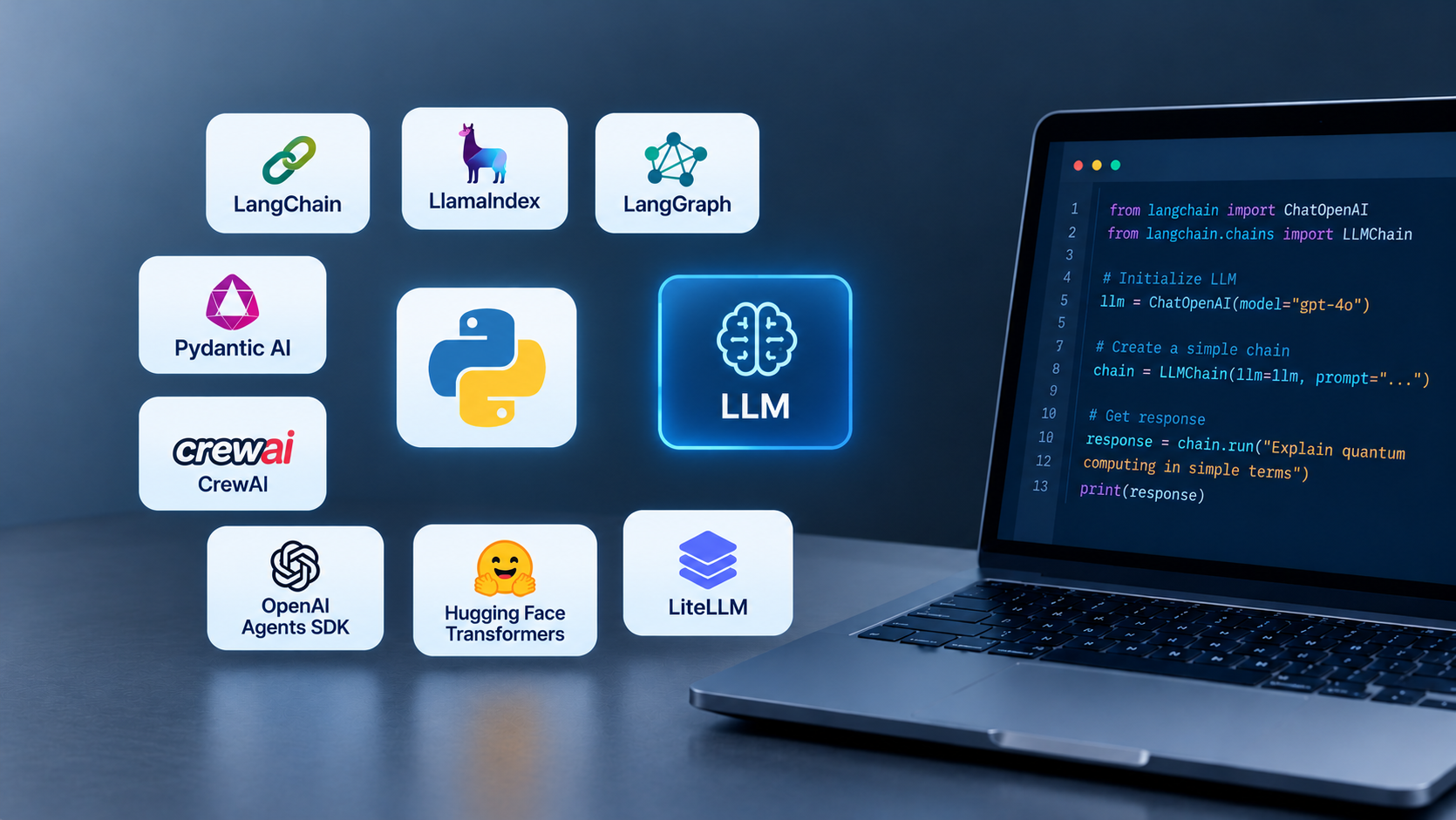
This guide compares 11 libraries we see in real builds, grouped by the job each one does. Every entry has a short working example, when to use it, when to skip it, and the current version.
For most small and mid sized businesses, start with LangChain or Pydantic AI to build the app. Add LlamaIndex if it answers questions from your own documents and LangGraph if the workflow needs branching or human approval. Use LiteLLM to stay free to switch model providers and Langfuse to see what the app is doing in production. If you handle customer or patient data, add Presidio before anything reaches a model.
Python libraries for LLM apps solve the plumbing around the model, connecting it to your data, your tools and your workflow, and checking it works. Picking the right ones early decides how fast you ship and how much you rewrite later.
Do you even need an LLM library?
Not always. If your app sends one prompt and shows one answer, the model provider’s own Python SDK is enough. Libraries earn their place once the app has to do real work around the model.
That work is where most projects stall. McKinsey’s 2025 survey found 88% of organizations use AI in at least one function, but only 39% report any impact on EBIT, and only 23% are scaling an AI agent anywhere in the business.
Developers feel the same gap, 66% say their biggest frustration with AI is answers that are “almost right, but not quite” by Stack Overflow Developer Survey, 2025.
Add a library when you hit one of these five needs:
- Your own data. The model must answer from your documents or database, not its training data.
- Actions. The app calls tools: your CRM, EHR, ERP, email or calendar.
- Multi step logic. Steps branch, loop, wait for approval or run in parallel.
- Reliable output. Downstream systems need exact fields, not free text.
- Production visibility. You need to know what it cost, where it failed and whether the answer was right.
If none applies yet, call the API directly and revisit later. Adding a framework to a single prompt app adds code you have to maintain without solving a problem you have.
How we picked these 11 libraries
We started from top ranking guides on this topic, removed classic NLP tools (NLTK, Gensim, TextBlob) and deep learning frameworks (TensorFlow, Keras) that don’t fit LLM app work, then checked each remaining library against five rules:
- Actively maintained. A release in the last 90 days.
- Python first. Not a JavaScript tool with a Python wrapper.
- Used in production, not just demos. Monthly downloads are a rough signal of that.
- Permissive license (MIT or Apache 2.0), so you can ship commercial products on it.
- Fills a distinct job in an LLM app. No two picks do exactly the same thing.
Libraries to build the core app
1. LangChain
Best for building LLM apps, chatbots and tool using agents, with the widest set of integrations.
LangChain connects a model to prompts, tools, memory and data sources through one interface. Version 1.0 (October 22, 2025) slimmed it down: create_agent is now the main entry point, it runs on the LangGraph runtime, and older features moved to a separate langchain classic package. It also added middleware for human approval, summarization and PII redaction.
Install:
pip install langchain langchain-openai
from langchain.agents import create_agent

def get_order_status(order_id: str) -> str:
    """Look up the shipping status of an order."""
    return "Shipped on Oct 2, arriving Oct 9"  # call your real API here

agent = create_agent(
    model="openai:gpt-5-mini",
    tools=[get_order_status],
    system_prompt="You are a friendly support assistant.",
)
result = agent.invoke({"messages": [{"role": "user", "content": "Where is order 1042?"}]})
print(result["messages"][-1].content)
Use it when:
- You want to prototype fast and swap models, vector stores or tools later.
- You need ready made connectors to common business systems.
Skip it when:
- Your app is one prompt and one answer. The provider SDK is simpler.
- Your team finds deep abstractions hard to debug. Pydantic AI or the OpenAI Agents SDK are thinner.
Intuz build TransIQ, a logistics company with over 500 million operational records, Intuz built a LangChain agent on Gemini 2.0 Flash that turns plain english questions into validated, read only SQL. Managers who used to wait up to 15 minutes for a report now get answers in under 2 seconds, at over 95% first attempt accuracy, saving the team 20+ hours a week.
2. LlamaIndex
Best for retrieval augmented generation (RAG), meaning apps that answer questions from your documents, databases or APIs.
LlamaIndex handles the steps between your raw files and a good answer: loading, splitting into chunks, embedding, indexing, retrieving and citing sources. Its query engines return the source passages with every answer, so you can show users where an answer came from and check whether a wrong answer was a retrieval or a generation problem.
Install:
pip install llama-index
<!-- wp:generateblocks/element {"uniqueId":"f2d3fa0d","tagName":"div","metadata":{"categories":[26],"patternName":"core/block/4614","name":"Intuz - Code Block"},"className":"code-block-custom"} -->
<div class="code-block-custom"><!-- wp:enlighter/codeblock {"language":"python"} -->
<pre class="EnlighterJSRAW" data-enlighter-language="python" data-enlighter-theme="" data-enlighter-highlight="" data-enlighter-linenumbers="" data-enlighter-lineoffset="" data-enlighter-title="" data-enlighter-group="">from langchain.agents import create_agent

def get_order_status(order_id: str) -> str:
    """Look up the shipping status of an order."""
    return "Shipped on Oct 2, arriving Oct 9"  # call your real API here

agent = create_agent(
    model="openai:gpt-5-mini",
    tools=[get_order_status],
    system_prompt="You are a friendly support assistant.",
)
result = agent.invoke({"messages": [{"role": "user", "content": "Where is order 1042?"}]})
print(result["messages"][-1].content)</pre>
<!-- /wp:enlighter/codeblock --></div>
<!-- /wp:generateblocks/element -->
Use it when:
- Answers must come from your own content and show citations.
- You have mixed sources: PDFs, SQL tables, Notion, SharePoint.
Skip it when:
- Your app doesn’t read your documents. LangChain or Pydantic AI alone is enough.
- Your corpus is small and simple. A vector search library plus a model call can do the job with less code.
DrugVista AI, a research assistant Intuz built for a pharmaceutical company, is a RAG pipeline in Python, documents are parsed, embedded and searched with FAISS, and Gemini writes sourced answers for researchers. It shows that RAG doesn’t always need a framework. LlamaIndex pays off when sources multiply and you need ranking, citations and evaluation built in.
Libraries to build AI agents
An agent is an LLM that decides which steps to take and which tools to call. All four libraries here to build agents, they differ in how much control you keep. LangGraph gives the most control, CrewAI the least code for multi-agent teams, and Pydantic AI and the OpenAI Agents SDK sit in between.
3. LangGraph
Best for business workflows with several steps, branches, retries or human sign-off.
LangGraph models your process as a graph: each step is a node, and you decide which step runs next based on the result. It saves the state of every run, so a workflow can pause for a manager’s approval and pick up where it left off, even after a server restart.
Install:
pip install langgraph
from typing import TypedDict
from langgraph.graph import StateGraph, START, END

class Claim(TypedDict):
    text: str
    route: str

def triage(c: Claim):   # swap in an LLM call for real scoring
    return {"route": "review" if "surgery" in c["text"].lower() else "approve"}
def auto_approve(c: Claim): return {"route": "auto-approved"}
def human_review(c: Claim): return {"route": "sent to a reviewer"}

g = StateGraph(Claim)
g.add_node("triage", triage)
g.add_node("approve", auto_approve)
g.add_node("review", human_review)
g.add_edge(START, "triage")
g.add_conditional_edges("triage", lambda c: c["route"], {"approve": "approve", "review": "review"})
g.add_edge("approve", END)
g.add_edge("review", END)

print(g.compile().invoke({"text": "Knee surgery, $18,400", "route": ""}))
# {'text': 'Knee surgery, $18,400', 'route': 'sent to a reviewer'}
Use it when:
- A wrong step has a real cost: claims, refunds, prior authorizations, compliance checks.
- Runs take minutes or days and must survive restarts.
Skip it when:
- The flow is a straight line. LangChain’s
create_agentalready runs on LangGraph underneath. - Nobody on the team will own the graph. It’s more code to maintain than a simple agent.
4. Pydantic AI
Best for production agents where every input and output is typed and validated.
Built by the team behind Pydantic, the validation library most Python AI tools already depend on. You declare what the answer must look like as a Python class, and Pydantic AI checks the model’s output against it, retrying when it doesn’t fit.
Install:
pip install pydantic-ai
from pydantic import BaseModel
from pydantic_ai import Agent

class Invoice(BaseModel):
    vendor: str
    total: float
    due_date: str

agent = Agent("openai:gpt-5-mini", output_type=Invoice,
              instructions="Extract the invoice fields.")
result = agent.run_sync("Acme Supplies invoice #881, total $1,240.50, due Nov 15, 2026")
print(result.output)   # vendor='Acme Supplies' total=1240.5 due_date='Nov 15, 2026'
Use it when:
- Your developers like type hints, IDE autocomplete and tests.
- Agent output feeds another system (ERP, EHR, billing) that rejects bad data.
Skip it when:
- You need a large catalog of prebuilt connectors. LangChain’s ecosystem is bigger.
5. CrewAI
Best for teams of agents with clear roles that hand work to each other.
CrewAI lets you describe agents the way you’d describe staff: a role, a goal and a backstory, plus tasks with an expected output. “Crews” run autonomously; “Flows” add step-by-step control for production.
Install:
pip install crewai
from crewai import Agent, Task, Crew

researcher = Agent(role="Market researcher", goal="Find facts on a competitor",
                   backstory="You check every claim against a source.")
writer = Agent(role="Sales writer", goal="Turn research into a one-page brief",
               backstory="You write short, plain-English briefs for sales reps.")

research = Task(description="Research {company}'s pricing and recent launches.",
                expected_output="5 bullet points with sources", agent=researcher)
brief = Task(description="Write a battlecard from the research.",
             expected_output="A one-page brief", agent=writer)

print(Crew(agents=[researcher, writer], tasks=[research, brief]).kickoff(inputs={"company": "Acme"}))
Use it when:
- The work splits naturally into roles: research, draft, review.
- Non-developers need to read and adjust the agent setup.
Skip it when:
- You need tight control and predictable cost per run. Several agents talking to each other means more LLM calls.
6. OpenAI Agents SDK
Best for lightweight agents that hand conversations to specialist agents, with tracing built in.
A small framework from OpenAI with a few building blocks: agents, tools, hand-offs, guardrails, sessions and tracing. Despite the name, it is MIT-licensed and works with 100+ other models, not just OpenAI’s.
Install:
pip install openai-agents
from agents import Agent, Runner

billing = Agent(name="Billing agent", instructions="Resolve billing and refund questions.")
scheduling = Agent(name="Scheduling agent", instructions="Book, move or cancel appointments.")
triage = Agent(name="Front desk", instructions="Send the user to the right specialist.",
               handoffs=[billing, scheduling])

result = Runner.run_sync(triage, "I was charged twice for my last visit.")
print(result.final_output)
Use it when:
- You want a small learning curve and few abstractions.
- You’re already on OpenAI models and want tracing without extra setup.
Skip it when:
- You need long-running workflows that pause for days. LangGraph handles that better.
- Pin your versions, the 0.23 release requires openai 3.x, while CrewAI 1.15 requires openai below 3. We hit this conflict installing both for this guide, so keep them in separate services or environments.
Libraries to connect to models
One of these decides how locked in you are. LiteLLM keeps you free to switch between hosted models; Transformers lets you run open models on your own hardware.
7. LiteLLM
Best for calling 100+ model providers through one OpenAI-style interface, with fallbacks and cost tracking.
LiteLLM comes as a Python SDK and as a self-hosted proxy that gives a whole team one endpoint, with shared keys, budgets and logs. That matters because over three-quarters of teams already use more than one model and prices and model quality change every few months.
Install:
pip install litellm
from litellm import Router

router = Router(
    model_list=[
        {"model_name": "main",   "litellm_params": {"model": "gpt-5-mini"}},
        {"model_name": "backup", "litellm_params": {"model": "gemini/gemini-2.5-flash"}},
    ],
    fallbacks=[{"main": ["backup"]}],   # if the main model fails, retry on the backup
)
response = router.completion(model="main",
                             messages=[{"role": "user", "content": "Summarize this ticket: ..."}])
print(response.choices[0].message.content)
Use it when:
- You want to test a cheaper model without rewriting code.
- An outage at one provider shouldn’t take your app down.
- Finance wants spend per team, feature or customer.
Skip it when:
- You use one provider and your framework already supports several models. LangChain and Pydantic AI both do.
8. Hugging Face Transformers
Best for running and fine-tuning open models (Llama, Qwen, Mistral, Gemma and others) on your own infrastructure.
Transformers is the standard library for loading open-weight models, tokenizing text, generating output and fine-tuning. It’s the foundation many other tools build on, which is why it sits near the top of the download table.
Install:
pip install transformers torch
import instructor
from pydantic import BaseModel, Field

class Lead(BaseModel):
    name: str
    company: str
    budget_usd: int | None = Field(None, description="Budget if stated")
    wants_demo: bool

client = instructor.from_provider("openai/gpt-5-mini")
lead = client.chat.completions.create(
    response_model=Lead,
    max_retries=2,   # re-ask the model if validation fails
    messages=[{"role": "user", "content": "Hi, I'm Priya from CareBridge. We have about $40k "
                                          "for a patient intake bot. Can we see a demo?"}],
)
print(lead)
Use it when:
- Data can’t leave your servers (patient records, legal files, trade secrets).
- You run a narrow task at high volume, where a small fine-tuned model beats paying per token.
Skip it when:
- You don’t have GPU capacity or an ML engineer. A hosted model is cheaper and faster to start.
- Most teams don’t need it: 57% of teams building agents are not fine-tuning models at all
Libraries to make output reliable and safe
9. Instructor
Best for getting clean, validated JSON out of any model, every time.
Instructor wraps your model client. You pass a Pydantic class describing the fields you want; Instructor asks the model for them, validates the reply and, if a field is wrong or missing, sends the error back to the model to fix. It’s the shortest path from messy text to rows in your database.
Install:
pip install instructor
import instructor
from pydantic import BaseModel, Field

class Lead(BaseModel):
    name: str
    company: str
    budget_usd: int | None = Field(None, description="Budget if stated")
    wants_demo: bool

client = instructor.from_provider("openai/gpt-5-mini")
lead = client.chat.completions.create(
    response_model=Lead,
    max_retries=2,   # re-ask the model if validation fails
    messages=[{"role": "user", "content": "Hi, I'm Priya from CareBridge. We have about $40k "
                                          "for a patient intake bot. Can we see a demo?"}],
)
print(lead)
Use it when:
- You’re extracting fields from emails, forms, invoices, transcripts or clinical notes.
- You don’t need a full agent framework, just reliable structured output.
Skip it when:
- You already use Pydantic AI or LangChain’s structured output. Both do this natively.
10. Presidio
Best for finding and masking personal data (names, phone numbers, dates, IDs) before text reaches a model or a log.
Presidio is Microsoft’s open-source, MIT-licensed SDK for detecting and de-identifying personal data in text and images, including DICOM medical images. You can add your own recognizers for things like member IDs or medical record numbers.
Install:
pip install presidio-analyzer presidio-anonymizer then python -m spacy download en_core_web_lg
from presidio_analyzer import AnalyzerEngine
from presidio_anonymizer import AnonymizerEngine

text = "Patient John Smith (DOB 04/12/1968, phone 212-555-0147) reported chest pain."
findings = AnalyzerEngine().analyze(text=text, language="en")
print(AnonymizerEngine().anonymize(text=text, analyzer_results=findings).text)
# Patient <PERSON> (DOB <DATE_TIME>, phone <PHONE_NUMBER>) reported chest pain.
We ran this exact snippet on Presidio 2.2 for this guide; the output above is real.
Use it when:
- You send customer, patient or employee text to a hosted model.
- Your logs or traces could end up storing personal data.
Skip it when:
- You’re treating it as your compliance plan. Detection is probabilistic and can miss things. HIPAA’s Safe Harbor method alone lists 18 identifier types to remove, so test against your own data and pair it with access controls, a BAA with your model provider and audit logs.
Library to test and monitor your app
11. Langfuse
Best for tracing every model and tool call, tracking cost and latency, managing prompts and running evaluations.
Langfuse is open source and can be self-hosted with Docker, Kubernetes or Terraform on AWS, Azure or GCP. Self-hosting matters when traces contain customer or patient data that can’t go to a third-party SaaS. Its Python SDK ships ready-made integrations for LangChain and the OpenAI SDK, and accepts OpenTelemetry traces from frameworks such as Pydantic AI.
pip install langfuse
from langfuse import observe
from langfuse.openai import OpenAI   # drop-in client: every call is traced

client = OpenAI()

@observe()   # groups everything inside into one trace
def answer_ticket(ticket: str) -> str:
    reply = client.chat.completions.create(
        model="gpt-5-mini",
        messages=[{"role": "user", "content": f"Draft a reply to: {ticket}"}],
    )
    return reply.choices[0].message.content

answer_ticket("My invoice shows the wrong billing address.")
Use it when:
- Real users touch the app. Without traces, you’re debugging from screenshots.
- You change prompts or models and need to check nothing else broke.
Skip it when:
- You’re still in a one-week prototype. Add it before the first real user, not on day one.
If you need deeper RAG-specific scoring (faithfulness, context precision), pair Langfuse with an evaluation library such as Ragas; it stores the scores, the eval library computes them.
Which python library should you pick?
These are the three comparisons that decide most stacks. The ratings are our view from delivery work, not benchmarks.
LangChain vs LlamaIndex vs Pydantic AI
| Factor | LangChain | LlamaIndex | Pydantic AI |
|---|---|---|---|
| Main job | General apps and agents | Answering from your data | Typed, validated agents |
| Learning curve | Medium | Low for RAG | Low if you know Pydantic |
| Integrations | Largest | Large, data-focused | Smaller, growing |
| Weak spot | Many layers to debug | Less suited to non-RAG apps | Fewer prebuilt connectors |
if the app mainly answers questions from documents, start with LlamaIndex. If it mainly takes actions through tools, start with LangChain.
If correctness of structured output matters more than integrations, start with Pydantic AI. Combining LlamaIndex for retrieval with LangGraph or Pydantic AI for the agent is common and works well.
LangGraph vs CrewAI vs OpenAI Agents SDK
| Framework | Control over each step | Best for |
|---|---|---|
| LangGraph | High: you draw every branch | Regulated or high-cost workflows with approvals |
| OpenAI Agents SDK | Medium: hand-offs and guardrails | Support and triage bots routing to specialists |
| CrewAI | Lower: agents coordinate themselves | Research and content tasks split by role |
The more a mistake costs, the more control you want. Use LangGraph for claims, refunds or anything touching patient data; CrewAI for internal research and drafting where a human reviews the result anyway.
LiteLLM vs Hugging Face Transformers
These aren’t rivals, they answer “where does the model run?”. Use LiteLLM when you call hosted models (OpenAI, Anthropic, Gemini, Bedrock) and want to switch freely. Use Transformers when the model must run on your own servers. Many production stacks use both: a hosted model for general tasks, and a small self-hosted model for sensitive or high-volume ones.
Recommended stacks for common SMB use cases
You rarely need more than four of these libraries in one app. Here are the combinations we’d start with for the projects small and mid-sized businesses ask for most.
| Use case | Starting stack |
|---|---|
| Knowledge assistant over company docs (HR, SOPs, product manuals) | LlamaIndex + LiteLLM + Langfuse |
| Document extraction (invoices, intake forms, claims) | Pydantic AI or Instructor + Presidio + Langfuse |
| Plain-English analytics over your database | LangChain + Langfuse, plus a SQL validation layer |
| Approval workflows (refunds, prior authorizations, compliance checks) | LangGraph + Pydantic AI + Langfuse |
| Support bot that routes to specialists | OpenAI Agents SDK + LiteLLM + Langfuse |
| Healthcare or other regulated data | Transformers (self-hosted model) + Presidio + self-hosted Langfuse |
How Intuz uses these libraries in real projects
Intuz has built software since 2008 and has 54+ AI systems live in production. Three projects show how library choices map to business results.
| Project | What we built | Stack | Result |
|---|---|---|---|
| TransIQ (logistics) | Plain-English analytics agent over 500M+ operational records | LangChain, Gemini 2.0 Flash, sqlglot, MySQL | 95%+ first-attempt accuracy, answers in under 2 seconds, 20+ hours saved weekly |
| CasePath (social services) | AI case summaries and fax OCR in a multi-tenant SaaS | Python (asyncio), AWS Textract, PostgreSQL | Monthly documentation per caseworker cut from 4–6 hours to under 30 minutes; 83% faster supervisor decisions |
| DrugVista AI (pharma R&D) | RAG research assistant over medical literature | FAISS, Gemini, Streamlit | Researchers query research libraries directly, with sourced answers |
What these projects taught us about library choice:
- Validation beats prompting. TransIQ’s accuracy came from a three-stage check (syntax, safety, logic) on every generated SQL query, not from a cleverer prompt. Instructor and Pydantic AI apply the same idea to any output.
- Read-only by default. The TransIQ agent can query but never change data. Give agents the least access that does the job.
- Not every app needs a framework. DrugVista’s retrieval runs on FAISS directly. Add LlamaIndex or LangChain when the plumbing they replace becomes the thing you maintain.
- Isolate tenant data at the database, not in the prompt. CasePath keeps each agency’s data in its own schema with access controls at both app and database level.
Conclusion
There is no single best Python library for LLM apps. There is a best stack for your use case, and you can find it by answering five questions in order.
- Does the app answer from your own documents or data? Yes: add LlamaIndex.
- Does it take actions or follow a multi-step process? Simple actions: LangChain or the OpenAI Agents SDK. Branching, approvals or long-running steps, LangGraph. Separate roles working together: CrewAI.
- Does its output feed another system? Yes: Pydantic AI as the framework, or Instructor on top of what you already use.
- Can the data leave your network? No: run open models with Transformers and mask anything that leaves with Presidio. Yes, but you want options: route through LiteLLM.
- Will real users rely on it? Yes: add Langfuse before launch.
If you only remember one thing, pick the smallest stack that covers your answers, prove it on a real test set, then add libraries as real problems appear.
Need help choosing or building your stack?
Intuz helps small and mid-sized businesses go from idea to a working AI app, starting with a proof of concept in 2 to 4 weeks. We’ll review your use case and data, recommend the libraries and models that fit, and build a working prototype you can test with real users.
Talk to our AI team about your project →
FAQs
What is the best Python library for LLM app development?
LangChain is the most widely used general-purpose option, LlamaIndex is strongest for answering from your own documents, and Pydantic AI is best when output must be validated. Most production apps combine two to four libraries, such as LlamaIndex for retrieval, LangGraph for workflow and Langfuse for monitoring.
Is LangChain still worth using?
Yes, for most teams. LangChain 1.0 cut the old complexity down to one agent entry point running on LangGraph, and it still has the largest set of integrations. Skip it if your app is a single prompt, or if your team prefers thinner libraries like Pydantic AI or the OpenAI Agents SDK.
Should I use LangChain or LlamaIndex?
Use LlamaIndex if your app mainly answers questions from documents, databases or wikis and needs citations. Use LangChain if your app mainly calls tools and takes actions. Many teams use both: LlamaIndex to find the right information, and LangChain or LangGraph to decide what to do with it.
Do I need a framework, or can I just call the OpenAI API?
For a single prompt-and-answer feature, call the API directly. Add a library once you need your own data, tool calls, multi-step logic, validated output or production monitoring. Adding a framework before you need it adds code to maintain without solving a real problem.
Which Python library is best for building AI agents?
LangGraph is best when you need control: branching, retries and human approval. The OpenAI Agents SDK is simplest for routing between specialist agents. CrewAI is quickest for role-based teams of agents. Pydantic AI suits agents whose output must be typed and validated. Choose by how much a wrong step would cost you.
Are these Python libraries free for commercial use?
Yes. All 11 libraries in this guide are open source under MIT or Apache 2.0 licenses, which allow commercial use. Your real costs are model usage (per token or GPU hosting), infrastructure, optional paid cloud tiers such as hosted Langfuse, and development time.
How long does it take to build an LLM app for a small business?
A focused proof of concept, such as a document Q&A assistant or invoice extractor, typically takes 2 to 4 weeks at Intuz. A production app with integrations, security reviews and monitoring takes longer, depending on the number of systems it connects to and the compliance requirements.
Work with Intuz
Need help choosing or building your stack?
We respond within 24 hours with a clear point of view.
Tell Us What You're Building
Share this article