
Deploying models into production can seem like a daunting task, especially if you are new to the process. However, using the right deployment strategies can help you release your models safely, with minimal downtime and risk. In this blog, we will explore several model deployment patterns that are popular among developers and data scientists. We will cover blue-green deployments, canary deployments, A/B testing, rolling deployments, shadow deployments, dark launching, feature flags, and multi-armed bandits. By the end of this guide, you’ll have a good understanding of each method and how to choose the best one for your needs.
Show
- Deployment patterns matter because a model that works in development can hit unexpected issues in production; these patterns minimize that impact so problems affect only a small portion of users or can be quickly reverted.
- The guide covers 8 strategies: blue-green, canary, A/B testing, rolling, shadow, dark launching, feature flags, and multi-armed bandit deployments.
- Choosing a pattern depends on four factors: risk tolerance, resource availability, feedback needs, and complexity vs. simplicity.
- A real-world recommendation-model example shows how patterns combine in sequence — shadow testing, then canary, A/B testing, rolling rollout, feature flags, and finally multi-armed bandit optimization.
- Core best practices across all methods: monitoring and logging, automated testing, rollback mechanisms, gradual rollouts, and documentation.
Why Deployment Patterns Matter
When you build a model or an application, it’s not enough to have it work well in a controlled development environment. Once you deploy your model into production—where real users interact with it—unexpected issues can arise. The goal of these deployment patterns is to minimize the impact of these issues. They help ensure that if something goes wrong, it only affects a small portion of your users, or that you can quickly revert to a previous stable version.
Using these patterns not only helps in reducing downtime but also in gathering real-time feedback and performance data. This information is crucial for refining the model and ensuring a seamless experience for your users.
8 Most Reliable Strategies for Deploying ML Models for Secure Releases
1. Blue-Green Deployment
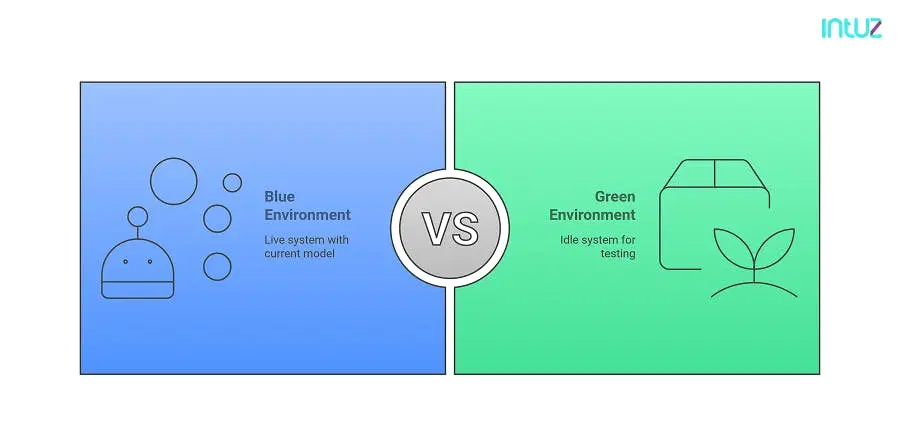
Blue-green deployment is a strategy where you maintain two identical production environments: one is live (the “blue” environment) and the other is idle (the “green” environment). When you need to update your model, you deploy the new version to the idle environment and test it thoroughly.
Benefits
- Minimized Downtime: Because the new version is fully deployed before switching, users typically experience no downtime.
- Safe Rollback: If problems occur, you can quickly switch back to the previous stable version.
Considerations
Blue-green deployment is great for environments where you can afford to maintain duplicate infrastructure. It may not be as cost-effective in smaller projects where maintaining two identical environments is challenging.
2. Canary Deployment
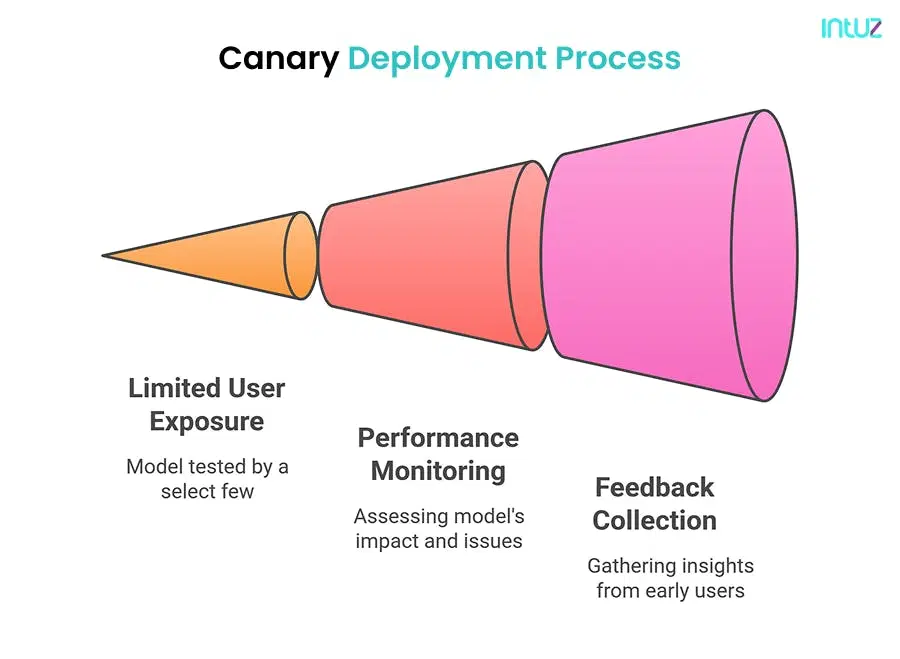
Named after the “canary in a coal mine” idea, canary deployment involves releasing the new model to a small subset of users first. This small group acts as an early warning system.
- Deploy to the Idle Environment: First, you deploy the new version of your model to the green environment while your blue environment continues serving users.
- Test and Validate: Run tests and perform checks to ensure that the new model works as expected in the green environment.
- Switch Traffic: Once you are confident in the new model, you switch the user traffic from blue to green.
- Rollback Option: If issues are found after switching, you can quickly revert back to the blue environment.
Benefits
- Limited Exposure: By releasing to only a small group initially, you limit the impact of any issues.
- Data-Driven Decisions: Monitoring a subset of users provides insights into how the new model performs under real-world conditions before full deployment.
Considerations
Canary deployment is excellent when you want to test the waters before a full-scale rollout. However, it requires robust monitoring and can be a bit complex to set up if you are new to deployment practices.
3. A/B Testing
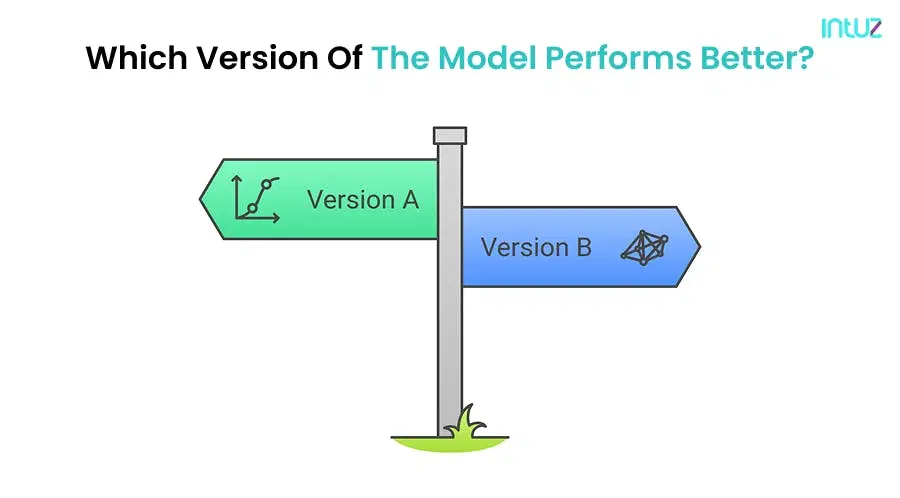
A/B testing, also known as split testing, involves running two (or more) versions of your model simultaneously to compare their performance. This method is popular in marketing and user experience design, as well as in model deployment.
- Initial Rollout: Deploy the new version to a small percentage of your production environment.
- Monitor Performance: Keep a close eye on the new version’s performance. Look for errors or any unusual behavior.
- Gradual Expansion: If everything works well, gradually increase the number of users who receive the new version until it is fully deployed.
Benefits
- Empirical Evidence: A/B testing provides real user data, which can be used to make informed decisions.
- Direct Comparison: By running both versions simultaneously, you can directly compare performance in the same environment.
Considerations
While A/B testing is powerful, it requires careful planning to ensure that the results are statistically significant. It also needs a good data collection and analysis strategy.
4. Rolling Deployment
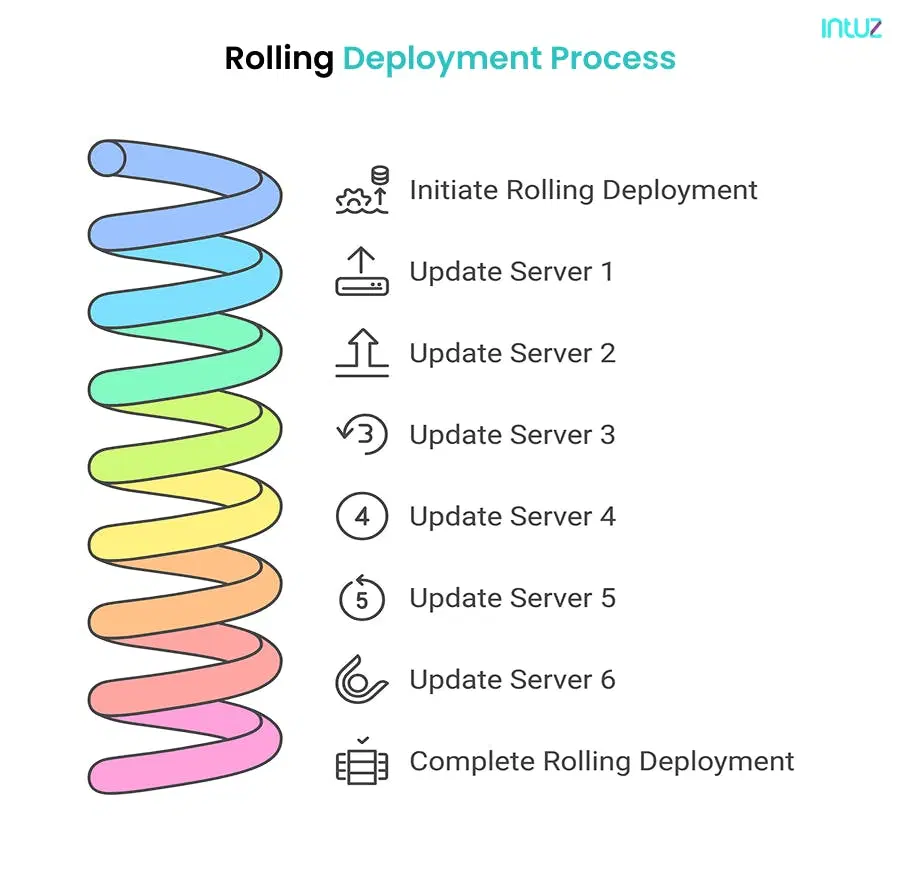
Rolling deployment is a gradual process where the new version is updated one server or container at a time. Instead of updating the entire production environment at once, you update parts of it sequentially.
- Divide Traffic: Randomly split your user base into groups, with each group receiving a different version of the model.
- Collect Data: Measure key performance indicators (KPIs) such as accuracy, conversion rate, or user engagement.
- Analyze Results: Compare the performance metrics of each version.
- Choose the Winner: Based on the data collected, decide which model version performs best and should be rolled out to all users.
Benefits
- Reduced Risk: By updating servers one at a time, you limit the potential impact of any issues.
- Minimal Downtime: Most of the production environment remains online during the update process.
Considerations
Rolling deployments require a good orchestration system to manage updates and ensure that the overall system remains stable during the process.
5. Shadow Deployment
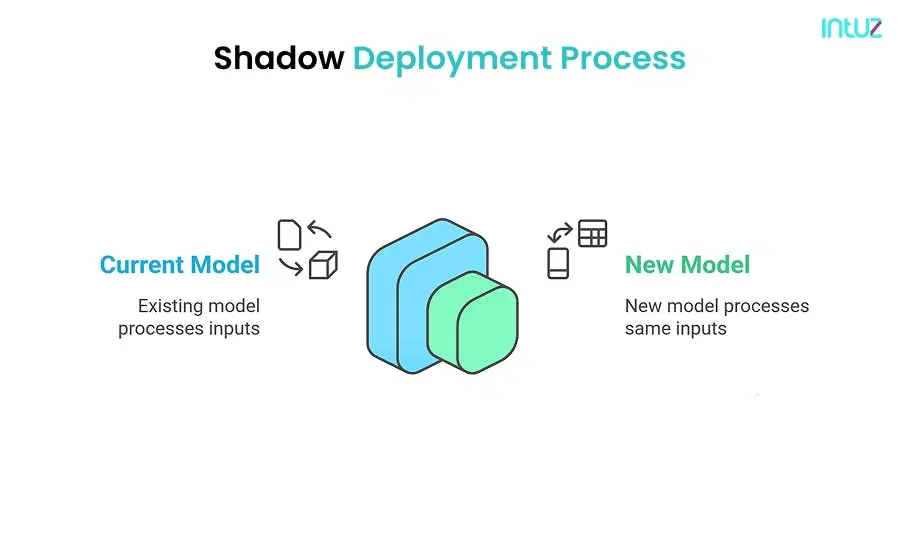
Shadow deployment, sometimes called “mirroring,” involves running the new model in parallel with the current production model. The new model processes the same inputs as the live model but its output is not served to the end users.
- Sequential Updates: Start updating one server or container at a time.
- Monitor Updates: As each update is applied, monitor the performance of that server.
- Complete Rollout: Continue the process until all servers are updated.
Benefits
- Real-World Testing: Shadow deployment gives you real production data without impacting the user experience.
- Safe Experimentation: You can test new changes without any risk to your live service.
Considerations
While shadow deployment is excellent for testing, it requires additional resources to run two models simultaneously and might increase operational costs.
6. Dark Launching
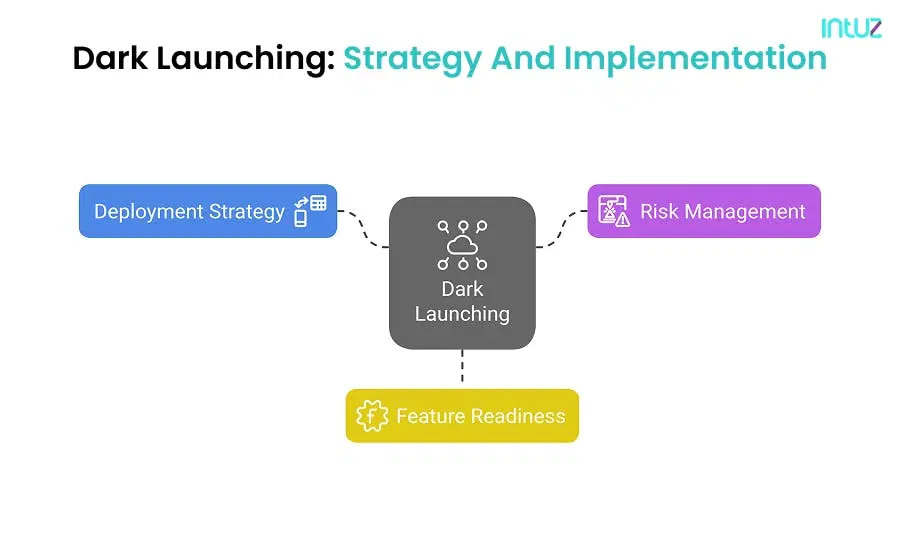
Dark launching involves deploying new features or a new model version in production without exposing them to the end users. Essentially, the new features are “hidden” until they are ready to be fully launched.
- Parallel Execution: Both the live model and the new model receive the same production traffic.
- Collect and Compare: Collect results from the new model and compare them with the live model.
- Evaluate Performance: Use the comparison to evaluate whether the new model behaves as expected.
Benefits
- Controlled Exposure: Dark launching allows you to test new features without disrupting the user experience.
- Feedback Loop: You can collect feedback from internal users or a controlled group before a full public rollout.
Considerations
The main challenge with dark launching is managing the feature toggles correctly to ensure that the hidden features do not accidentally affect the user experience.
7. Feature Flags
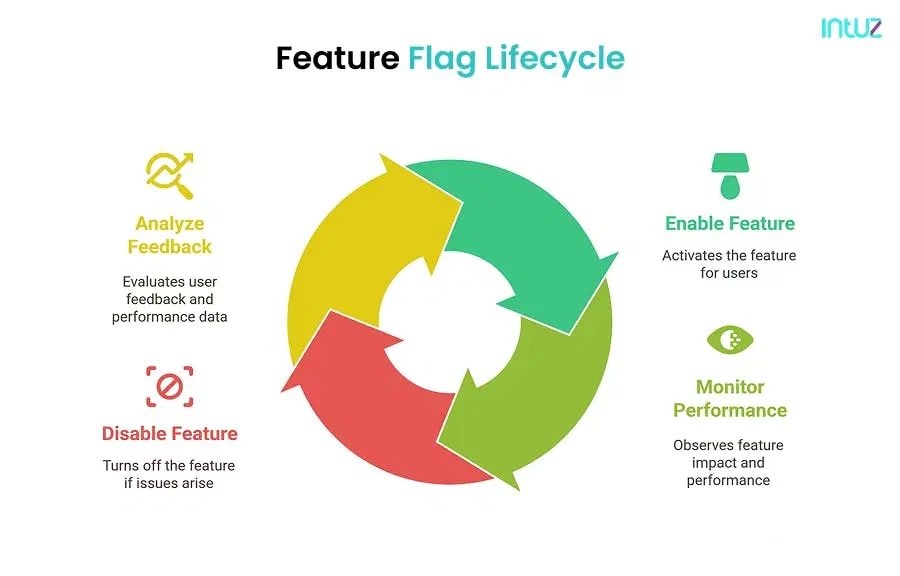
Feature flags (or toggles) are a way to turn new features on or off without deploying new code. They are especially useful when you need to quickly disable a problematic feature.
- Deploy Hidden Features: Release the new model version or features to production, but keep them turned off for users.
- Internal Testing: Use internal tools or a limited group of users to test the new features.
- Gradual Reveal: When you’re confident, gradually enable the features for a wider audience.
Benefits
- Flexibility: Feature flags allow you to manage features in production without requiring new deployments.
- Instant Control: They provide a quick way to disable features if they cause issues.
Considerations
While feature flags add flexibility, they also introduce additional complexity in managing which features are active. It’s important to maintain clean and well-documented flag configurations.
8. Multi-Armed Bandit
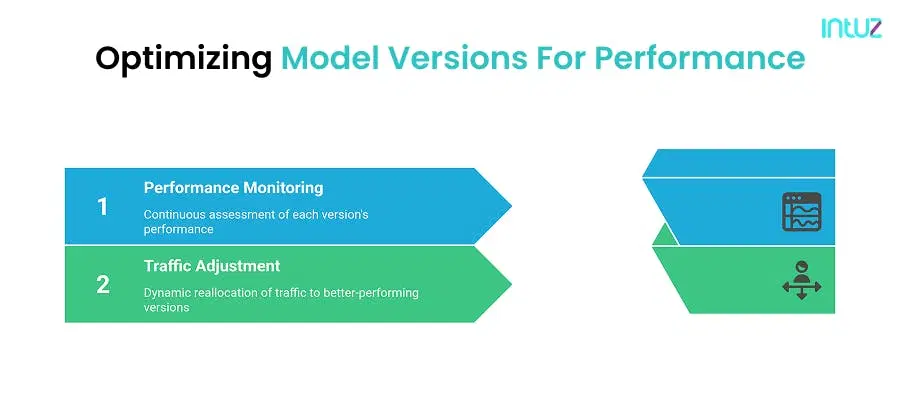
The multi-armed bandit approach is a dynamic method of A/B testing where traffic is automatically adjusted based on the performance of each model version. The name comes from the idea of slot machines (or “one-armed bandits”) where you pull the lever that gives you the best rewards.
Benefits
- Performance Optimization: The approach continually learns and directs more traffic to the better-performing model.
- Adaptive Learning: It minimizes losses by quickly shifting traffic away from underperforming models.
Considerations
The multi-armed bandit method requires a solid setup for continuous monitoring and real-time traffic management. It might be more complex than traditional A/B testing, but it can lead to better overall performance in dynamic environments.
How to Choose a Deployment Pattern
When you are planning to deploy your model, consider the following factors:
1. Risk Tolerance
If you can’t afford to have any downtime or major disruptions, blue-green deployments or rolling deployments might be the best choice. If you prefer to test with a small group of users first, consider canary deployments or shadow deployments.
2. Resource Availability
For teams with limited infrastructure, maintaining duplicate environments for blue-green deployments may not be practical. Feature flags and A/B testing can be effective in managing resources while still allowing flexibility.
3. Feedback Needs
If collecting performance data is a priority, A/B testing and the multi-armed bandit approach allow you to make decisions based on real user feedback. Shadow deployments let you compare models in real time without affecting users.
4. Complexity vs. Simplicity
Some methods, like dark launching and feature flags, add extra layers of configuration but offer a lot of control. Rolling deployments are simpler but may require a robust orchestration system.
Real-World Example: Deploying a Recommendation Model
Let’s consider a scenario where you need to deploy a new recommendation model for an e-commerce website.
1. Initial Testing
You start by testing the new model on a small group of internal users using a shadow deployment. The model processes the same inputs as the current model, and you compare the outputs to ensure consistency and quality.
2. Canary Deployment
Once the model passes internal testing, you perform a canary deployment by releasing it to 5% of your user base. You monitor key performance indicators such as click-through rates, purchase conversions, and error logs.
3. A/B Testing
Alongside the canary release, you run an A/B test. Half of the users in the canary group see recommendations from the new model, while the other half see recommendations from the old model. This split allows you to gather data on which model performs better.
4. Gradual Rollout
If the new model shows improved performance, you move to a rolling deployment where you update each server one by one. This ensures that if something goes wrong on one server, the impact is limited.
5. Feature Flags for Control
Throughout the process, you use feature flags to control the rollout. This way, if any unexpected behavior is observed, you can immediately disable the new recommendations without a full rollback.
6. Optimizing with Multi-Armed Bandit
Finally, you can integrate a multi-armed bandit approach that continuously monitors user interactions and shifts more traffic toward the model version that leads to higher engagement and conversion rates.
This step-by-step process shows how combining different deployment patterns can lead to a more resilient and data-informed deployment strategy.
Best Practices for Model Deployment
While each deployment pattern offers its own advantages, here are a few best practices to keep in mind:
1. Monitoring and Logging
Regardless of the method, ensure that you have robust monitoring in place. This includes logging errors, tracking user behavior, and setting up alerts for unusual activity.
2. Automated Testing
Before any deployment, run automated tests to verify that your model meets the expected performance criteria. Unit tests, integration tests, and end-to-end tests can catch issues early.
3. Rollback Mechanisms
Always have a rollback plan. Whether it’s as simple as switching a feature flag or reverting to an older version in a blue-green deployment, make sure you can quickly return to a stable state if something goes wrong.
4. Gradual Rollouts
It’s often safer to release new changes gradually. Even if you’re confident in your new model, a small, controlled rollout can prevent unforeseen issues from affecting all users.
5. Documentation
Keep your deployment process and configurations well documented. This helps in troubleshooting issues and in training new team members on your deployment strategies.
- Initial Traffic Split: Start by dividing traffic evenly between different versions of your model.
- Dynamic Adjustment: Monitor the performance of each version and gradually shift more traffic to the better-performing model.
- Optimization: Over time, the system automatically favors the best model, maximizing overall performance.
Explore Solutions
Conclusion
Deploying a new model is not just about making it available to users—it’s about doing so in a way that maintains the quality of service and minimizes risk. By understanding and applying different deployment patterns like blue-green, canary, A/B testing, rolling, shadow, dark launching, feature flags, and multi-armed bandit, you can create a robust deployment strategy that suits your project’s needs.
For beginners and intermediate developers alike, the key is to start simple. Try out one or two of these methods in a controlled setting and gradually build up your deployment strategy. Each method has its own learning curve, and experimenting with them will give you insights into what works best for your specific scenario.
Remember, the goal is to keep your production environment stable while still allowing room for innovation and improvement. As you become more comfortable with these patterns, you can mix and match strategies to create a deployment process that is both flexible and reliable.
Deploying models with care and precision not only improves your product but also builds trust with your users. They will appreciate a smooth experience even as you roll out exciting new features and improvements. So, take your time, learn the patterns, and implement them thoughtfully—your future self (and your users) will thank you.
Book a free 45-minute call with our AI experts to get a practical roadmap for deploying your ML model efficiently!
FAQs
What is the best deployment strategy for machine learning models?
There is no single best strategy — it depends on your risk tolerance, infrastructure, and feedback needs. Blue-green and rolling deployments suit teams that cannot tolerate downtime. Canary and shadow deployments fit teams wanting to test on a small group first. A/B testing and multi-armed bandits are ideal when decisions must be backed by live user data. Most production teams combine two or three: shadow-test a model internally, release it to 5% via canary, then roll it out gradually. Start with one pattern in a controlled setting, measure results, and layer in others as your deployment maturity grows.
What is the difference between canary and shadow deployment?
In a canary deployment, a small subset of real users (often 5%) actually receives responses from the new model, so issues surface with limited exposure. In a shadow deployment, the new model processes the same live traffic in parallel but its outputs are never served to users — they are only logged and compared against the current model. Shadow is safer because zero users are affected, making it ideal for validating accuracy before any real rollout. Canary is the next step, exposing the model to genuine user behavior. Many teams run shadow first, then canary, to combine safe validation with real-world signal.
How do you securely deploy ML models across multiple environments?
Maintain consistent, isolated environments and promote models through them in stages rather than pushing directly to production. Use rollback mechanisms — a feature-flag toggle or a blue-green switch — so you can return to a stable version instantly. Pair every release with robust monitoring and logging that tracks errors, latency, and unusual behavior, plus alerts for anomalies. Run automated unit, integration, and end-to-end tests before each promotion. Gradual rollouts limit blast radius if something slips through. Documenting your deployment process and flag configurations keeps releases auditable and repeatable, which matters most when models move across dev, staging, and production.
How much do ML model deployment strategies cost?
Cost varies mainly by how much duplicate infrastructure a strategy needs. Blue-green deployment is the most resource-intensive because it requires two identical production environments running simultaneously. Shadow deployment also adds overhead, since you run two models in parallel on the same traffic. Canary, rolling, and feature-flag approaches are more cost-efficient because they reuse existing infrastructure and update it incrementally. For smaller teams, feature flags and A/B testing offer flexibility without doubling environment costs. The real cost question is risk: under-investing in rollback and monitoring is far more expensive than the infrastructure when a faulty model reaches all users.
What are feature flags and how do they help ML deployment?
Feature flags are toggles that turn a model or feature on or off in production without deploying new code. You can release a new model version in a disabled state, test it internally, then gradually enable it for a wider audience. The biggest advantage is instant control: if the new model misbehaves, you flip the flag off immediately rather than running a full rollback or redeploy. This makes flags a natural safety layer alongside canary or rolling releases. The tradeoff is configuration complexity — flags must be well documented and cleaned up, or stale toggles accumulate and create confusion.
Work with Intuz
Deploy Your ML Model Without the Risk
Get a practical rollout roadmap from our AI deployment team
Let's Get Started
Share this article