



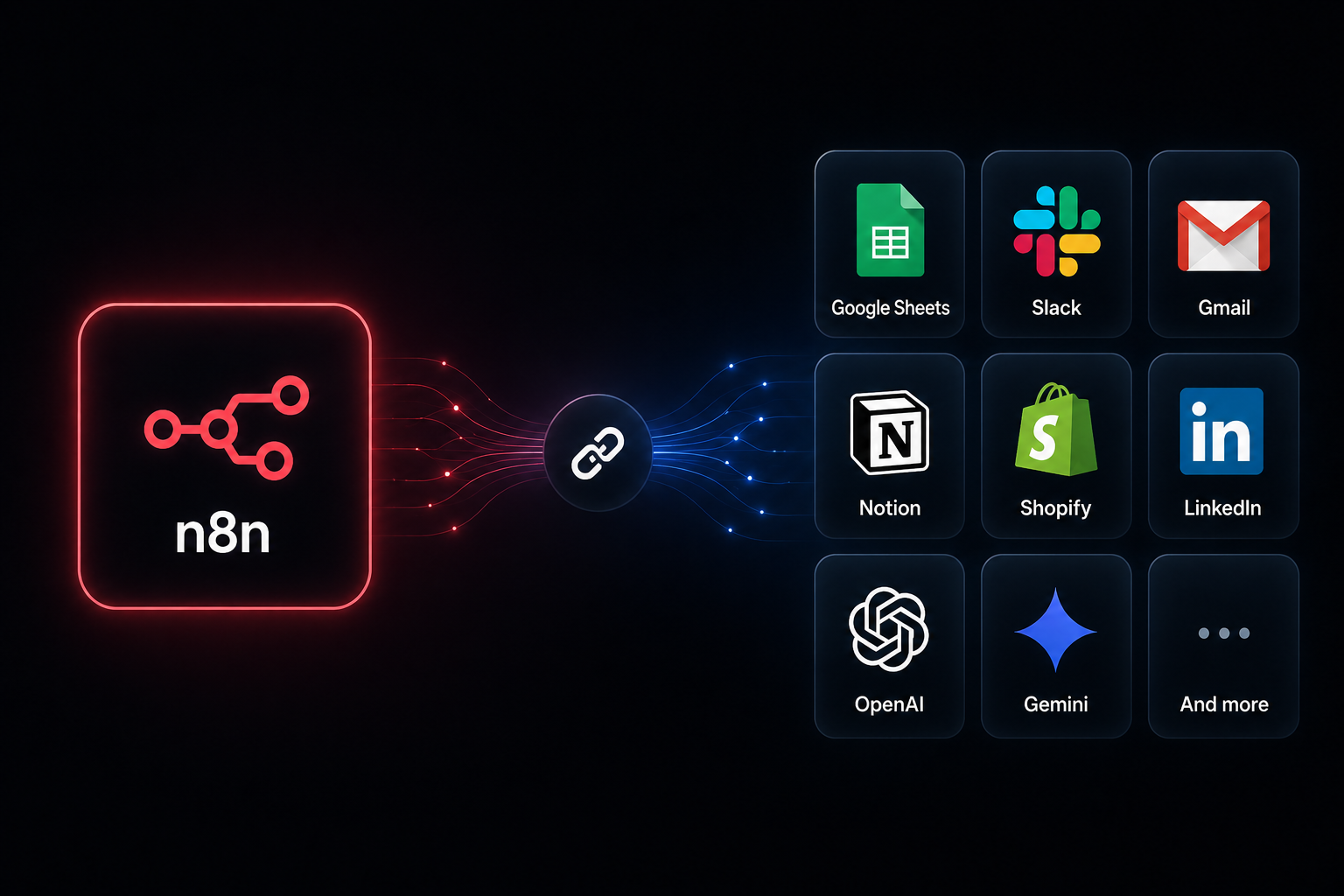
Save time and reduce errors with 35 ready-to-use n8n workflow templates from Intuz. Designed for small businesses, these workflows cover sales, marketing, finance, eCommerce, and more. See how real, practical automation can streamline your daily tasks, boost productivity, and help your business grow smarter.
They are available in JSON format and can be deployed in minutes. To use them, simply copy the JSON code from the template repository, open your n8n workspace, click ‘Add Workflow’, and paste the code directly onto the canvas. These templates cover common use cases like lead qualification, CRM sync, Slack notifications, email automation, and AI-powered content distribution.
Intuz n8n workflow templates reduce automation setup time by 70–90% compared to building workflows from scratch — letting small businesses deploy in minutes, not weeks
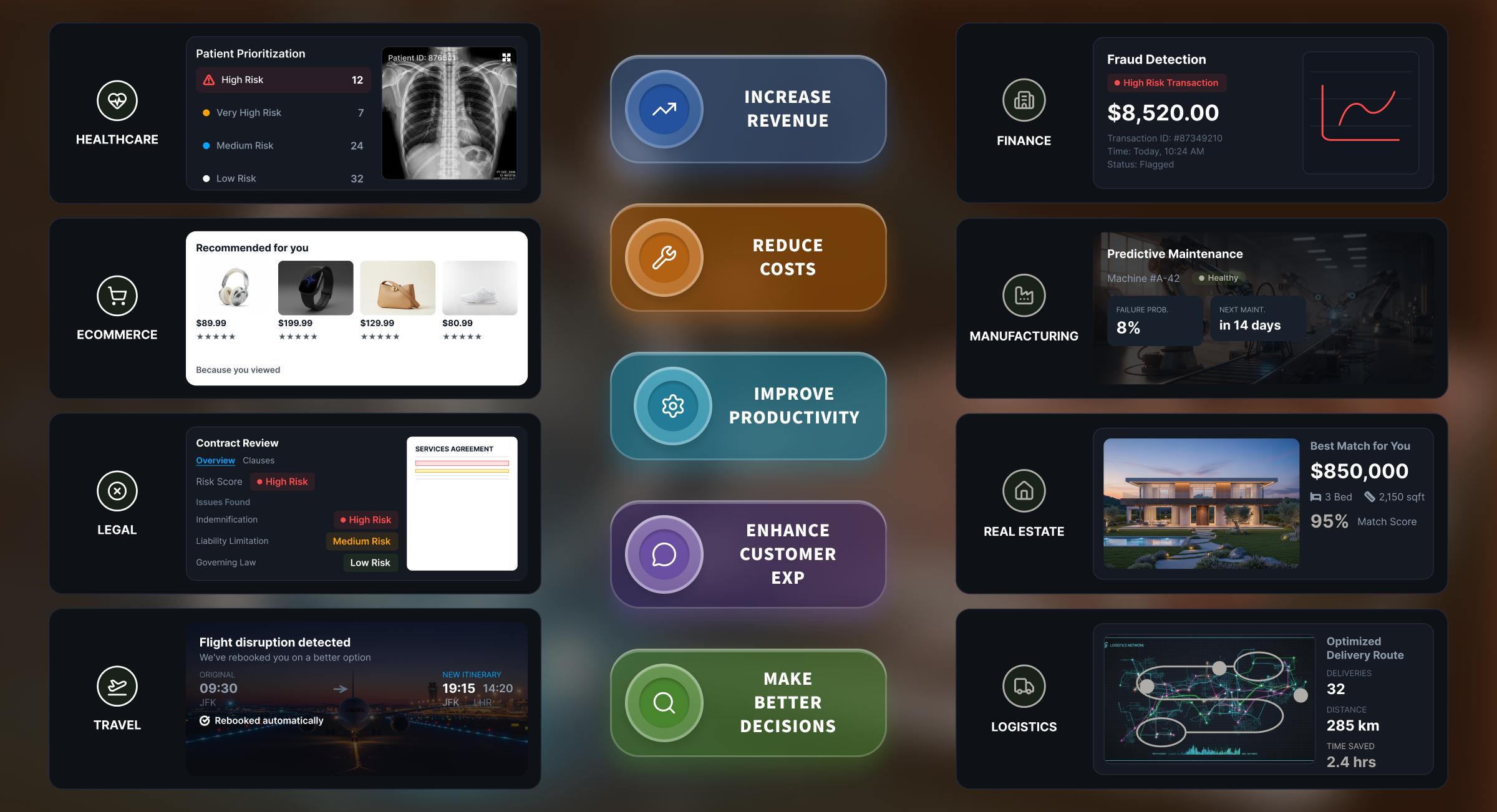
Intuz helps businesses with custom AI/ML solutions, AI-powered workflow automations, and software development. Automate your business processes across:
- Sales & Marketing
- Accounting & Finance
- Operations
- E-Commerce
- Customer Support
- Admin & Back office
- Logistics & Supply Chain
- Legal
Show
- n8n workflow templates reduce automation setup time by 70–90% compared to building workflows from scratch, enabling small businesses to deploy in minutes, not weeks.
- All 35 templates were selected from 200+ real n8n workflows shipped across 100+ enterprise deployments at Intuz — spanning healthcare, fintech, manufacturing, and retail — ensuring they are production-tested, not just sandbox demos.
- Templates span 6 core business areas — Sales & Marketing, Finance & Accounting, Engineering/DevOps, Data/AI, eCommerce, and Communication — covering the most common SMB automation bottlenecks.
- Setup times range from 10 to 50 minutes, with most templates deployable under 30 minutes for anyone familiar with n8n basics; no programming is required for standard configurations.
- Finance automation alone eliminates significant manual overhead — payment automation frees an average of 500 staff-hours per year in mid-sized teams, and 93% of CFOs report shorter invoice processing times after implementing digital automation.
How We Selected These 35 Templates
Across 100+ enterprise AI deployments at Intuz, we’ve built and shipped over 200 n8n workflows for clients in healthcare, fintech, manufacturing, and retail. The 35 templates below are the ones that have shipped to production most often and require the least customization for new use cases.
Each template was evaluated on:
- Production-readiness (Agency-Tested) — Built and validated in real enterprise environments. This means each template has successfully processed high volumes of tasks, includes built-in error handling, and has been actively used by agencies to achieve measurable ROI.
- Setup time — under 60 minutes from import to first run for someone familiar with n8n basics
- Maintenance burden — low ongoing maintenance, resilient to API changes
- ROI clarity — measurable time/cost savings within 30 days of deployment
For further background on top AI software development companies in the USA and how they evaluate automation tooling, this context is useful for understanding our selection methodology.
Top 35 n8n Workflow Automation Templates – Created by Intuz
| Template | Category | Complexity | Approx. Setup Time |
|---|---|---|---|
| Review contracts and generate legal PDF reports | Legal & Contract Automation | Intermediate | ~25 min |
| Process AP invoices from Gmail and Drive | Finance & Accounting | Advanced | ~40 min |
| Review and approve NDAs | Legal & Contract Automation | Advanced | ~35 min |
| Review contract risks and route approvals | Legal & Contract Automation | Intermediate | ~25 min |
| Route multichannel support tickets | Customer Support | Advanced | ~45 min |
| AI Upwork proposal generation | Sales & Marketing | Intermediate | ~25 min |
| Personalized outreach from LinkedIn job signals | Sales & Marketing | Intermediate | ~30 min |
| LinkedIn profile research & email outreach | Sales & Marketing | Intermediate | ~25 min |
| Lead gen & email outreach (Apollo.io + GPT-4) | Sales & Marketing | Advanced | ~45 min |
| Lead generation from Google Search & Maps | Sales & Marketing | Intermediate | ~30 min |
| Cold outreach with email personalization (Gemini) | Sales & Marketing | Simple | ~15 min |
| Hyper-personalized email outreach (Gmail + Sheets) | Sales & Marketing | Intermediate | ~20 min |
| QuickBooks invoicing from Airtable sales orders | Finance & Accounting | Intermediate | ~30 min |
| QuickBooks sales receipts from Stripe | Finance & Accounting | Simple | ~15 min |
| QuickBooks customers & receipts from a Sheet | Finance & Accounting | Simple | ~15 min |
| Expense reporting: Airtable → QuickBooks | Finance & Accounting | Simple | ~15 min |
| QuickBooks invoice alerts in Slack | Finance & Accounting | Simple | ~10 min |
| QuickBooks invoice PDFs → Google Drive | Finance & Accounting | Simple | ~10 min |
| QuickBooks customer & estimate creation from Sheets | Finance & Accounting | Simple | ~15 min |
| QuickBooks invoice sync to Sheets | Finance & Accounting | Simple | ~15 min |
| Full-cycle invoicing (Airtable + QuickBooks + Stripe) | Finance & Accounting | Advanced | ~50 min |
| GitHub PRs & JIRA updates (multi-repo) | Engineering & DevOps | Advanced | ~40 min |
| GitHub PRs & JIRA updates (single repo) | Engineering & DevOps | Intermediate | ~25 min |
| GitHub/JIRA release notes via Gemini | Engineering & DevOps | Advanced | ~40 min |
| Scrape Y Combinator startups | Data Extraction & AI | Simple | ~15 min |
| Chat with your PDF bot on Telegram | Data Extraction & AI | Advanced | ~40 min |
| Data extraction from faxes & PDFs | Data Extraction & AI | Simple | ~15 min |
| Sync new subscribers to MailerLite | Subscriber & List Management | Simple | ~10 min |
| Shopify orders from Airtable + Gmail | eCommerce | Intermediate | ~25 min |
| Route Gmail emails to Slack (Llama 3) | Communication & Productivity | Intermediate | ~30 min |
| Pre-meeting Slack briefings | Communication & Productivity | Advanced | ~45 min |
| Twitter/X posting with GPT-4 | Content Creation & Social Publishing | Intermediate | ~20 min |
| AI video ad generation (Veo 3) | Content Creation & Social Publishing | Advanced | ~35 min |
| AI video creation & multi-platform publishing | Content Creation & Social Publishing | Advanced | ~45 min |
| LinkedIn post creation with image (DALL·E) | Content Creation & Social Publishing | Intermediate | ~20 min |
Sales & Marketing Automation
1. Automate Hyper-Personalized Email Outreach with AI, Gmail & Google Sheets
This n8n workflow reads lead data from Google Sheets, drafts a personalized follow-up email with AI, and sends it through Gmail automatically — replacing manual, one-off outreach drafting for new website leads, support inquiries, and content-download follow-ups.
| Details | Information |
|---|---|
| Complexity | Intermediate |
| Tools used | Gmail, Google Sheets, OpenAI |
| Best for | Sales teams, agencies, founders managing inbound inquiries |
Use cases
- Following up with new leads from website contact forms
- Sending first-reply acknowledgments to customer support inquiries
- Nurturing leads from content downloads or webinar sign-ups
How it works
- Trigger reads prospect rows from Google Sheets (name, email, inquiry intent)
- Workflow syncs the Gmail sender display name
- OpenAI drafts the tailored response
- Gmail sends the personalized email
Prerequisites
- Google OAuth2 covering Sheets and Gmail
- OpenAI API key
- Sheet columns: First Name, Email ID, Inquiry Intent, Original Inquiry
Explore this n8n template to see it in action.
2. Automate AI Upwork Proposal Generation with Apify, Google Gemini & Sheets
This n8n workflow scrapes new Upwork job listings with Apify, drafts a tailored proposal for each with Google Gemini using a customizable company knowledge base, and logs job details plus the draft proposal into Google Sheets for review before submission.
| Details | Information |
|---|---|
| Complexity | Intermediate |
| Tools used | Apify, Google Gemini, Google Sheets, Gmail |
| Best for | Freelancers, agencies, business development teams |
Use cases
- Freelancers and consultants who need a steady, personalized proposal pipeline without drafting each one by hand
- Agencies bidding on multiple Upwork jobs per day
How it works
- Apify actor scrapes Upwork for jobs matching defined criteria and logs them to Google Sheets
- Workflow reads unapplied jobs from the sheet
- Google Gemini drafts a proposal per job using your company knowledge base
- Draft proposal is saved back to the sheet, and Gmail sends a “proposals ready” notification
Prerequisites
- Apify account with API key and credits
- Google Sheet with columns: Title, URL, Description, Skills, Questions, Applied, Proposal Template
- Google Gemini API key; Gmail account
- Note: uses community nodes — self-hosted n8n only
Explore this n8n template to see it in action.
3. Automate Lead Gen & Email Outreach with Apify, Apollo.io, GPT-4 & Google Sheets
This n8n workflow scrapes newly funded companies as prospects, enriches their contact details through Apollo.io, drafts hyper-personalized cold outreach with GPT-4, and logs everything to Google Sheets — built for B2B teams running cold outreach at scale.
| Details | Information |
|---|---|
| Complexity | Advanced |
| Tools used | Apify, Apollo.io, GPT-4, Google Sheets |
| Best for | B2B sales teams, growth hackers |
Use cases
- Targeting recently funded companies as a buying-signal source
- Scaling cold outreach without scaling manual research
How it works
- Apify scrapes newly funded companies via a Crunchbase search
- Apollo.io enriches each prospect with verified contact details
- Lead data populates Google Sheets
- GPT-4 drafts a hyper-personalized outreach email referencing the funding event
- Generated email is saved back into the sheet for review
Prerequisites
- Apify account with Crunchbase access
- Apollo.io plan with API access
- OpenAI account with billing enabled; Google Sheet with two configured tabs
Explore this n8n template to see it in action.
4. Automate Cold Outreach with Email Personalization using Gemini and Google Sheets
This n8n workflow reads prospect rows from Google Sheets and uses Google Gemini to generate a personalized email per lead based on fields like company, industry, or job title, writing the result back to the sheet.
| Details | Information |
|---|---|
| Complexity | Simple |
| Tools used | Google Sheets, Google Gemini |
| Best for | Sales teams running lead-nurturing campaigns |
Use cases
- Personalizing outreach at scale without a per-lead manual draft
How it works
- Reads leads from a Google Sheet
- Filters out leads already processed
- Google Gemini generates personalized email content
- Output is parsed into a structured format and written back to the sheet
Prerequisites
- Google Gemini API key from Google AI Studio
- Google Sheet with lead data and output columns
Explore this n8n template to see it in action.
5. Automate LinkedIn Profile Research & Email Outreach with Apify, Gemini & Sheets
This n8n workflow enriches a list of LinkedIn profile URLs with career data via Apify, then has Google Gemini analyze each person’s career journey to write a unique, personalized opening line for an outreach email.
| Details | Information |
|---|---|
| Complexity | Intermediate |
| Tools used | Apify, Google Gemini, Google Sheets |
| Best for | SDRs, account executives, B2B marketers, recruiters |
Use cases
- Deep-dive research on a shortlist of named prospects rather than bulk scraping
- Recruiters personalizing candidate/client outreach based on career history
How it works
- Scheduled trigger reads LinkedIn profile URLs from a Google Sheet
- Apify’s LinkedIn Profile Scraper enriches each profile with career data
- Google Gemini analyzes the career journey and drafts a personalized opening line
- Subject line and email body are saved back to the sheet
Prerequisites
- Google Sheet with columns: First Name, Last Name, LinkedIn, Profile Data, Subject, Email Body
- Apify account supporting the LinkedIn Profile Scraper actor
- Google Gemini API key
Explore this n8n template to see it in action.
6. Automate Lead Generation from Google Search & Maps to Google Sheets
This n8n workflow takes a chat query like “dentists in New York,” searches Google and Google Maps for matching businesses, scrapes each business website for contact details, and appends deduplicated leads to Google Sheets.
| Details | Information |
|---|---|
| Complexity | Intermediate |
| Tools used | Google Custom Search API, Google Maps, Google Sheets |
| Best for | SDRs, local marketing agencies, market researchers |
Use cases
- On-demand local-business lead lists by category and location
- Agencies building prospect lists without a paid scraping tool subscription
How it works
- User submits a query via chat (e.g. “dentists in New York”)
- Workflow queries Google Custom Search and scrapes Google Maps for matches
- Each unique business website is visited and scraped for contact info
- Custom code parses emails, phone numbers, and social links
- New leads are deduplicated against the sheet and appended
Prerequisites
- Google Cloud project with Custom Search API enabled
- Programmable Search Engine ID (cx value)
- Google Sheet with columns for Business Name, Email, Phone, URL, Description, Socials, Search Query
Explore this n8n template to see it in action.
7. Personalized Sales Outreach from LinkedIn Job Signals with Apify & Google Gemini
This n8n workflow finds companies actively hiring for specific roles on LinkedIn, enriches the hiring managers’ contact details through Apollo.io, and drafts a personalized cold email referencing the exact job opening using Google Gemini.
| Details | Information |
|---|---|
| Complexity | Intermediate |
| Tools used | Apify, Apollo.io, Google Sheets, Google Gemini |
| Best for | B2B sales teams and SDRs, recruiters, growth marketers |
Use cases
- Prospecting off hiring signals instead of cold lists
- Recruitment agencies sourcing candidates or clients tied to open roles
How it works
- Apify scrapes LinkedIn job postings for a target role (e.g. “ML Engineer”)
- Results are filtered by company size/industry to build a target-account list
- Apollo.io finds decision-makers at each company and enriches verified emails
- Google Gemini drafts a cold email referencing the specific job opening
- Subject line and body are saved to Google Sheets as a ready-to-send list
Prerequisites
- Apify account with LinkedIn Jobs Scraper configured
- Apollo.io API credentials
- Google Gemini API key; Google Sheet with a defined Document ID
Explore this n8n template to see it in action.
Finance & Accounting Automation
8. Process AP Invoices from Gmail and Drive with Gemini, Sheets and QuickBooks
This n8n workflow monitors Gmail and a Google Drive folder for invoice attachments, extracts invoice data with Google Gemini (text or vision), logs it to Google Sheets, creates vendor bills in QuickBooks Online for high-confidence extractions, and alerts a Slack reviewer when confidence is low.
| Details | Information |
|---|---|
| Complexity | Advanced |
| Tools used | Gmail, Google Drive, Google Gemini, Google Sheets, QuickBooks Online, Slack |
| Best for | AP/finance teams processing supplier invoices at volume |
Use cases
- PDF invoices arriving as Gmail attachments or Drive uploads
- Scanned/image invoices requiring vision-based extraction
How it works
- Triggers on a new invoice email or Drive file
- Routes by file type — extracts embedded PDF text or sends images to Gemini vision
- Gemini extracts vendor, dates, totals, and line items into structured JSON
- Checks a 0.9 confidence threshold on key fields
- High-confidence invoices log to Sheets and create a QuickBooks bill; low-confidence ones log to an exceptions tab and alert Slack
Prerequisites
- Gmail, Drive, Sheets, Slack, Gemini, and QuickBooks Online credentials
- Sheets tabs “Invoices_Raw” and “Invoices_Exceptions” with matching columns
- Your QuickBooks company ID and vendor/account references (sandbox values must be replaced)
Explore this n8n template to see it in action.
9. Automate Expense Reporting from Airtable to QuickBooks
This n8n workflow watches Airtable for a new expense marked “Approved,” creates the matching expense record in QuickBooks, attaches the receipt, and marks the Airtable record done.
| Details | Information |
|---|---|
| Complexity | Simple |
| Tools used | Airtable, QuickBooks Online |
| Best for | Finance teams and operations managers processing expense approvals |
Use cases
- Removing manual re-entry between an Airtable approval process and QuickBooks
How it works
- Triggers on a new Airtable expense entry
- Checks whether Status = “Approved”
- Creates the QuickBooks expense record
- Downloads the receipt and attaches it to the QuickBooks record
- Updates the Airtable Status to “Done”
Prerequisites
- Airtable columns for Status, Receipt URL, Amount, Date, Memo, and QuickBooks vendor/account IDs
- QuickBooks OAuth2 credentials and Company ID
Explore this n8n template to see it in action.
10. Automate Real-Time QuickBooks Invoice Alerts in Slack
This n8n workflow posts an instant Slack alert with customer name and due date whenever an invoice is created or updated in QuickBooks.
| Details | Information |
|---|---|
| Complexity | Simple |
| Tools used | QuickBooks Online, Slack |
| Best for | Sales, finance, and account teams wanting billing visibility in Slack |
Use cases
- Team-wide invoice visibility without giving everyone QuickBooks access
How it works
- QuickBooks webhook fires on invoice create/update
- Workflow fetches full invoice details by ID
- Formats key fields (customer, due date, domain)
- Posts a formatted alert to the chosen Slack channel
Prerequisites
- Webhook registered in the Intuit Developer Portal, subscribed to invoice events
- Slack OAuth2 credential and target channel
Explore this n8n template to see it in action.
11. Automate QuickBooks Sales Receipts & Customer Creation from Stripe Payments
This n8n workflow creates a QuickBooks sales receipt for every new Stripe payment, checking whether the customer already exists in QuickBooks and creating a new record when it doesn’t.
| Details | Information |
|---|---|
| Complexity | Simple |
| Tools used | Stripe, QuickBooks Online |
| Best for | Accountants, bookkeepers, small business owners |
Use cases
- Instant books-to-payment reconciliation without manual receipt entry
How it works
- Triggers on a Stripe
payment_intent.succeededwebhook event - Fetches customer details from Stripe
- Searches QuickBooks for an existing customer by name
- Creates a new customer if not found
- Generates and saves the sales receipt
Prerequisites
- Stripe account with webhook access
- QuickBooks Online OAuth2 credentials on three nodes (Find/Create Customer, Create Receipt)
Explore this n8n template to see it in action.
12. Automatically Save QuickBooks Invoice PDFs to Google Drive
This n8n workflow saves a dynamically-named PDF copy of every new QuickBooks invoice into a specified Google Drive folder the moment it’s created.
| Details | Information |
|---|---|
| Complexity | Simple |
| Tools used | QuickBooks Online, Google Drive |
| Best for | Document archiving, audit trails, and financial backup |
Use cases
- Chronological, audit-ready invoice archive outside QuickBooks
- Sharing a Drive folder with people who shouldn’t have full QuickBooks access
How it works
- QuickBooks webhook fires on new invoice
- Fetches invoice metadata by ID
- Requests a PDF version via the QuickBooks API
- Uploads the PDF to Google Drive, named using invoice metadata
Prerequisites
- Google OAuth2 with Drive API enabled and a destination Folder ID
- Intuit Developer Portal webhook configuration
Explore this n8n template to see it in action.
13. Automate QuickBooks Customers & Sales Receipts Generation from a Google Sheet
This n8n workflow triggers on a new Google Sheet row, checks whether the named customer already exists in QuickBooks, and either creates a sales receipt against the existing customer or creates the customer first and then the receipt.
| Details | Information |
|---|---|
| Complexity | Simple |
| Tools used | Google Sheets, QuickBooks Online |
| Best for | Small teams logging sales manually in a sheet today |
Use cases
- Turning a shared sales-tracking sheet into an automatic QuickBooks feed
How it works
- Triggers when a new row is added to the sheet
- Searches QuickBooks for a matching customer DisplayName
- If found, creates the sales receipt directly; if not, creates the customer first, then the receipt
Prerequisites
- QuickBooks Developer account for API credentials
- At least one Product/Service item configured in QuickBooks
Explore this n8n template to see it in action.
14. Automate QuickBooks Customer & Estimate Creation from Google Sheets
This n8n workflow reads new sheet rows with customer and estimate details, checks QuickBooks for a duplicate customer, and — for new customers only — creates both the customer record and a linked sales estimate.
| Details | Information |
|---|---|
| Complexity | Simple |
| Tools used | Google Sheets, QuickBooks Online |
| Best for | Sales teams accelerating the quoting process |
Use cases
- Turning a quote-intake sheet directly into QuickBooks estimates
How it works
- Triggers on a new sheet row (CustomerName, Email, Phone, Company, Amount)
- Searches QuickBooks for an exact customer-name match
- If new, creates the customer and a linked estimate; if existing, stops to prevent duplicates
Prerequisites
- Google + QuickBooks OAuth2 credentials
- Your own itemId and TaxCodeRef values in the estimate node
Explore this n8n template to see it in action.
15. Automate Real-Time QuickBooks Invoice Sync to Google Sheets
This n8n workflow syncs every new or updated QuickBooks invoice to a Google Sheet in real time, giving people without QuickBooks access a live, shareable invoice log.
| Details | Information |
|---|---|
| Complexity | Simple |
| Tools used | QuickBooks Online, Google Sheets |
| Best for | Financial reporting, dashboards, and audit trails |
Use cases
- Shareable invoice view for team members without QuickBooks seats
- Feeding a dashboard tool (e.g. Data Studio, Grafana) from the sheet
How it works
- QuickBooks webhook fires on invoice create/update
- Fetches full invoice details
- Formats the data to match sheet columns
- Appends or updates the corresponding row in Google Sheets
Prerequisites
- QuickBooks and Google OAuth2 credentials
- Sheet headers: ID, Domain, Customer Name, Due Date
Explore this n8n template to see it in action.
16. Full-Cycle Invoice Automation: Airtable, QuickBooks & Stripe
This n8n workflow takes a deal marked “Approved for Invoicing” in Airtable and creates the customer in both QuickBooks and Stripe if needed, generates a Stripe payment link, issues the QuickBooks invoice, and writes both IDs and the payment link back to Airtable.
| Details | Information |
|---|---|
| Complexity | Advanced |
| Tools used | Airtable, QuickBooks Online, Stripe |
| Best for | Finance, RevOps, and agency teams running the full quote-to-cash cycle |
Use cases
- Consolidating deal tracking, invoicing, and payment collection into one trigger
How it works
- Airtable trigger fires when Status = “Approved for Invoicing”
- Workflow searches for the customer in QuickBooks and Stripe, creating either if missing
- Updates Airtable with both new customer IDs
- Creates a Stripe payment link and the matching QuickBooks invoice
- Writes the invoice number, payment link, and “Invoiced” status back to Airtable
Prerequisites
- Airtable token with read/write record scopes
- QuickBooks OAuth2 + Company ID; Stripe Secret Key
Explore this n8n template to see it in action.
17. Automate QuickBooks Invoicing & Customer Creation from Airtable Sales Orders
This n8n workflow syncs confirmed sales orders from Airtable to QuickBooks, creating a new customer if one doesn’t exist, generating a matched invoice, and logging the invoice details back into Airtable.
| Details | Information |
|---|---|
| Complexity | Intermediate |
| Tools used | Airtable, QuickBooks Online |
| Best for | Accounting/finance and sales-ops teams billing off Airtable orders |
Use cases
- Eliminating double-entry between Airtable and QuickBooks
- Keeping billing status visible directly in Airtable
How it works
- Webhook fires when a sales order is ready in Airtable
- Workflow searches QuickBooks for an existing customer
- Creates a new customer if not found
- Generates a QuickBooks invoice with order line items
- Updates Airtable with the invoice details and QuickBooks Invoice ID
Prerequisites
- Airtable base on Pro plan or higher
- QuickBooks Online account with API access and your own Company ID
Explore this n8n template to see it in action.
Engineering & DevOps Automation
18. Auto-Create GitHub PRs & JIRA Updates from Git Commit Commands (Multi-Repo)
This n8n workflow parses git commit messages across multiple repositories for keywords and a JIRA issue ID, then automatically opens a GitHub pull request, updates the matching JIRA ticket, and notifies the team via Slack or Notion.
| Details | Information |
|---|---|
| Complexity | Advanced |
| Tools used | GitHub, JIRA, Slack, Notion |
| Best for | Dev teams, DevOps engineers, engineering managers across several repos |
Use cases
- Standardizing PR-and-ticket hygiene across multiple repositories from one workflow
How it works
- GitHub webhook fires on a commit/push for a watched repo
- Commit message is parsed for the keyword command and JIRA issue ID
- A GitHub PR is created for the target repo
- The matching JIRA ticket status is updated
- Team is notified via Slack and/or logged to Notion
Prerequisites
- GitHub webhook configured per repo; JIRA API token
- Slack OAuth2 and/or Notion integration token
- JIRA status-ID mapping matched to your project’s workflow
Explore this n8n template to see it in action.
19. Automate GitHub PRs & JIRA Updates from Git Commit Commands (Single Repo)
This n8n workflow reads keyword commands embedded in a commit message on a single repo and either opens a GitHub PR or transitions the linked JIRA ticket’s status.
| Details | Information |
|---|---|
| Complexity | Intermediate |
| Tools used | GitHub, JIRA |
| Best for | Small dev teams on a single repository |
Use cases
- Lighter-weight version of the multi-repo template for teams working out of one codebase
How it works
- GitHub Trigger fires on a commit/push
- Commit message is parsed for the JIRA issue key and command
[auto-pr]creates a GitHub PR;[taskcompleted]transitions the JIRA issue
Prerequisites
- GitHub repo admin permissions and webhook
- JIRA Cloud account with issue-update permission
Explore this n8n template to see it in action.
20. Automate GitHub, JIRA Release Notes with Google Gemini & Notification Over Email
This n8n workflow pulls commit and JIRA-ticket data by matching a JIRA key in each commit message, has Google Gemini draft human-readable release notes from that data, and emails the finished notes to stakeholders.
| Details | Information |
|---|---|
| Complexity | Advanced |
| Tools used | GitHub, JIRA, Google Gemini, SMTP email |
| Best for | DevOps teams distributing release notes to non-technical stakeholders |
Use cases
- Replacing manually-written release notes with an AI first draft tied to real commit/ticket data
How it works
- GitHub Trigger fires on push to the configured repo
- Commit messages are matched against a JIRA-key regex
- Matching JIRA tickets are pulled and merged with commit data
- Google Gemini drafts release notes from the merged data
- Notes are emailed to the configured recipient list
Prerequisites
- Commit messages must contain a JIRA key (e.g. “PROJ-123: Fix login bug”)
- GitHub, JIRA, Gemini, and SMTP credentials
Explore this n8n template to see it in action.
Data Extraction & AI
21. Automate Data Extraction from Faxes & PDFs using Google Gemini and Google Sheets
This n8n workflow takes a fax or PDF uploaded through a web form, reads the full document — text, tables, and form fields — with Google Gemini’s multimodal model, structures the result into JSON, and appends it as a new row in Google Sheets.
| Details | Information |
|---|---|
| Complexity | Simple |
| Tools used | Google Gemini, Google Drive, Google Sheets |
| Best for | Healthcare admins, medical billing, legal assistants, data entry teams |
Use cases
- Digitizing fax-based intake (e.g. patient forms) without manual re-typing
How it works
- User uploads a fax/PDF via a secure n8n web form
- Gemini’s multimodal model reads text, tables, and form fields
- A second AI step structures the output into strict JSON (e.g. Patient ID, Name, DOB)
- Structured data is appended to Google Sheets
Prerequisites
- n8n with LangChain nodes; Google Cloud project with Vertex AI enabled
- Google Sheet matching the extraction columns
Explore this n8n template to see it in action.
22. Automate Scraping Y Combinator Startups with Apify & Google Sheets
This n8n workflow runs an Apify Y Combinator Directory Scraper against a search URL you set, then writes each company’s details — name, founders, website, description — as a new row in Google Sheets.
| Details | Information |
|---|---|
| Complexity | Simple |
| Tools used | Apify, Google Sheets |
| Best for | Sales teams/SDRs, VCs, angel investors, market researchers |
Use cases
- Building a prospecting or deal-sourcing list from YC’s company directory
How it works
- Manual trigger starts the run
- Apify actor scrapes each company listed at your search URL
- Workflow fetches the structured results from Apify
- Data is added or updated as rows in the target Google Sheet
Prerequisites
- Apify account with API key and credits for the YC Directory Scraper actor
- Pre-made sheet with columns for Company, Location, Website, LinkedIn, Founded, Description, Industry Tags, Founder details
Explore this n8n template to see it in action.
23. Automate a “Chat With Your PDF” Bot on Telegram with Google Gemini and Pinecone
This n8n workflow lets a user upload a PDF to a Telegram bot, indexes it into a Pinecone vector database using Google Gemini embeddings, and then answers the user’s questions using only the content of that document (RAG).
| Details | Information |
|---|---|
| Complexity | Advanced |
| Tools used | Telegram, Google Gemini, Pinecone |
| Best for | Researchers, legal/compliance teams, analysts working with long documents |
Use cases
- Answering questions from a long document without reading it end to end
How it works
- Telegram Trigger fires when a user uploads a PDF
- Text is extracted and split into chunks
- Chunks are embedded via Gemini and stored in Pinecone
- Telegram Trigger fires again when the user asks a question
- The question is embedded, matched against Pinecone, and answered by Gemini using the retrieved context
- Answer is sent back via Telegram
Prerequisites
- n8n with the LangChain package installed
- Telegram bot token via BotFather
- Pinecone account with a pre-configured 768-dimension index
Explore this n8n template to see it in action.
Subscriber & List Management
24. Sync New Subscribers from Google Sheets to MailerLite without Duplicates
This n8n workflow reads contact rows from Google Sheets, checks MailerLite for an existing match by email, and adds only genuinely new subscribers with their details and group assignment.
| Details | Information |
|---|---|
| Complexity | Simple |
| Tools used | Google Sheets, MailerLite |
| Best for | Marketing teams, email marketers, community managers |
Use cases
- Keeping a spreadsheet-based contact list in sync with MailerLite without duplicate entries
How it works
- Reads all contact rows from the sheet
- Checks MailerLite for an existing subscriber by email
- Stops if the subscriber already exists
- Creates new subscribers with name, company, country, and group assignment
Prerequisites
- Sheet columns: Email, first_name, last_name, Company, Country, group_id
- MailerLite API key; valid MailerLite Group IDs
Explore this n8n template to see it in action.
eCommerce Automation
25. Automate Shopify Orders from Airtable with Gmail Confirmations
This n8n workflow turns an Airtable order marked ready into an official Shopify order, sends the customer an HTML confirmation email via Gmail, and marks the Airtable record done.
| Details | Information |
|---|---|
| Complexity | Intermediate |
| Tools used | Airtable, Shopify, Gmail |
| Best for | Shopify stores using Airtable for custom order intake (B2B, phone orders, quotes) |
Use cases
- Orders that originate outside Shopify’s native checkout (phone, custom quote, B2B)
How it works
- An Airtable Automation sends a webhook when an order is marked ready
- n8n fetches the full order and line-item data
- Creates the official order in Shopify
- Sends an HTML confirmation email via Gmail
- Marks the Airtable record “Done” to prevent duplicates
Prerequisites
- Airtable base on Pro plan+ with Orders and Order Line Items tables
- Active Shopify store with API access; Gmail account
Explore this n8n template to see it in action.
Communication & Productivity
26. Route and Categorize Gmail Emails to Slack with Llama 3 via OpenRouter
This n8n workflow reads new unread Gmail messages, uses Llama 3 to classify each into a category, and posts a formatted summary to the matching Slack channel — creating the channel automatically if it doesn’t exist yet.
| Details | Information |
|---|---|
| Complexity | Intermediate |
| Tools used | Gmail, Slack, Llama 3 (via OpenRouter) |
| Best for | Support, sales, and ops teams using Slack as their comms hub |
Use cases
- Auto-routing a shared inbox into the right team channel instead of manual triage
How it works
- Continuously checks Gmail for new, unread mail (filtering spam/drafts/duplicates)
- Sends subject and body to Llama 3 to assign a category
- Checks whether a matching Slack channel already exists
- Posts to the existing channel, or creates a new public channel, invites a designated user, then posts
Prerequisites
- Gmail OAuth2; Slack bot token with channels:manage, chat:write, groups:write, users:read scopes
- OpenRouter API key
Explore this n8n template to see it in action.
27. Send Pre-Meeting Slack Briefings using Google Calendar, Notion, GitHub, and Jira
This n8n workflow watches your calendar for upcoming meetings and, 15 minutes before each one, DMs every attendee a Slack briefing pulled from prior Notion meeting notes plus related GitHub PRs and Jira tickets.
| Details | Information |
|---|---|
| Complexity | Advanced |
| Tools used | Google Calendar, Notion, GitHub, Jira, Slack |
| Best for | Engineering managers, PMs, scrum masters running recurring status meetings |
Use cases
- Cutting the “let me pull context before this meeting” scramble
How it works
- Calendar Trigger fires when a new meeting appears
- Fetches notes from the most recent prior meeting in Notion
- Pauses execution until 15 minutes before start
- Extracts keywords from the meeting title and searches GitHub PRs and Jira tickets
- Assembles a formatted briefing and DMs each attendee via Slack (matched by email)
Prerequisites
- Notion database of meeting notes; Jira Cloud with custom JQL capability
- Slack bot token with chat:write and users:read.email scopes
Explore this n8n template to see it in action.
Legal & Contract Automation
28. Review Contracts and Generate Legal PDF Reports with Google Drive, OpenAI, and Slack
This n8n workflow monitors a Google Drive folder for new contracts, extracts the text, has OpenAI analyze key clauses and risks, generates an attorney-ready PDF report, and notifies a Slack channel once it’s saved.
| Details | Information |
|---|---|
| Complexity | Intermediate |
| Tools used | Google Drive, OpenAI, HTML-to-PDF, Slack |
| Best for | Legal, compliance, and procurement teams reviewing contracts at volume |
Use cases
- Customizable for vendor agreements, service contracts, employment agreements, procurement contracts, and NDAs
How it works
- Checks the watched Drive folder every minute for new files
- Downloads and extracts text from the new contract PDF
- OpenAI produces structured JSON: contract type, key terms, risk score, risks, missing clauses, recommendations
- OpenAI converts that analysis into a styled HTML attorney report
- Report is converted to PDF and saved; original contract is moved to a “processed” folder
- Slack is notified with risk details and the report link
Prerequisites
- Google Drive OAuth2 with intake, output, and processed folders set
- OpenAI API credential (gpt-4o-mini); HTML-to-PDF node installed on your n8n instance
- Slack credential and target channel
Explore this n8n template to see it in action.
29. Review and Approve NDAs with Google Drive, Google Sheets, and OpenAI GPT-4o
This n8n workflow extracts the text of a new NDA in Google Drive, checks it against a review playbook stored in Google Sheets using OpenAI, and either auto-approves and files it or escalates it to legal review by email with a full audit log.
| Details | Information |
|---|---|
| Complexity | Advanced |
| Tools used | Google Drive, Google Sheets, OpenAI GPT-4o-mini, SMTP email |
| Best for | Legal teams handling routine NDA intake |
Use cases
- Auto-clearing low-risk NDAs while routing genuinely risky ones to a human
How it works
- Triggers on a new file in an “Incoming” Drive folder
- Validates file type, moves it to “Processing,” and extracts document text
- OpenAI parses the NDA into structured clauses and metadata
- Compares clauses against a Sheets-based playbook to score risk and produce a recommendation
- Applies deterministic rules to decide AUTO_APPROVED vs. LEGAL_REVIEW
- Moves the file to “Approved” or “Legal Review,” logs an audit entry, and emails legal when review is required
Prerequisites
- Drive folder IDs for Incoming, Processing, Approved, and Legal Review
- Sheets playbook and audit-log tabs; SMTP credentials for legal notifications
- Currently configured for PDF text extraction (DOCX marked supported but not wired for extraction)
Explore this n8n template to see it in action.
30. Review Contract Risks and Route Approvals with Google Drive, OpenAI, and Gmail
This n8n workflow analyzes a new contract’s text with OpenAI, computes a risk score against company policy, and routes it for approval to Legal, Finance, or a department manager via Gmail based on the contract’s dollar value.
| Details | Information |
|---|---|
| Complexity | Intermediate |
| Tools used | Google Drive, OpenAI (gpt-4o-mini), Gmail, Google Sheets |
| Best for | Legal and finance teams needing value-based contract approval routing |
Use cases
- Contract review and approval workflows with built-in risk assessment (as stated on the template page)
How it works
- Triggers every minute on a new Drive file
- Validates the file is a PDF, downloads it, and extracts the text
- OpenAI returns structured JSON of key contract fields and clause indicators
- Policy rules compute missing clauses, risk flags, a risk score, and an approval route
- Sends a Gmail “send and wait” approval request to Legal, Finance, or a department manager based on contract value
- Logs the approved/rejected outcome to Google Sheets
Prerequisites
- Google Drive folder ID to watch; OpenAI credential
- Gmail account for send-and-wait approvals; Sheets log for outcomes
Explore this n8n template to see it in action.
Customer Support
31. Route Multichannel Support Tickets with OpenAI, HubSpot, Jira, and Slack
This n8n workflow takes support requests from Gmail, WhatsApp, and a web form, enriches them with HubSpot CRM context, classifies priority and intent with OpenAI, creates and assigns a Jira ticket, notifies Slack, and tracks SLA deadlines with automatic breach alerts.
| Details | Information |
|---|---|
| Complexity | Advanced |
| Tools used | Gmail, WhatsApp (via WAHA), HubSpot, OpenAI, Jira Cloud, Slack |
| Best for | Support teams juggling multiple inbound channels with SLA commitments |
Use cases
- Consolidating email, WhatsApp, and web-form tickets into one triage and SLA pipeline
How it works
- Triggers on a new Gmail email, WhatsApp message (via WAHA webhook), or form submission
- Normalizes the request into a consistent ticket payload, pulling any attachments
- Looks up the contact in HubSpot CRM and merges known context
- OpenAI classifies category, intent, priority, sentiment, and drafts a suggested reply
- Calculates the SLA due time and maps the category to the right Jira assignee
- Checks for a duplicate Jira issue, then creates or updates it, uploads attachments, and posts to Slack
- Every 10 minutes, checks for SLA breaches and posts escalation alerts to Slack
Prerequisites
- Gmail, Slack, OpenAI, Jira Cloud, HubSpot, and WAHA (WhatsApp) credentials
- Jira custom fields for SLA/AI/dedupe metadata, and a priority-name mapping matching your project
Explore this n8n template to see it in action.
Content Creation & Social Publishing
32. Automate Twitter Posting with GPT-4 Content Generation & Google Sheets Tracking
This n8n workflow runs on a schedule, has an OpenAI-powered agent draft a tweet and check it against a log of past posts to avoid repeats, publishes it to X, and logs the new post back to Google Sheets.
| Details | Information |
|---|---|
| Complexity | Intermediate |
| Tools used | OpenAI, X (Twitter), Google Sheets |
| Best for | Social media managers, solopreneurs, content creators |
Use cases
- Running a baseline posting cadence without a human drafting every tweet
How it works
- Runs on a schedule (e.g. every 6 hours)
- An AI Agent drafts a tweet from a detailed prompt
- Checks the Google Sheet log of past posts to avoid duplicates
- Publishes the unique tweet to X
- Logs the new post back to the sheet
Prerequisites
- OpenAI API key with billing enabled
- Sheet with “Tweet Content” and “Status” columns; X Developer account with v2 write access
Explore this n8n template to see it in action.
33. Automate AI Video Ad Generation with Google Veo 3, Gemini, and Airtable
This n8n workflow turns a static product image and a creative brief into a finished AI-generated video ad, using Google Gemini for creative analysis and Veo 3 to produce the final video, with the whole project tracked in Airtable.
| Details | Information |
|---|---|
| Complexity | Advanced |
| Tools used | Airtable, Google Gemini, Google Veo 3 |
| Best for | eCommerce brands, marketers, advertising agencies |
Use cases
- Producing ad video variants from a product photo without a video production step
How it works
- Creative brief and product image are submitted via a web form
- Project is logged in Airtable
- Gemini performs creative analysis on the brief and image
- Veo 3 generates the video
- Finished video is retrieved and linked back in Airtable
Prerequisites
- Google Cloud project with Vertex AI enabled; Gemini API key
- Airtable base with an Image Prompt/Image/Video/Status tracking table
Explore this n8n template to see it in action.
34. Automate AI Video Creation & Multi-Platform Publishing with Gemini & Creatomate
This n8n workflow turns a single text prompt into a fully scripted video — AI-generated scenes, images, and assembly via Creatomate — then publishes it directly to YouTube and Instagram.
| Details | Information |
|---|---|
| Complexity | Advanced |
| Tools used | Google Gemini, Airtable, Pollinations.ai, Creatomate, YouTube, Instagram |
| Best for | Content creators, social agencies, brands scaling video output |
Use cases
- End-to-end video content production without a human editor per video
How it works
- Trigger starts the pipeline (manual or scheduled)
- Gemini generates the script and scene breakdown
- Scenes are stored in Airtable; an AI agent writes image prompts per scene
- Pollinations.ai generates the images; Creatomate assembles the final video
- Finished video is uploaded to YouTube and, via Upload-Post.com, to Instagram
Prerequisites
- Creatomate account with API key and template ID
- YouTube channel with API access; Upload-Post.com account for Instagram
Explore this n8n template to see it in action.
35. Automate LinkedIn Post Creation with Image using Google Gemini & DALL-E
This n8n workflow generates a LinkedIn post topic and copy with Google Gemini, creates a matching image with DALL·E, adds SEO-optimized hashtags, and publishes the finished post to LinkedIn on a schedule.
| Details | Information |
|---|---|
| Complexity | Intermediate |
| Tools used | Google Gemini, DALL·E, LinkedIn |
| Best for | Teams maintaining a consistent LinkedIn presence without daily manual posting |
Use cases
- Maintaining posting consistency for a company or personal LinkedIn presence
How it works
- Schedule Trigger fires the workflow
- Gemini picks a topic and writes the post copy
- DALL·E generates a matching image
- Gemini generates SEO-optimized hashtags
- Content, image, and hashtags are merged and published to LinkedIn
Prerequisites
- Google Gemini API key; an image-generation account (DALL·E or similar)
- LinkedIn account with OAuth credentials
Explore this n8n template to see it in action
Why Choose Intuz for n8n Workflow Automation Development
- Deep n8n expertise: Intuz doesn’t just use n8n — we architect workflows leveraging its full potential, including advanced nodes, custom functions, and multi-step automation chains.
- AI-powered decision flows in n8n: We enhance n8n workflows with AI logic — from lead scoring and sentiment analysis to intelligent content routing — transforming simple automation into smart business operations. See our AI agents for business automation services for advanced agent deployments.
- Ready-to-deploy n8n templates: Our library of 30 n8n JSON templates is crafted specifically for SMBs, saving you weeks of setup while delivering immediate impact.
- Seamless integration with your tools: Intuz ensures n8n workflows connect flawlessly with CRMs, Slack, Google Workspace, Shopify, and more, creating synchronized, end-to-end processes.
- Secure n8n workflows: From API credentials to sensitive business data, we implement n8n automations following strict security and compliance standards.
- Customizable & scalable n8n designs: Each workflow is modular — easily extended or adapted as your business grows — without breaking existing automations. Our custom AI development services team can tailor any template to your exact stack.
Book 45-minute free consultation call with our n8n experts, we will assess your current workflow, suggest how to use n8n templates, find out bottleneck and suggest strategy for automation.
FAQs
Who is Intuz on n8n, and what kind of templates do they publish?
Intuz is a verified creator on n8n.io with 35 published workflow automation templates covering sales, marketing, finance, DevOps, and e-commerce. As an AI automation consulting company, Intuz builds templates that go beyond basic triggers — integrating AI models like Google Gemini, GPT-4, and DALL-E into practical business workflows. Their templates are used by SMBs to automate lead generation, QuickBooks finance operations, GitHub DevOps pipelines, and LinkedIn outreach at scale.
How much does a custom automation build cost?
Cost depends on how many systems you’re connecting, how much approval logic is involved, and whether it runs self-hosted or on n8n Cloud. We scope every project on a free call first and quote a fixed price before any work starts — there’s no generic number that fits every build.
Are these n8n templates free?
Yes — all 35 of the Intuz templates listed here are completely free to import from n8n’s template library. However, as you explore the broader n8n ecosystem, you may encounter ‘Premium’ templates on third-party marketplaces. Premium templates typically range from $10 to $100+ and often include commercial licensing, dedicated developer support, and highly complex proprietary logic. For our free templates, your only cost is your hosting setup (~$5–50/month for typical small business volumes).
How long does it take to set up an n8n template?
Setup time varies from 10 minutes (simple templates like QuickBooks → Slack alerts) to 90 minutes (complex multi-tool templates with API authentication). On average, our 35 templates deploy in 30–60 minutes for someone familiar with n8n basics. Complete beginners should add 1–2 hours for n8n setup and authentication.
What API keys or accounts do I need?
Each template lists its required integrations. Common requirements include: Google Workspace API access (free), QuickBooks Online API (with QuickBooks Online subscription), Stripe API (free with Stripe account), OpenAI/Gemini API ($10–50/month for typical small business volume), Apify/Apollo.io for lead gen templates, and a Slack Bot Token for communication templates.
Can these templates run without coding?
Yes — n8n uses a visual workflow editor with no coding required for basic configurations. You’ll need basic technical comfort (understanding API authentication, mapping data fields) but no programming. For advanced customizations, JavaScript snippets can be added to specific nodes.
How do these templates scale beyond small business?
All 35 templates are production-ready at small business scale (under 10K executions/month per workflow). For enterprise scale (100K+ executions), some templates require additional optimizations: batch processing, error handling, retry logic, and observability instrumentation. Intuz’s team has scaled n8n workflows to 1M+ executions/month for enterprise clients.
Do you only provide free templates, or does Intuz build custom n8n workflows too?
We do both. Every template here is free to import directly from n8n.io as a starting point. When a process doesn’t fit a template — multi-system CRM/ERP sync, AI agents, approval logic, compliance rules — our team designs, builds, and tests a custom n8n workflow around your existing stack.
What business problems do Intuz’s n8n workflow templates solve for small businesses?
Intuz’s n8n templates address the most common SMB automation bottlenecks: manual lead follow-up, disconnected finance systems, repetitive social media posting, time-consuming developer workflows, and unmanageable email volume. Specifically, they solve problems like syncing Stripe payments to QuickBooks automatically, generating AI-personalized cold emails at scale, creating GitHub pull requests from commit commands, routing Gmail to the right Slack channel via AI, and distributing AI-generated video content across YouTube and Instagram — all without requiring a dedicated operations or engineering team.
Do we need in-house developers or an n8n expert on staff to run these workflows?
No. Workflows are designed so your team operates them without touching code — approvals run through Slack, email, or forms you already use. We provide setup documentation and a handover walkthrough, and offer ongoing support plans if you’d rather we monitor and maintain the automation for you.
Can our data stay within our own infrastructure, or does it have to run through n8n’s cloud?
Yes — n8n can run fully self-hosted, so your data stays inside your own infrastructure instead of passing through a third-party cloud. We help you decide between self-hosted and n8n Cloud based on your compliance needs, and scope credentials so each connected tool only sees what it strictly needs.
Can I submit my own workflows to the n8n template library?
Absolutely. You can submit your custom workflows to the n8n template library to share them with the community. To get ‘featured’, your template must follow n8n’s best practices: it should have clear node naming, descriptive sticky notes explaining the logic, and use pinned data for easy testing. Furthermore, n8n offers an affiliates program. By joining, you can earn a recurring commission for every new paid n8n Cloud user that signs up through your featured template links or affiliate URLs. You can apply for the affiliate program directly on the n8n website.
Work with Intuz
Automate Your Business with n8n
Get a free workflow audit. See what you can automate first.
Let's Get Started
Share this article