How to Set-up CloudFormation?
1. Enter or Specify the Stack name to launch the CloudFormation

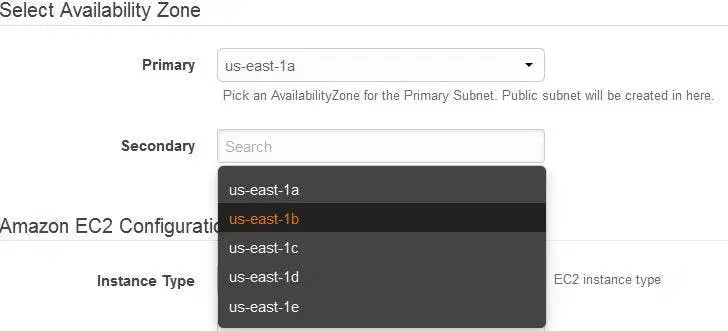
2. Select the Primary Availability Zone for EC2 and RDS instance
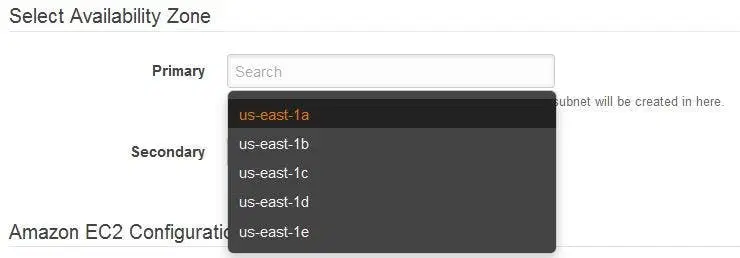
3. Select the Secondary Availability Zone for Salve RDS Database Note:Do not use the same AZ as Master RDS
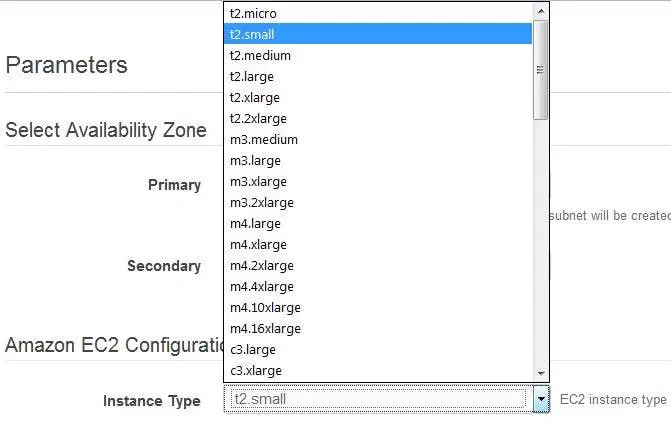
4. Select the Instance Type as per your requirement
5. Select the existing Key pair to enable SSH access for the instance

6. Place the ip address range that can be used to SSH to the EC2 Instance

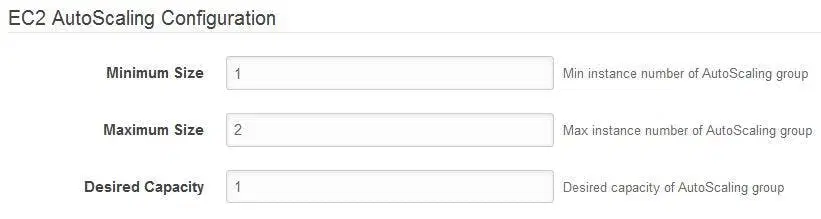
7. Enter the EC2 AutoScaling Configuration Details
8. Enter details for RDS Configuration : Instance Type, MySQL Admin Password, Multi-AZ Database and DB Allocated Storage.
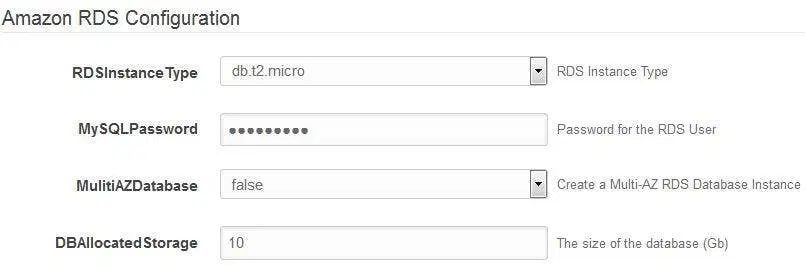
9. Tag your AWS Resources with Key and its Value For eg: Name (Key) : App Name(Value), and click on Next

10. Check the CloudFormation Configuration and if there is no change, Click on Create

11. Once you Click on Create it will start the CloudFormation Setup and this process will take up to 30-35 minutes

12. Now, you can check the Setup is Complete and it will show as CREATE_COMPLETE



