Steps to Increase EBS Volume
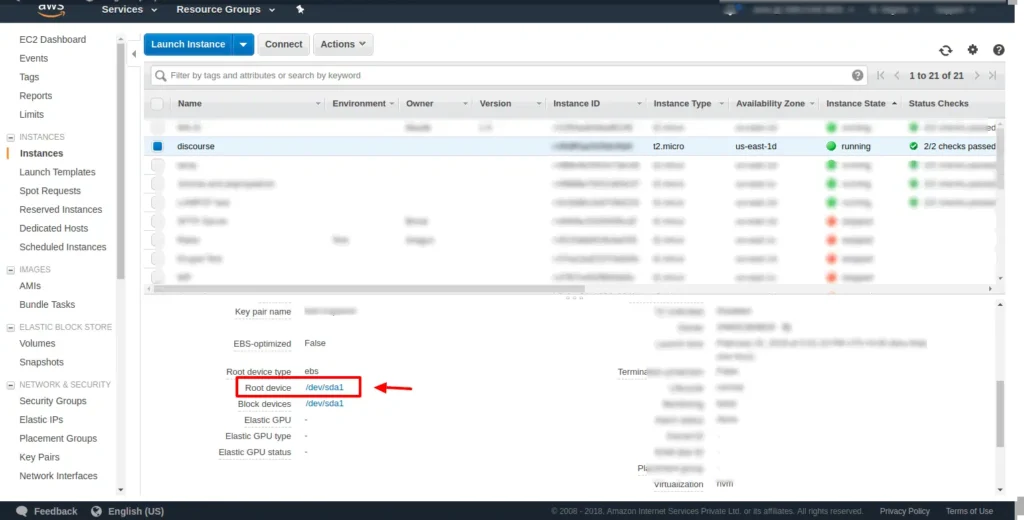
Select the EC2 instance, and in the description, tab click on root device as shown in the image
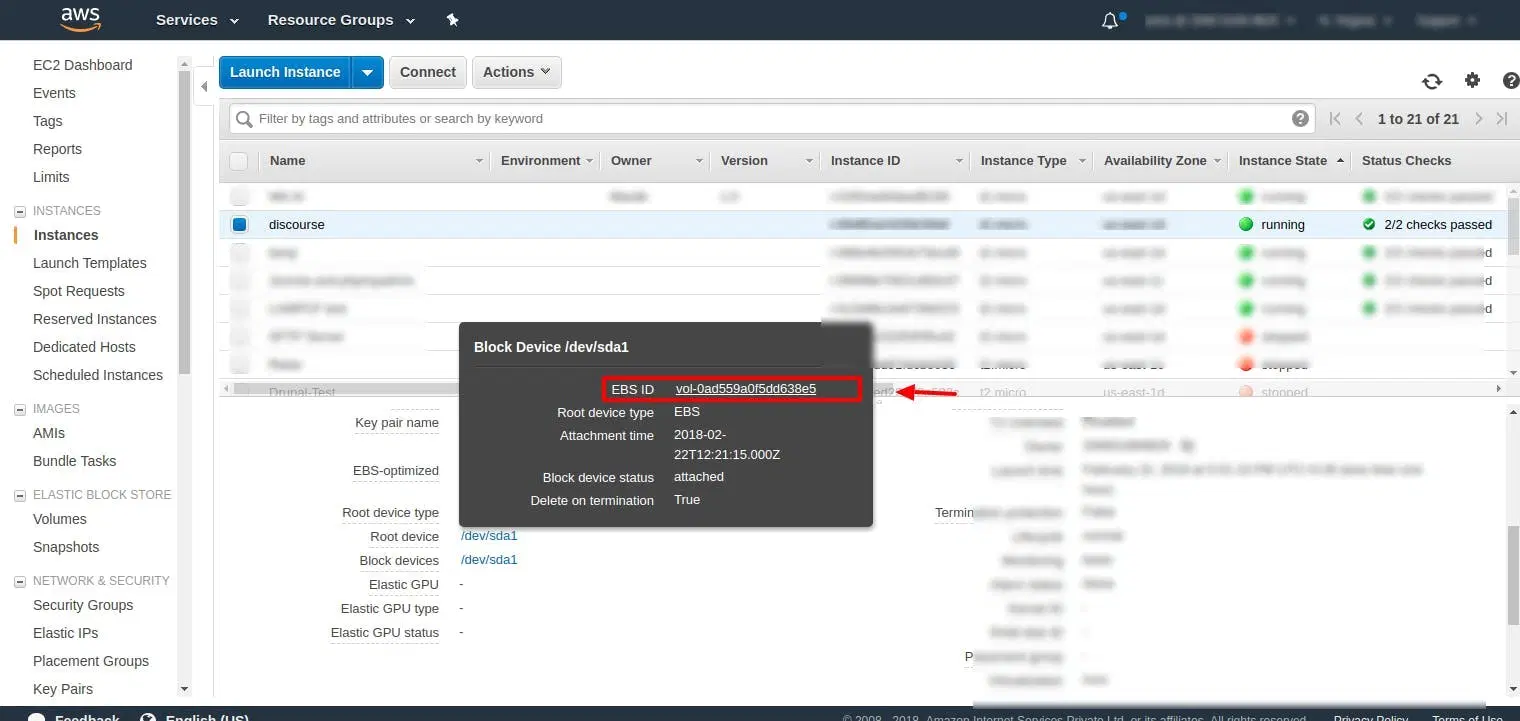
Now, click on EBS ID and it will open EBS volume tab
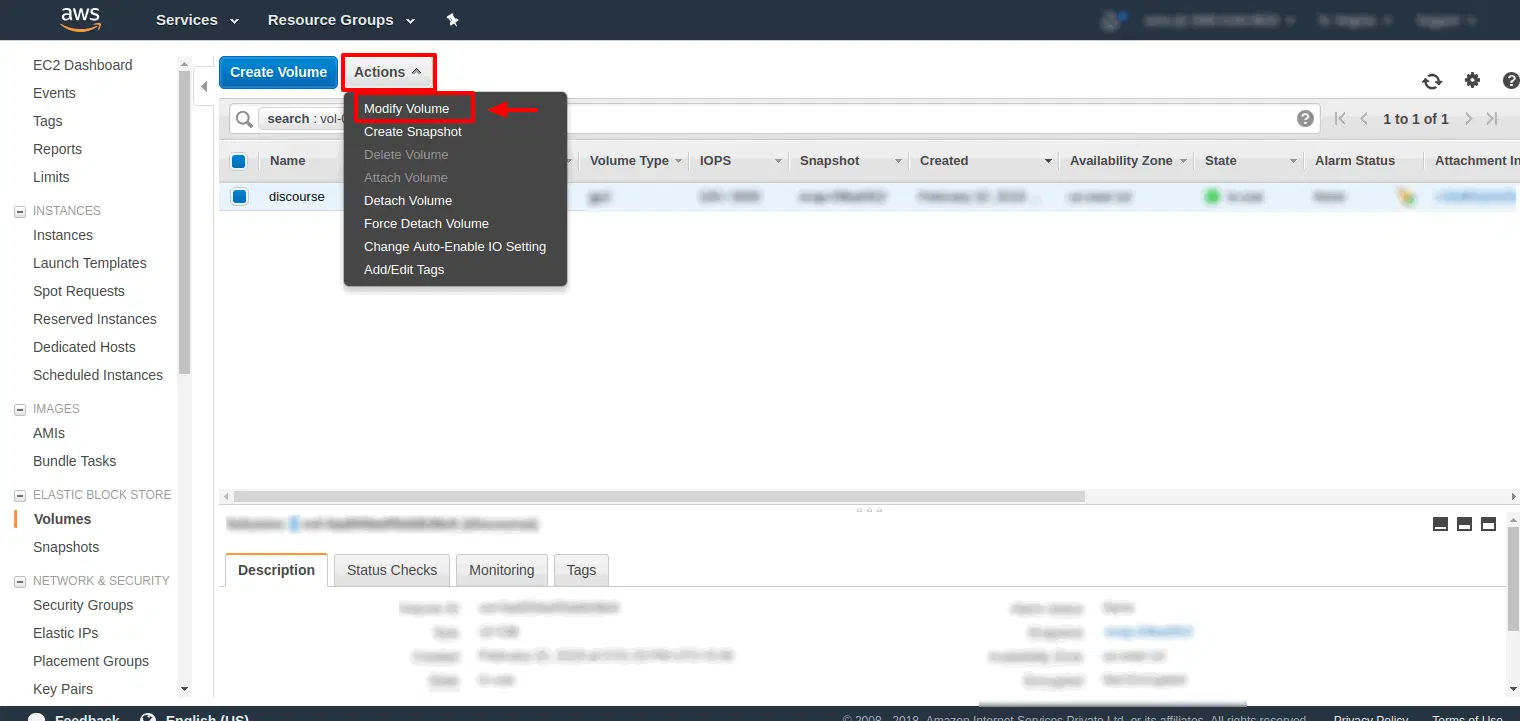
Then, Click on Action tab where it will show modify volume click on that
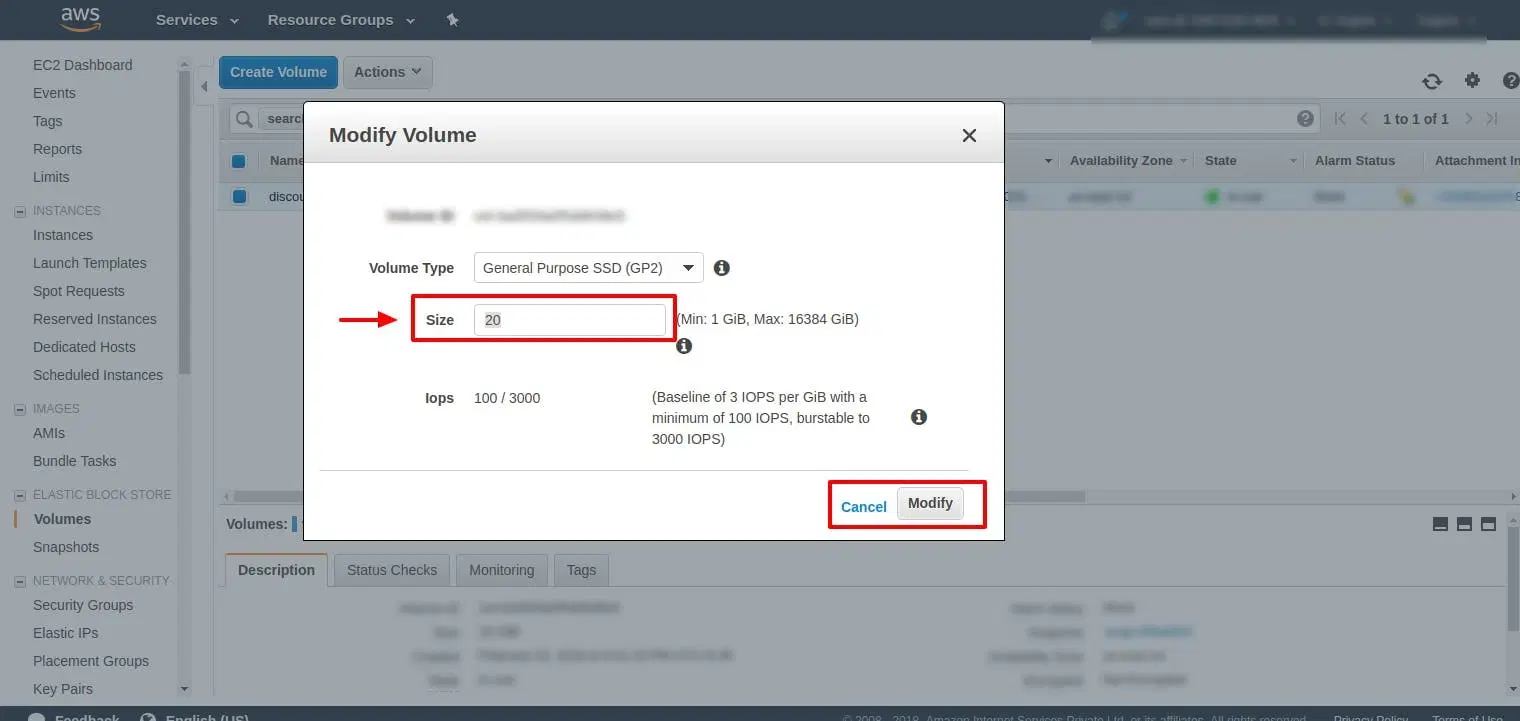
Now, Modify the volume size as per your need
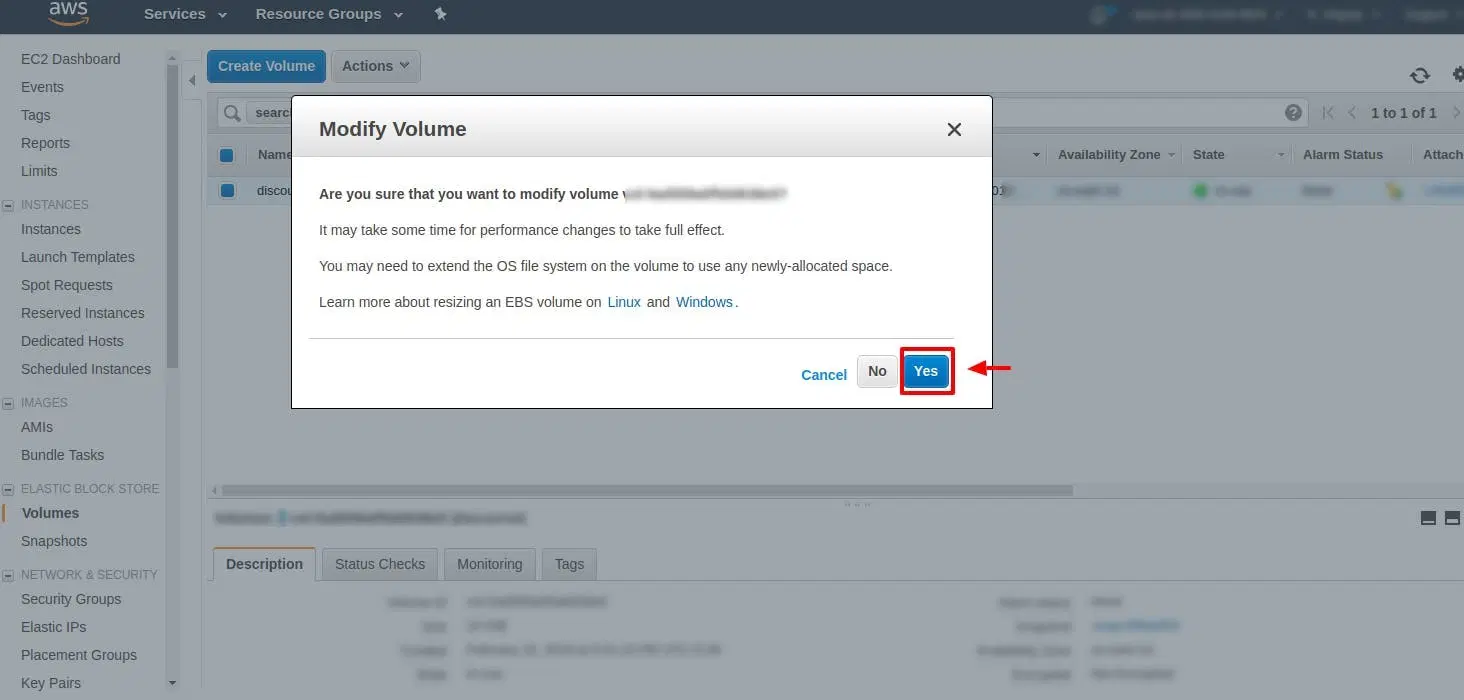
Click on Yes and wait for 5 mins till the volume size is optimized
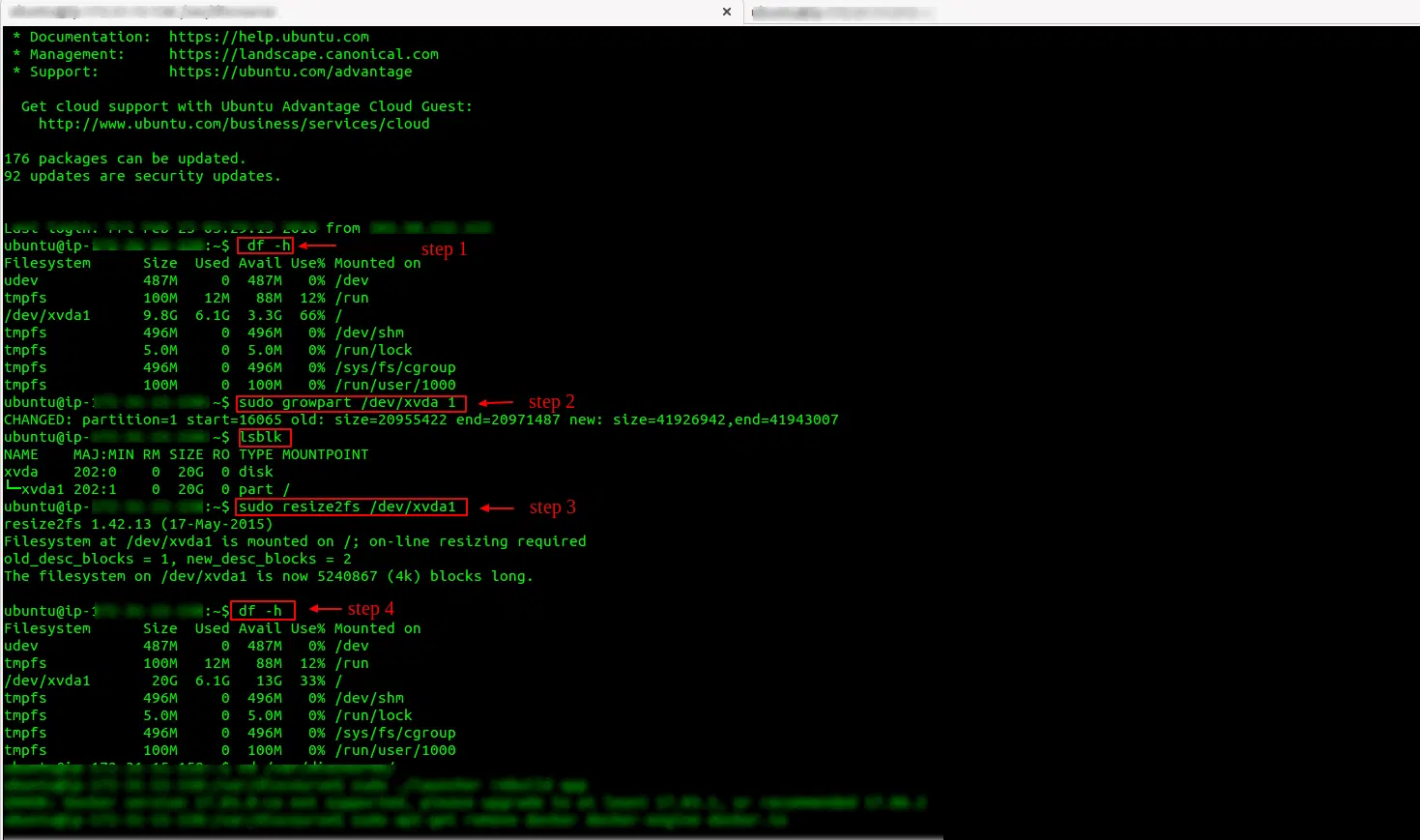
Now login into SSH terminal and run the following command
The first command is used to check the existing file system disk space usage. The second command is to expand the modified partition using growpart. Now the third command gives output that confirms the partition /dev/xvda1 now fills the available space on the volume /dev/xvdaThe fourth command is to resize each file system to the new volume capacity. Use the fifth command to check the volume size