How to find RDS endpoint?
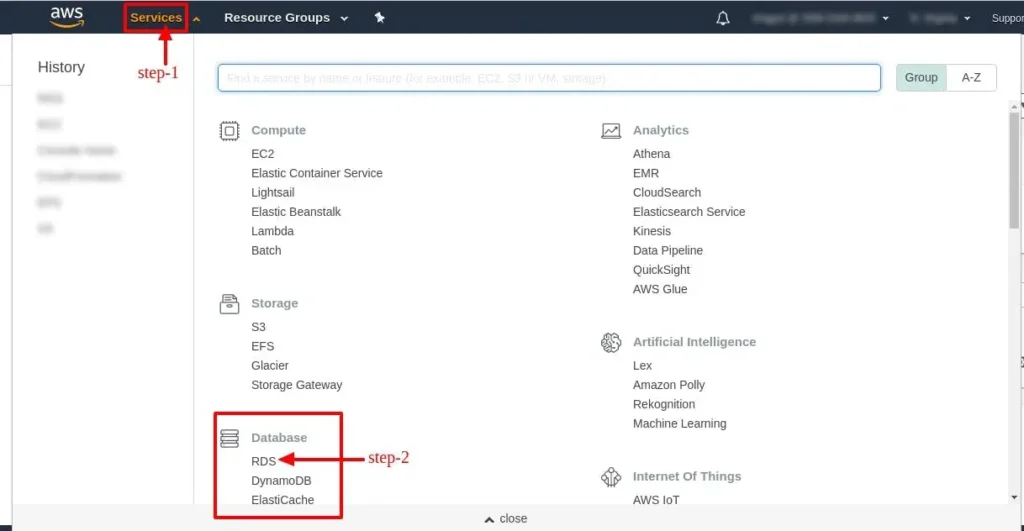
1. After login into AWS account, select Region as per your preferred location. Now select RDS service
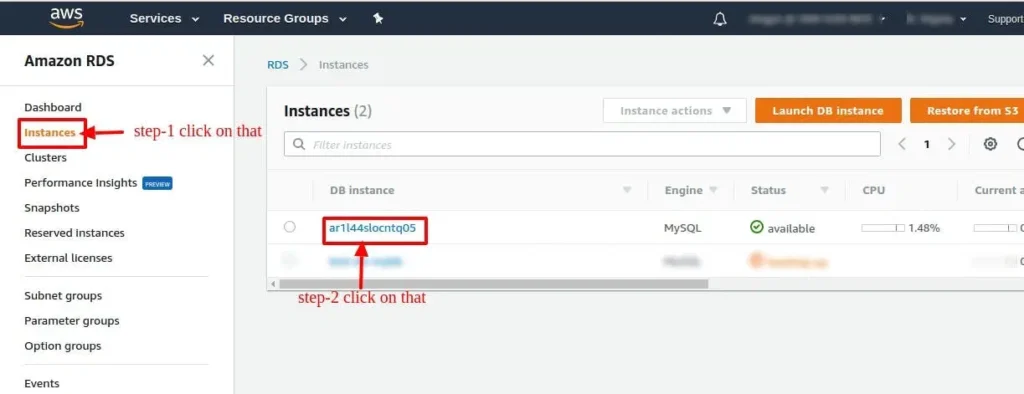
2. Click on Instances, and select your database instance.
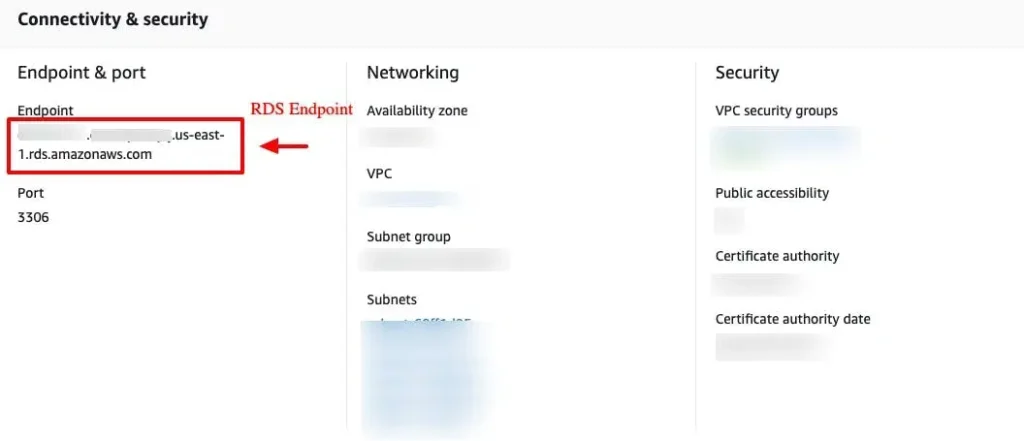
3. Choose the DB instance name to display details. On the Connectivity & Security tab copy the endpoint as shown in the image.
4. To connect to the instance, execute the below command Note: Your user might be ubuntu or ec2-user instead root

5. Now, execute this command sudo bash/var/www/html/iscripts/webmin.sh



