





An AI-Powered Speech and Text Conversion App Built for Seamless Multilingual Communication
The client needed an AI-powered app that could convert speech to text and text to speech – with multilingual support, document processing, and voice personalisation built in. Intuz consulted on the AI strategy, designed the full product, and built the app – integrating speech recognition, NLP, OpenAI, and Whisper API alongside cloud storage connections, language translation, and a flexible voice output engine.
WHAT WE BUILT
From AI Consultation to a Full-Featured
Speech and Text Conversion App
AI-Powered Conversion Engine
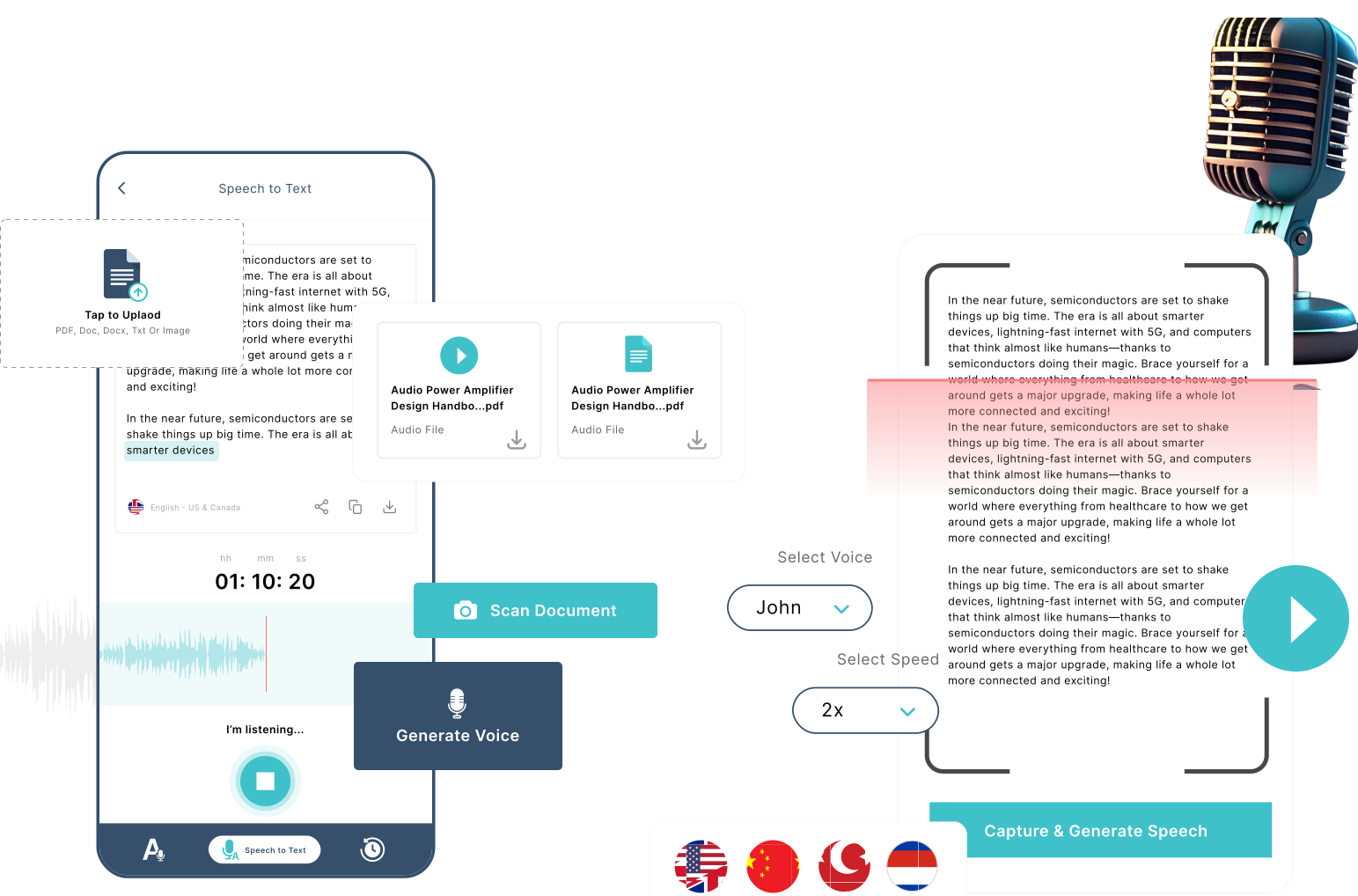
We integrated speech recognition, NLP, OpenAI, and Whisper API to build the core conversion engine powering both speech-to-text and text-to-speech modes. Real-time transcription and lifelike speech generation are both supported – with noise reduction, auto punctuation, and AI-powered suggestions built into the output layer.
Document Processing Pipeline
We implemented Google Vision and Microsoft Vision APIs to enable document scanning and processing directly within the app. Users can import PDF, Doc, DOCX, and image files and generate speech output from them – with document scanning available for capturing and processing content from physical documents.
Multilingual and Translation Layer
We integrated Google Translate to build a language translation bridge that lets users generate speech output in multiple languages from a single text input. Voice selection is tied to each language – with a swap function allowing quick.
Third-Party Integrations
We connected the app to Google Drive, Dropbox, and OneDrive for direct file import, and built sharing capabilities to WhatsApp, YouTube, Facebook, Gmail, Google Drive, and Messages for output distribution. Both text and audio output can be shared directly from within the app to the user’s preferred platform.
Ready to Work With a Team That Delivers?
We plan, design, and build products that work – on time and to your requirements.
Solution
The Capabilities We Built Across
Conversion, Processing, and Personalisation
Bidirectional Conversion Built Around the User
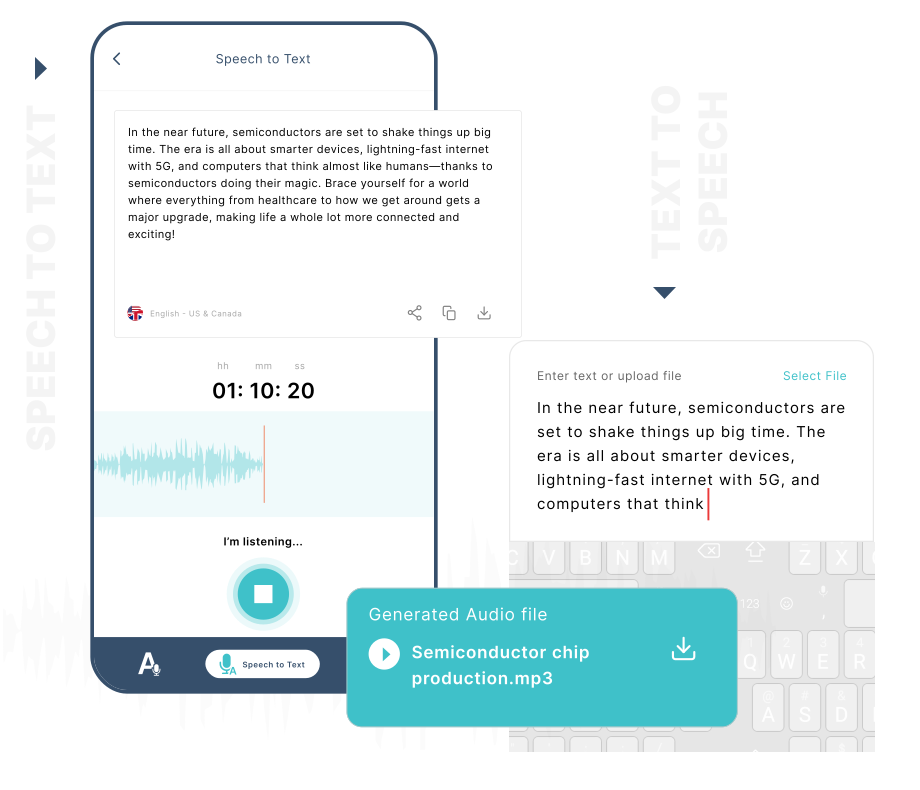
We built both conversion modes into a single app – speech to text and text to speech – with a straightforward toggle between them. Real-time transcription captures spoken words as they happen, while the text-to-speech mode generates a downloadable audio file from any text input. Language selection and output controls are available within both modes.
Document Import and Scanning
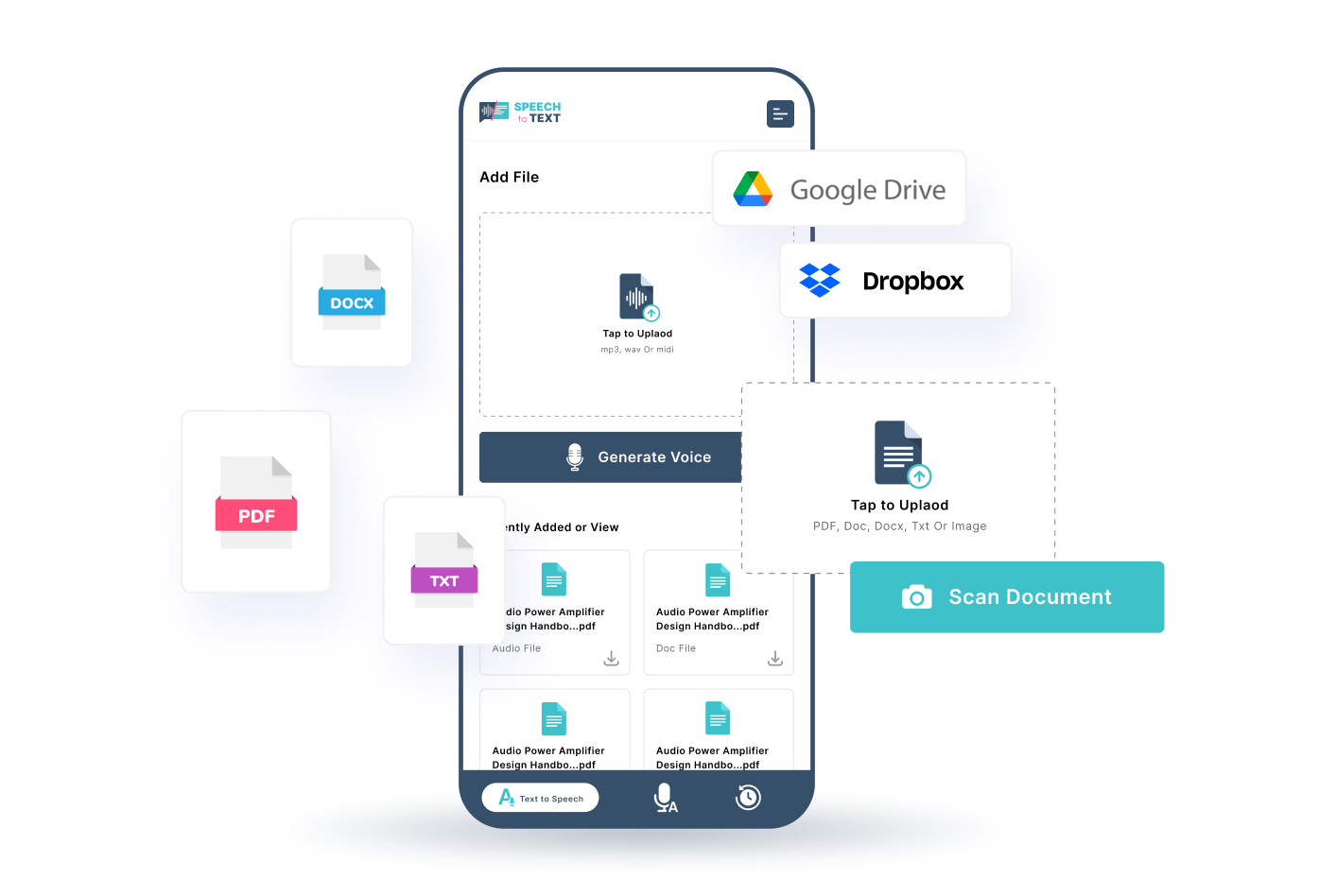
We built direct connections to Google Drive, Dropbox, and OneDrive so users can pull files into the app without leaving it. PDF, Doc, DOCX, image, and audio file formats are all supported – and a built-in document scanning feature lets users capture and process physical documents directly within the app.
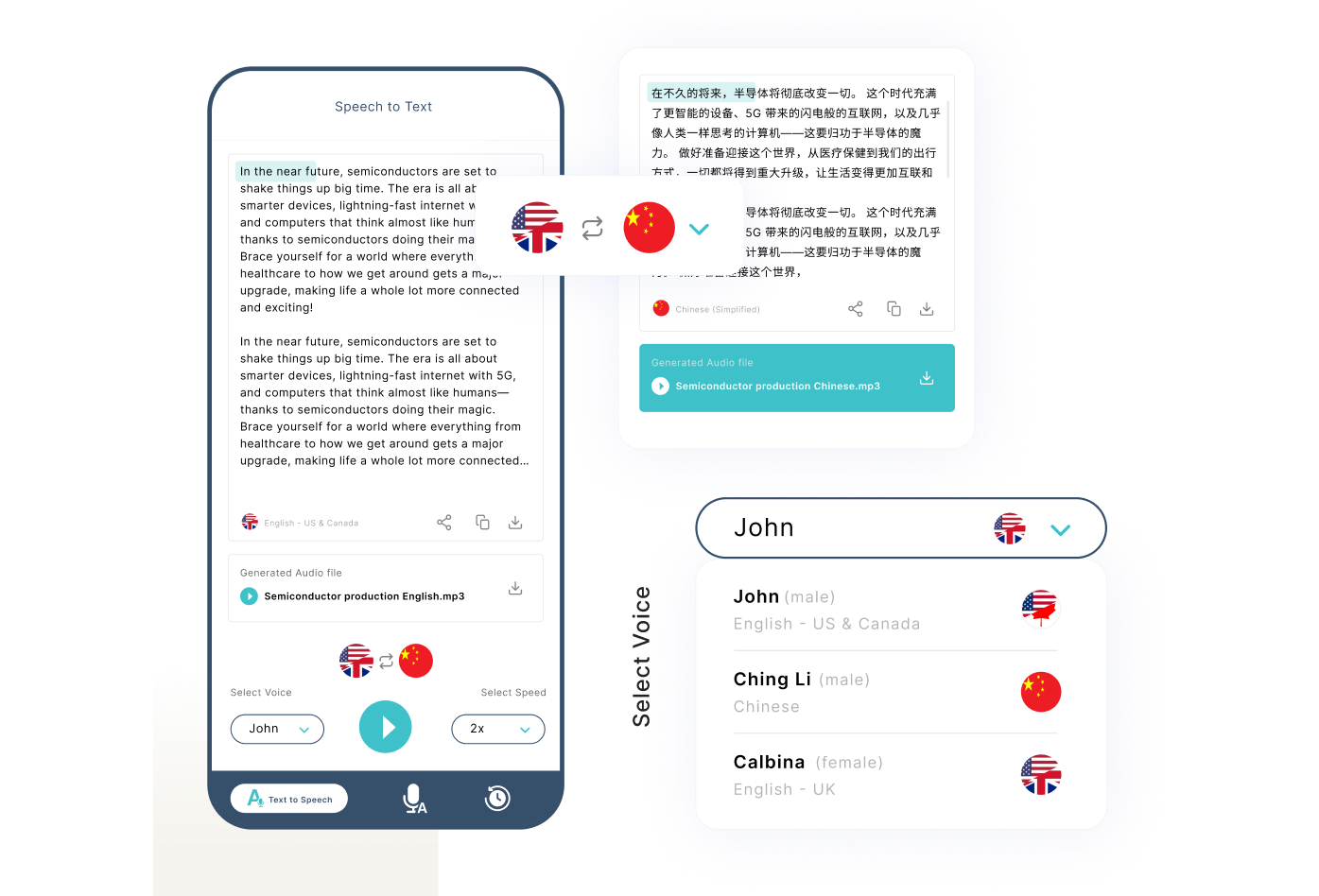
Language Translation and Voice Personalisation
We built the multilingual layer to support translation across multiple languages with voice output tailored to each. Users can select a voice by language – and a swap control lets them toggle between input and output languages. The generated audio is available for download in the selected language.
Output Sharing Across Third-Party Platforms
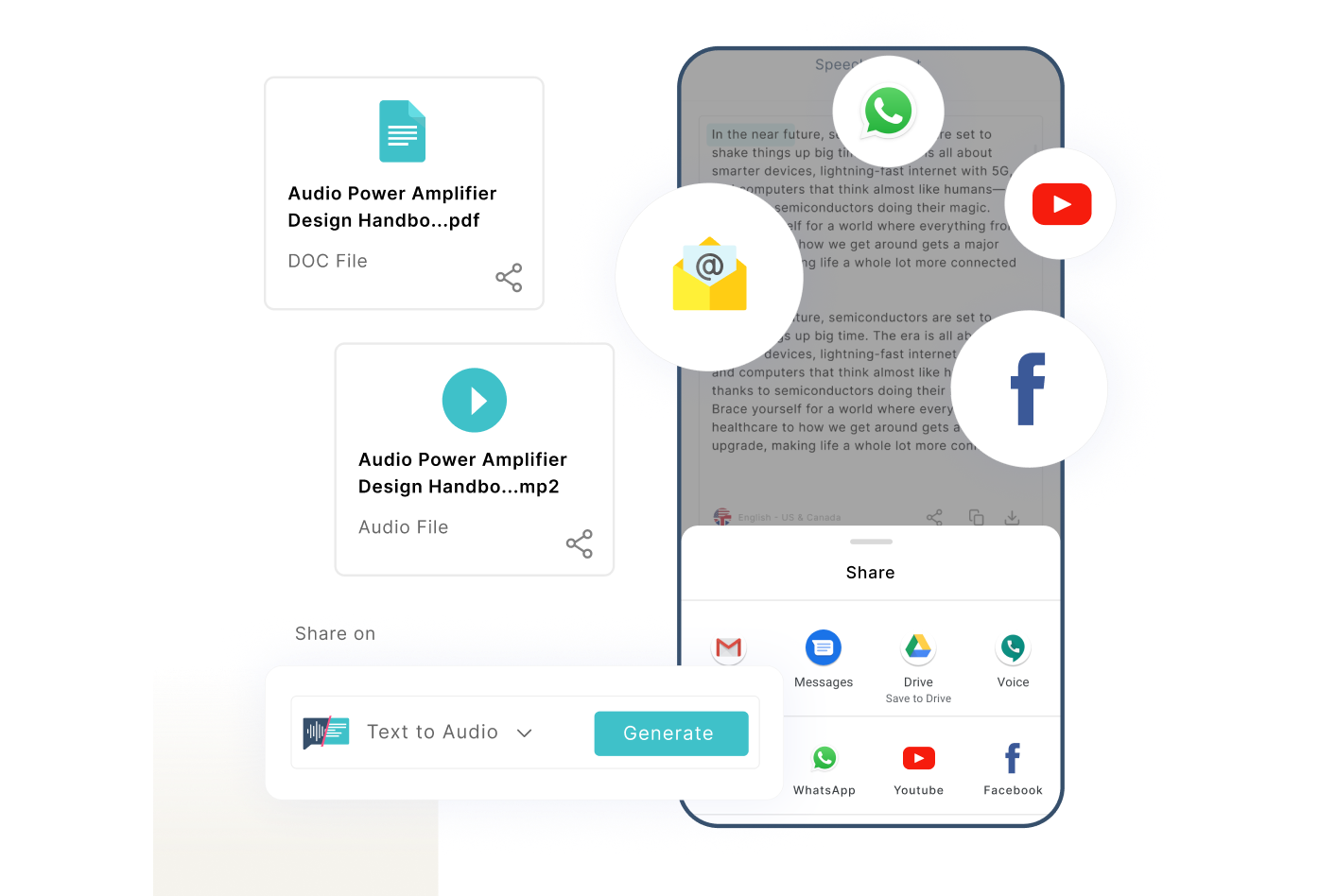
We built sharing directly into the output screen – covering WhatsApp, YouTube, Facebook, Gmail, Google Drive, and Messages. Both text documents and generated audio files can be shared from within the app, giving users a direct path from conversion to distribution.
Fine-Tuned Speech Rate and Voice Controls
We built speech rate controls that let users adjust playback speed across multiple settings. Voice selection is available alongside speed control – giving users control over how their generated audio sounds before downloading or sharing.
Noise Reduction
We built noise reduction into the speech-to-text flow to support cleaner transcription output. The feature is designed to improve accuracy in environments where background sound may affect the quality of the recording.
Voice Cloning
We built a voice cloning capability that gives users the ability to choose from different voice options for their speech output. The feature gives users control over how their generated audio is presented to their audience.
Auto Punctuation and Smart Editing
We built auto punctuation directly into the transcription output so text is correctly formatted as it is generated. Smart editing suggestions are also available to help users refine their transcribed or typed content before sharing or downloading.
AI-Powered Suggestions
We integrated AI-powered suggestions into the writing and editing layer of the app. The suggestion system assists users in improving their text content as they work within the app.
Offline Mode
We built offline mode into the app so users can continue accessing essential features without an active internet connection. The app remains usable in environments where connectivity is limited or unavailable.
Got a Product Idea You Want to Build?
We work with companies at every stage – from early concept to full-scale delivery. Tell us where you are and we’ll take it from there.
TOOLS & TECHNOLOGIES
The Tools and Technologies Behind the App
We used OpenAI and AWS alongside a set of specialised third-party APIs to deliver a capable,
cloud-connected speech and text conversion experience.
What the Client Said
“Excellent company to create Android and iOS apps. Good graphic designers and developers.”
Co-founder
Software Development Company· Italy


