This guide compares Make, n8n, and Zapier — the best workflow automation tools for small and medium businesses— covering features, flexibility, cost, and real use cases in details. Plus, see how Intuz, as workflow automation expert, can help you with end-to-end consulting — from spotting bottlenecks and picking the right tools to deploying automation that drives real growth.
If you’re running a small or mid-sized business, chances are your team spends too much time on tasks that could be automated—copying data between apps, sending repetitive emails, chasing status updates, and refreshing spreadsheets.
All of this is time-consuming and labor-intensive, not to mention expensive.
But here’s the catch: automation only works if you use the right tool. That’s where the decision gets tricky. With so many platforms, picking between popular tools like n8n, Make, and Zapier can feel like a task!
Each has its strengths (and weaknesses). But which one makes sense for your workflows, budget, and team size? Fret not. At Intuz, we’ve guided SMBs across industries in choosing and implementing the right-fit automation stack, and we can help you with that, too.
In this guide, we’ll detail how Make vs. n8n vs. Zapier features compare, helping you identify the best AI-powered workflow automation tool for SMBs.
Show
- Zapier suits non-technical, fast-moving teams — with 7,000+ app integrations, it’s the fastest path to automation for solo founders and small teams who want working Zaps without writing a line of code.
- Make offers the best value for visual, multi-step logic — its per-operation pricing and drag-and-drop canvas make it the right middle ground for SMBs that need more power than Zapier without needing a developer.
- n8n is the only self-hostable option among the three — for regulated industries (healthcare, finance) or teams deploying custom AI agents, n8n’s open-source architecture means data never leaves your servers.
- Pricing model matters more than sticker price — Zapier bills per task (each action in a workflow), while n8n bills per execution (entire workflow = one unit). For a 10-step workflow running 10,000 times/month, n8n can cut costs by 80–90% versus Zapier.
- All three platforms added native AI capabilities in 2026 — n8n 2.0 introduced LangChain integration and 70+ AI nodes; Make launched Maia AI and Make AI Agents; Zapier released Zapier Agents for autonomous task execution across 8,000+ apps.
Make vs n8n vs Zapier: An Introduction
Make
Make (formerly Integromat) is a visual workflow automation platform that lets you design, build, and monitor automation scenarios using a drag-and-drop canvas. It supports 2,000+ app integrations and 9,000+ pre-built solutions.
Best for: SMBs and mid-sized teams that need powerful multi-step logic without requiring developer expertise.
Key strength: Visual clarity — you can trace exactly how data flows across your entire automation landscape at a glance.
2026 Update: Make introduced its Maia AI assistant, which builds automation scenarios from natural language descriptions, and launched Make AI Agents for autonomous task execution.
n8n
n8n (pronounced “n-eight-n”) is an open-source workflow automation platform available as a cloud service or self-hosted deployment. It offers 400+ pre-built integrations and supports custom JavaScript and Python code within workflows.
Best for: Developer teams, regulated industries (healthcare, finance), and organizations building custom AI-powered workflows.
Key strength: The only major platform among the three that supports full self-hosting — meaning your data never leaves your own servers.
2026 Update: n8n 2.0 (launched January 2026) introduced the AI Agent Tool Node for multi-agent orchestration, native LangChain integration with 70+ AI nodes, persistent agent memory across executions, vector database support for RAG workflows, and sandboxed code execution.
Zapier
Zapier is the most widely recognized workflow automation platform, connecting 7,000+ apps through no-code “Zaps.” It’s designed for business users who want to automate tasks without any technical knowledge.
Best for: Small teams, solo founders, and non-technical users who need fast, reliable automation across popular business tools.
Key strength: Largest integration catalog in the market — if you use mainstream SaaS tools, Zapier almost certainly connects them.
2026 Update: Zapier launched Zapier Agents — autonomous AI systems that execute tasks across 8,000+ apps without human intervention — and an AI Copilot that builds Zaps from natural language descriptions.
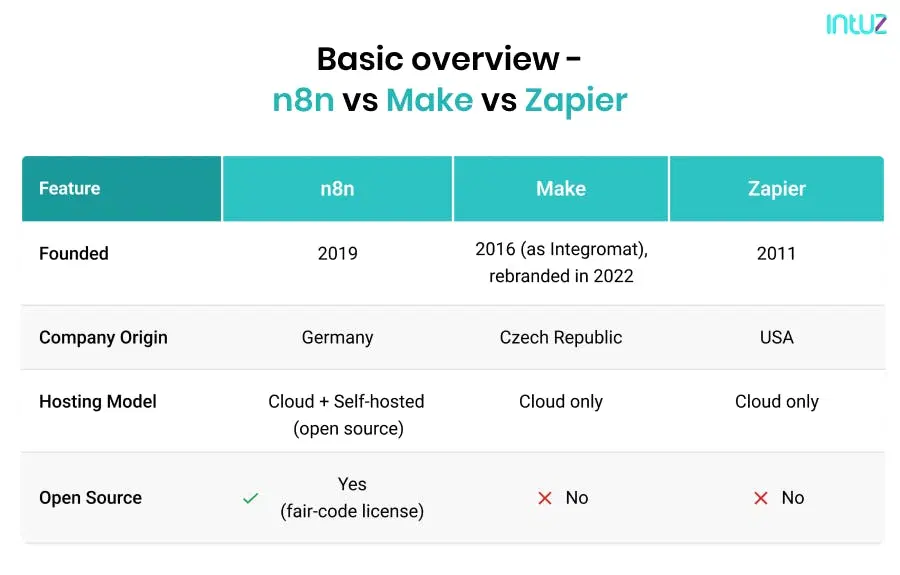
Make vs n8n vs Zapier Features: A Tabular Comparison for SMBs
Zapier is the best choice for non-technical teams that need fast, no-code automation across 7,000+ apps. Make is ideal for SMBs needing visual, multi-step workflow logic at a competitive price. n8n is the top choice for developers and regulated industries that need self-hosted, open-source automation with native AI agent support — including LangChain integration and persistent agent memory introduced in n8n 2.0
Let’s understand how these three business process automation tools stack up on features, impacting cost, speed, and efficiency for your SMB:
| Feature | Make | n8n | Zapier |
|---|---|---|---|
| Visual Editor | Drag-and-drop scenario editor with visual notes | Leading visual editor with native nodes and custom code support | Visual workflow builder with branching logic (Paths) |
| Debugging and Iteration | Step-by-step execution tracking, flow control | Re-run single steps, replay/mock data, logs inline with code | Use Delay and Schedule, supports looped actions with Looping |
| Pre-built Integrations | 2,000+ apps, 9,000 pre-built solutions, 7,000+ templates | 400+ pre-configured integrations, HTTP node for custom | 7,000+ app connections via Zaps and Tables |
| AI Capabilities | AI Agents, prebuilt no-code AI modules, MCP Server | Built-in AI nodes, LangChain support, LLM deployment | AI-driven Tables, automates workflows with built-in logic |
| Hosting and Deployment | Cloud-hosted via MCP Server, no infrastructure needed | Self-host or cloud; full control over model/data | Fully cloud-based, no self-hosting option |
| Data Handling | Data transformation via drag-and-drop functions | Merge, loop, filter, JS/Python code for shaping data | Formatter for dates, currency, text; Looping for items |
| Triggers and Webhooks | Triggers via HTTP/Webhooks from any public API | App events, cron jobs, chat, webhooks, nested workflows | Trigger via webhooks |
| Extensibility | No-code and some AI extensibility | Custom JS/Python, npm packages, cURL import | No-code extensibility with built-in logic and filters |
| Open Source | No – proprietary | Yes – full access on GitHub | No – proprietary |
| Ease of Use (UI/UX) | Highly visual and user-friendly with drag-and-drop design | Clean and powerful interface with some learning curve for advanced features | Extremely intuitive and beginner-friendly with guided setup |
| Scalability and Limits | Handles large-scale workflows well with performance monitoring tools | No hard limits on self-hosted setups and suitable for complex, large-scale workflows | Limits based on plan tiers with task caps and rate restrictions |
| Team Collaboration | Role-based access control and team permissions for workflow management | Basic collaboration via shared workflows and version control in self-hosted environments | Team and Company plans offer shared folders and user permissions |
| Security and Compliance | SOC 2, encryption, SAST, bug bounty | SOC 2 Type II, SOC 3, self‑hosted security controls (SSL, 2FA) | SOC 2, GDPR, CCPA, DPF; encryption; not HIPAA |
| Support and Community | Support with SLAs, analytics dashboard, growing community | Open‑source community, GitHub, docs, forums, enterprise support | Help center, Trust Center, forums, Early Access program |
Pricing Breakdown: What You’re Really Paying For
Investing in a new tool as an SMB is a substantial financial task. You want value for money stat. Here’s how much these business process automation tools will cost you every month. Subscription fees are only one layer. Here’s what AI automation costs a small business once implementation and maintenance are included.
Make
| Plan | Per month | What’s Included |
|---|---|---|
| Free | $0 | 1,000 operations/month, no-code visual workflow builder, 2000+ apps, routers and filters, and customer support |
| Core | $10.59 | Everything in Free, plus: unlimited active scenarios, more control with scheduled scenarios, increased data transfer limits, and access to the Make API |
| Pro | $18.52 | Everything in Core, plus: priority scenario execution, custom variables, full-text execution log search, and advanced automation features (error handling, scheduling) |
| Teams | $34.12 | Everything in Pro, plus: teams and team roles and create and share scenario templates |
| Enterprise | Contact sales | Everything in Teams, plus: auto-provisioning for new users, audit logs, Service Level Agreements, custom functions, and more |
n8n
| Plan | Per month | What’s Included |
|---|---|---|
| Starter | $28 | 1 shared project, 5 concurrent executions, unlimited users, and forum support |
| Pro | $69 | Everything in Starter plan, plus: 3 shared projects, 20 concurrent executions, 7 days of insights, admin roles, global variables, and more |
| Enterprise | Contact sales | Everything in Pro plan, plus: unlimited shared projects, 200+ concurrent executions, 365 days of insights, SSO SAML and LDAP, extended data retention, and more |
Zapier
| Plan | Per month | What’s Included |
|---|---|---|
| Free | $0 | Zapier automation platform, unlimited Zaps, two-step Zaps, and AI power-ups |
| Professional | $29.99 | Everything in Free, plus: multi-step Zaps, unlimited Premium apps, webhooks, and email and live chat support |
| Team | $103.50 | Everything in Professional, plus: 25 users, shared Zaps and folders, shared app connections, SAML SSO, and premier support |
| Enterprise | Contact sales | Everything in Team, plus: unlimited users, advanced admin permissions and app controls, annual task limits, observability, and Technical Account Manager |
The Critical Difference: Task Pricing vs. Execution Pricing
This is the single most important factor for cost at scale — and most comparison guides skip it.
- Zapier charges per task – Every individual action in a workflow counts as a separate billable task. A 10-step workflow that runs 10,000 times per month = 100,000 tasks billed.
- n8n charges per workflow execution – The entire workflow — regardless of how many steps it contains — counts as one execution. That same 10-step workflow running 10,000 times = 10,000 executions billed.
- Make charges per operation – Each module (action) in a scenario counts as one operation — similar to Zapier’s model but significantly cheaper per unit.
For complex, high-volume workflows, n8n’s execution model can reduce automation costs by 80–90% compared to Zapier. For self-hosted n8n deployments, there are no execution limits at all.
How to tell which pricing model will actually be cheapest for you
The sticker price on each plan matters less than how each tool counts usage, because the three platforms bill on completely different units:
- Zapier bills per task — every successful action step, on every run. A trigger is free, and built-in steps like Filters, Paths, Delays, and Formatters don’t count, but each real action does.
- Make bills per operation — each module call in a scenario. The count is similar to Zapier’s, but Make’s per-unit price is far lower, which is why branchy, multi-step scenarios are usually cheaper here.
- n8n bills per workflow execution — one run of the whole workflow counts as one, no matter how many steps it contains. Self-hosted, executions are unlimited and you pay only for your server.
The number that decides your bill is steps × runs per month. Watch the same five-step workflow running 5,000 times a month across all three:
| Tool | Billing unit | Usage consumed / month | What drives the cost |
|---|---|---|---|
| Zapier | Task (per action step) | 5 × 5,000 = 25,000 tasks | Every added step multiplies the bill |
| Make | Operation (per module) | ~5 × 5,000 = 25,000 operations | Same count, much lower unit price |
| n8n Cloud | Execution (per run) | 5,000 executions | Step count is free; only run frequency matters |
| n8n self-hosted | None (server cost only) | Unlimited | Fixed monthly infrastructure, not usage |
Same automation, and the metered volume ranges from 25,000 down to 5,000 to zero depending purely on the billing model. This is why a workflow that’s affordable on Zapier at a few hundred runs a month can become the reason a team switches once step count and frequency climb.
A practical rule of thumb:
- Simple automations, low-to-moderate volume (few steps, up to a few thousand actions a month): Zapier’s Free or Professional tier is the least-friction choice, and the per-task cost is irrelevant at this scale.
- Multi-step or conditional workflows at moderate-to-high volume: Make’s operation pricing typically wins, often by a wide margin, without giving up a hosted, no-infrastructure setup.
- High-frequency, many-step, or data-heavy workflows: n8n’s per-execution model — or self-hosting for unlimited runs — is where the savings become dramatic. For complex, high-volume automations, moving from task-based to execution-based billing can cut costs by 80–90%.
Make vs n8n vs Zapier – Use Cases for small and medium enterprises
Use Make when:
- Intelligently routing leads based on geography or service area
- Designing order pipelines from Shopify to warehouse to accounting
- Ensuring real-time data transformation and sync between apps (e.g., converting currencies, formatting names)
For instance, a logistics startup syncs its WooCommerce store with Zoho Books and Google Sheets. So:
When an order is placed → Make splits items → Applies tax rules → Updates accounting records → Logs the data in Sheets → Notifies fulfillment via Slack
How Intuz can help:
Our team can visually map your entire automation landscape using Make’s interface, handle conditional logic, and create reusable AI agents that evolve with your business. We’ll ensure seamless integration and maintainability across systems.
Use n8n when:
- Building internal tools with custom APIs and event-driven logic
- Creating audit-compliant, on-prem automation in regulated industries
- Deploying multi-step AI agents (e.g., GPT summarizers or content generators)
For example, a health tech startup builds an AI chatbot to summarize patient intake forms using n8n. On the platform:
Webhook receives form data → LLM summarizes inputs → Stores summary in secure database → Notifies assigned clinician
How Intuz can help:
We offer end-to-end setup of self-hosted n8n environments, including secure deployments on AWS or Azure, integration with AI models like OpenAI or open-source LLMs, and full support for custom JavaScript or Python scripting.
Use Zapier when:
- Automating CRM updates when leads come in via web forms
- Sending notifications in Slack when a payment is received
- Syncing Google Sheets data with email marketing tools
For example, a boutique design studio automates client onboarding. Therefore:
When a Typeform is submitted → Zapier creates a new client in HubSpot → Sends a welcome email → Adds the project to Asana
How Intuz can help:
We can help you identify bottlenecks in your business processes and set up robust, low-maintenance Zaps across your tools (CRMs, email, forms, and more). Our experts can also build custom apps if your tools aren’t natively supported.
Who Should NOT Use Each Platform
Don’t use Zapier if:
- Your workflows have 10+ steps running at high volume — costs escalate rapidly
- You need data sovereignty or on-premise deployment (Zapier is cloud-only)
- You need to write custom code logic or integrate non-standard APIs
Don’t use Make if:
- Your team needs self-hosting for compliance reasons (Make is cloud-only)
- You need the deepest AI agent customization (n8n’s AI depth surpasses Make’s)
- You need 8,000+ native integrations (Make’s catalog is smaller than Zapier’s)
Don’t use n8n if:
- Your team has no developer resources — the learning curve is steep
- You need to connect dozens of niche SaaS tools quickly (Zapier’s 7,000+ catalog wins here)
- You want managed infrastructure without server responsibilities
How to Choose Between Make vs n8n vs Zapier – What Intuz Recommends
| Factors | Zapier | Make | n8n |
|---|---|---|---|
| Business Size | Best for solo founders or small teams (of 1-10) | Ideal for small to mid-sized teams needing visual logic | Great for dev-driven startups or growing companies |
| Budget | Free plan available; affordable paid tiers | Flexible pricing; good balance of features | Free if self-hosted; cost-effective for complex needs |
| Technical Expertise | No coding needed; user-friendly UI | Visual interface with logic control; moderate tech skill needed | Requires developer support for custom workflows |
| Specific Needs | Quick automations, common tasks (Slack, email, CRM) | Multi-step logic, real-time routing, lightweight AI agents | Complex logic, LLM integration, on-premise security |
| Templates vs. Custom Workflows | Great for quick-start templates | Supports both templates and moderate custom logic | Best for highly customized, scripted workflows |
| Scalability and Support | Scales with plan tiers; strong documentation | Scales well with analytics and team support | Self-hosted scalability; enterprise support via Intuz |
Does your team have developer resources?
├── NO → Can you afford Zapier’s per-task pricing at your workflow volume?
│ ├── YES → Use Zapier (fastest setup, largest app catalog)
│ └── NO → Use Make (powerful visual logic, better value)
└── YES → Do you need data sovereignty / self-hosting?
├── YES → Use n8n (self-hosted, full control, no execution limits)
└── NO → Do you need advanced AI agent workflows?
├── YES → Use n8n (LangChain, 70+ AI nodes, LLM orchestration)
└── NO → Use Make (visual clarity + cost efficiency)
Ready to Automate? Here’s How Intuz Can Help You Get Started
You don’t need to figure everything out on your own. Whether you’ve already picked the best workflow automation tool for SMBs or are still weighing your options, Intuz is here to walk you through every step. Let’s see how:
Step 1: Audit your business processes
We begin by taking a hands-on look at how your team works daily. Where are tasks being repeated? Where do delays happen? What could be done faster or even better with automation? This helps us identify high-impact areas immediately. See how we approach AI workflow automation
Step 2: Recommend the right tools
Based on your workflow needs, team size, technical skills, and budget, we recommend the best-fit platform, whether Zapier, Make, n8n, or something else. If you’ve already chosen a tool, we help you get the most out of it.
Step 3: Build, test, and deploy automation
We design and build your workflows, ensuring they’re efficient, reliable, and aligned with your goals. Everything is tested and validated before going live, so you can trust it to run in the background while your team focuses on what matters.
Step 4: Provide ongoing support
We don’t just “set it up and go.” Our team monitors performance, handles updates, and continues to optimize as your business evolves. Whether you need a quick tweak or a full-scale upgrade, we’re just a message away.
Let’s Automate Your Repetitive & Time Consuming Workflows!
Connect with INTUZ AI ExpertsPartner with Intuz – Your Workflow Automation Expert
Automation tools are powerful. But only when they’re set up the right way. Workflow automation tools comparison is one thing. Getting it to work consistently across your business is something else entirely. That’s where www.intuz.comes in.
Clients partner with us to:
- Build scalable workflows that grow with the business
- Automate repetitive tasks that eat up hours every week
- Avoid the common traps of overspending or under-utilizing tools
- Reduce dependency on manual follow-ups and spreadsheet juggling
- Streamline operations across sales, marketing, customer support, and finance
We aim to help you maximize ROI from day one and keep improving over time.
If you’re serious about using automation to drive growth and efficiency, schedule a free audit with us to start a conversation.
FAQs
What is the main difference between Make, n8n, and Zapier?
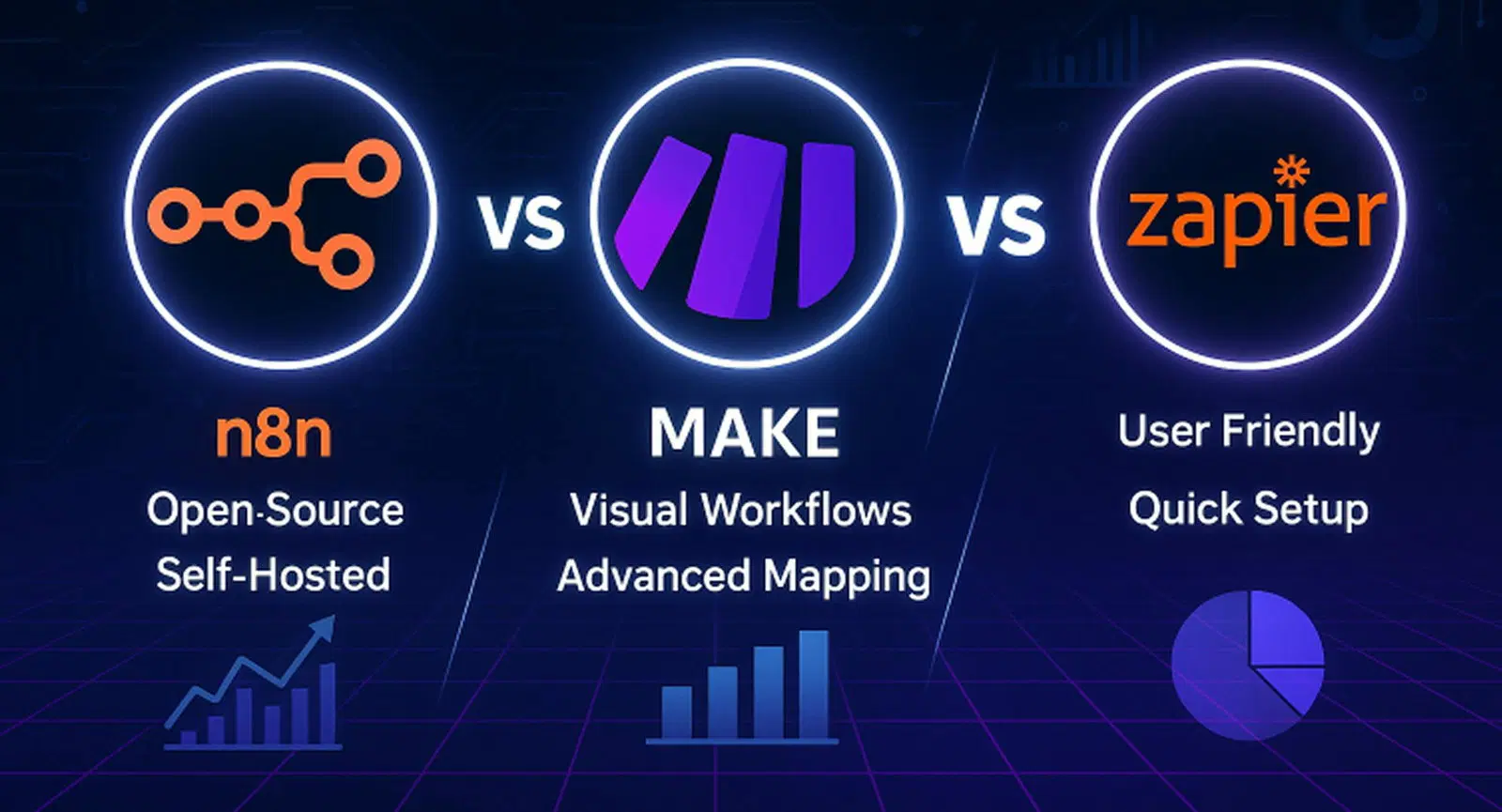
Zapier is the most user-friendly platform with the largest app catalog (7,000+), best for non-technical teams. Make offers powerful visual workflow building at a mid-range price, ideal for SMBs with moderate technical skill. n8n is open-source and self-hostable, offering the deepest customization and AI agent capabilities for developer teams.
Which is cheaper — Zapier, Make, or n8n?
For simple workflows, all three offer affordable entry plans. For complex, high-volume workflows, n8n is significantly cheaper because it charges per workflow execution rather than per individual task. A 10-step workflow running 10,000 times costs the same as a 2-step workflow in n8n. n8n is free to use if you self-host on your own servers.
Can n8n replace Zapier?
Yes, for teams with developer resources. n8n can replicate most Zapier workflows and goes significantly further with custom code, self-hosting, and AI agent capabilities. The trade-off is a steeper learning curve and the need to manage infrastructure for self-hosted deployments.
Which platform has the best AI agent capabilities in 2026?
n8n leads the three platforms for AI agent capabilities. n8n 2.0 (January 2026) introduced native LangChain integration, 70+ AI nodes, persistent agent memory, and self-hosted LLM support. Zapier offers Zapier Agents for no-code AI task execution. Make provides AI scenario building via its Maia AI assistant.
Does Intuz help with n8n, Make, and Zapier implementations?
Yes. Intuz provides end-to-end workflow automation consulting across all three platforms — from business process audits and tool selection to custom workflow development, testing, deployment, and ongoing support. We specialize in both cloud and self-hosted n8n deployments, complex Make scenarios, and enterprise Zapier implementations.
What should I consider when choosing between these three tools for my SMB?
Consider four factors: (1) Technical resources — does your team include developers? (2) Workflow complexity — how many steps and conditional logic branches? (3) Volume — how many times will workflows run per month? (4) Data requirements — do you need on-premise deployment for compliance? Use the decision tree in this guide to map your situation to the right platform.
Can I use Make, n8n, or Zapier with AI tools like ChatGPT or Claude?
Yes. All three platforms support integrations with major AI models. n8n offers the deepest AI integration with native LangChain support and the ability to self-host LLMs alongside your workflows. Make and Zapier support OpenAI, Anthropic Claude, and Google AI through pre-built modules and API connections.
Is n8n actually free, or are there hidden costs?
n8n’s cloud plans start at $28/month. The self-hosted version is genuinely free — the open-source codebase is available on GitHub with no license fees or execution limits. The hidden costs are infrastructure (AWS, Azure, or DigitalOcean servers), setup time, and developer hours for maintenance and upgrades. For regulated companies or dev-driven teams already running cloud infrastructure, the total cost of self-hosted n8n is typically far lower than Zapier or even Make at scale. For teams without infrastructure experience, the operational overhead can outweigh the savings — that’s where managed setup support from a partner like Intuz adds tangible ROI.
Work with Intuz
Still Confused Which Low-Code Tools to Choose?
Book 45-minute free consultation with our experts. We will find out which tool fits your business.
Let's Get Started
Share this article