In this guide, explore the clinical workflows AI can automate, eight leading tools, implementation costs, and the practical considerations that can help you make the right decision for your organization.
By the time your clinicians finish seeing patients, there’s often another round of work waiting: encounter records to complete, physician orders to check, referrals to process, and EHR information to update.
When the same details have to be verified or entered across systems at a busy healthcare organization, those tasks add up.
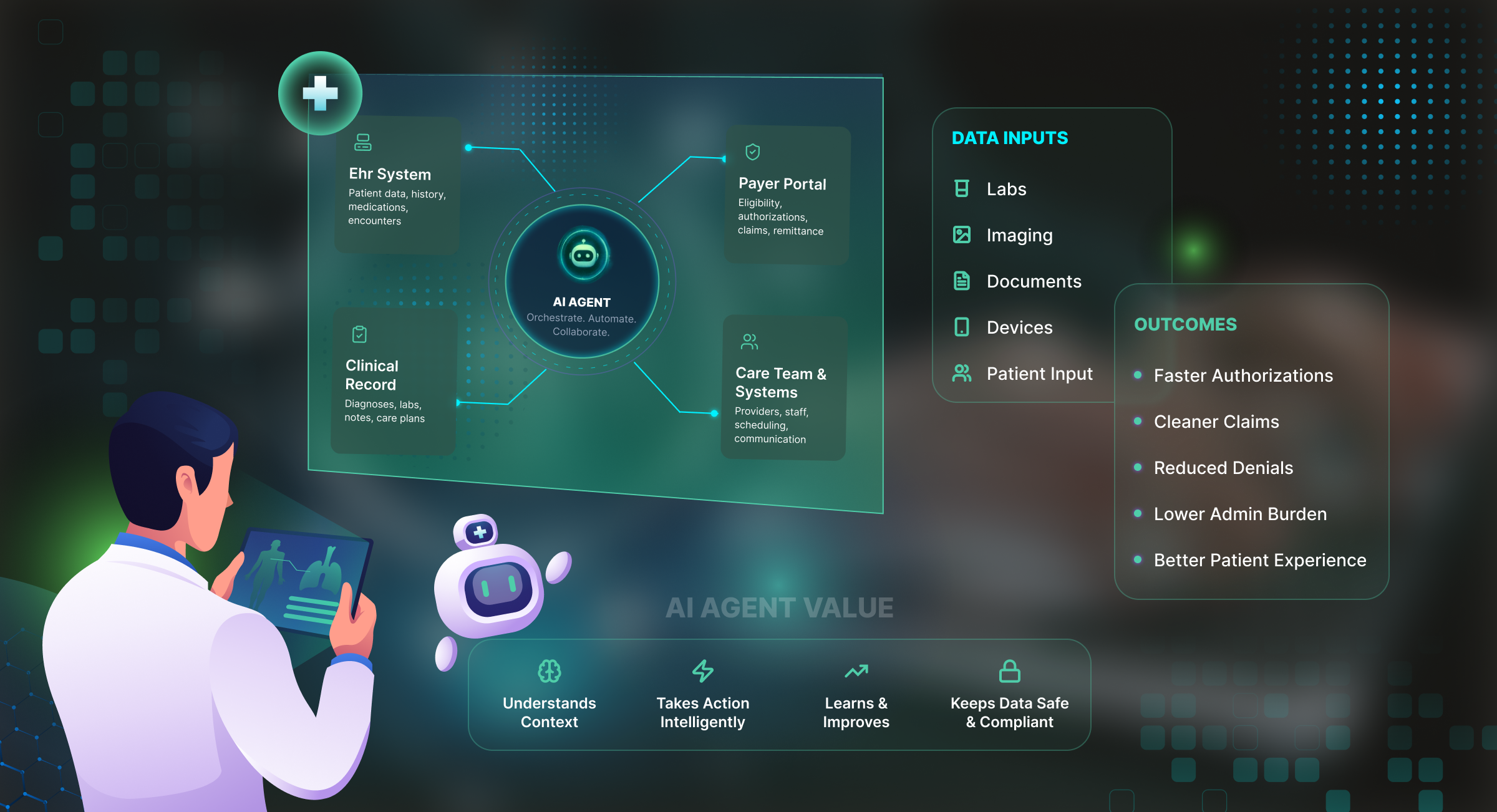
AI medical documentation automation applies speech recognition, Natural Language Processing (NLP), generative AI, and intelligent document processing to create, extract, validate, and manage clinical information.
But how should you implement it? Should you purchase an AI medical scribe, use your EHR’s built-in AI capabilities, or invest in custom automation? We will explore in detail.
Which Clinical Documentation Tasks Can AI Automate?
AI in medical documentation can support several activities across the patient journey:
- Clinical encounter documentation: AI takes SOAP notes, histories of present illness (HPI), assessments, and treatment plans from clinician-patient conversations for professional review.
- Prior authorization documentation: AI assembles diagnoses, treatment histories, and medical-necessity evidence, flagging gaps before requests reach payers.
- Home health and OASIS documentation: AI checks assessment completeness, physician orders, care plans, and patient-episode details. Qualified clinicians remain responsible for the required assessments.
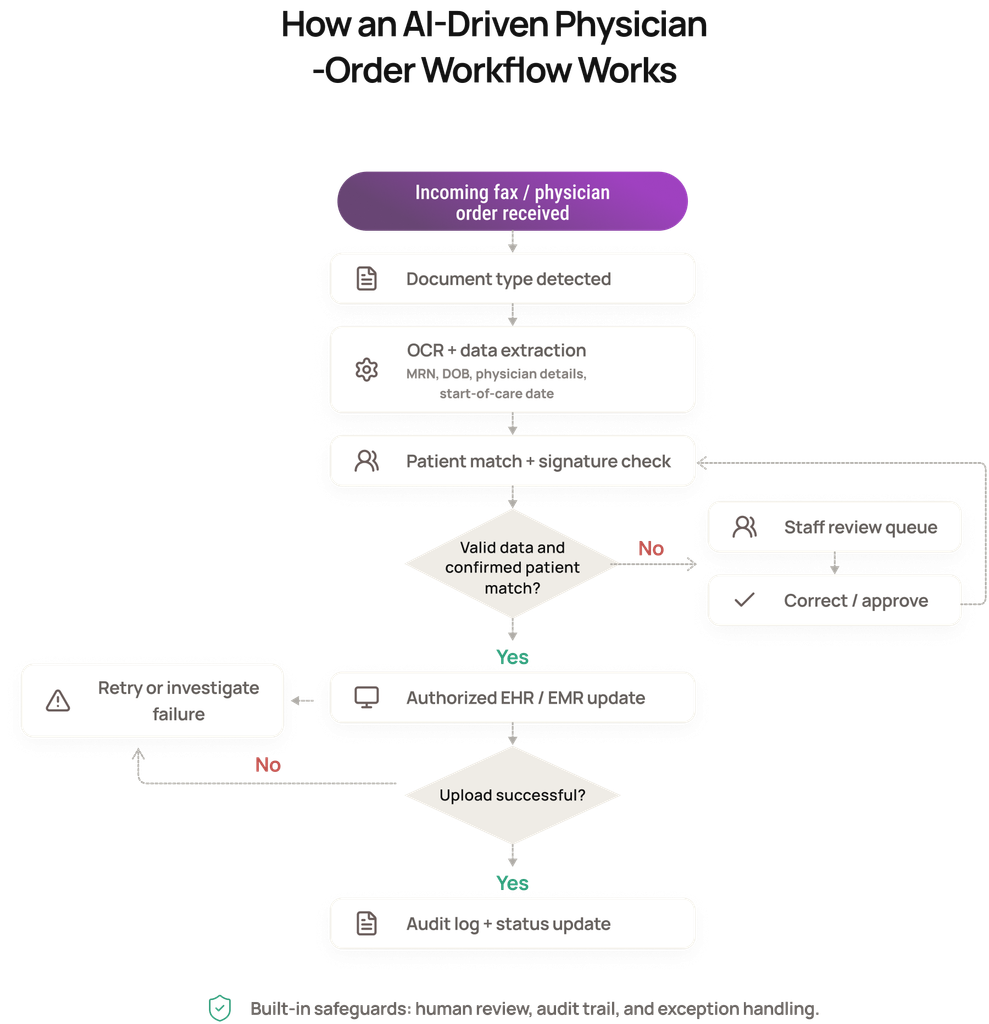
- Referral and physician-order processing: Document AI classifies referrals, CMS-485 forms, and incoming faxes; extracts patient identifiers; detects missing signatures; and routes paperwork to the appropriate EHR tasks.
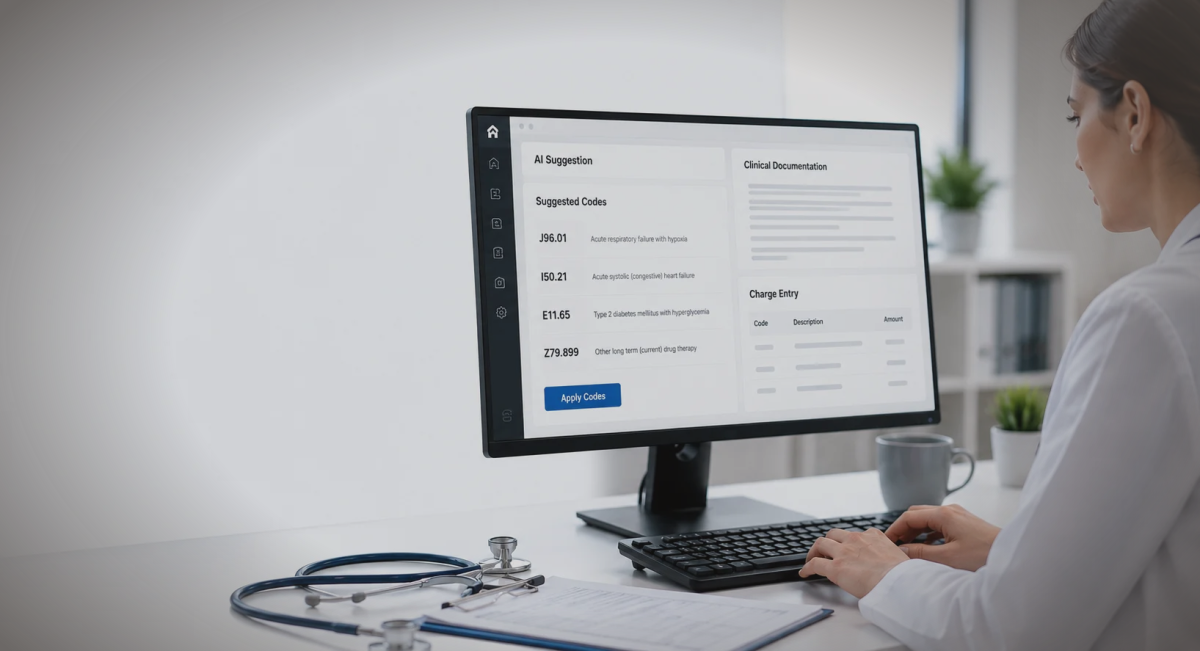
- Clinical coding and documentation integrity: NLP and generative AI identify gaps in diagnostic specificity and propose ICD-10-CM, CPT/E/M, or HCC codes accordingly.
What Are the Best AI Tools for Clinical Documentation Automation?
AI in clinical documentation spans independent-practice scribes, specialty-focused applications, and enterprise healthcare platforms. These eight tools differ in where they concentrate their capabilities:
1. Freed
Freed is geared toward independent practices. Its platform includes an AI scribe, Clinical Evidence for medical-source questions, a Coding Assistant, and front-desk functions. Specialty templates can be tailored to a clinic’s preferences, with one-click EHR Push available for compatible browser-based systems.
Price: Starts at $39/month per clinician
2. Heidi Health
Heidi pairs consultation documentation with an Evidence feature for looking up medical information and exploring clinical questions. It can prepare follow-up materials as well as patient records. A remote, clip-on microphone option also accommodates ward rounds and other settings away from a desk.
Price: Start for free; paid plans start at $110/month per user
3. Sunoh.ai
Sunoh.ai creates a dialogue flow from a patient-provider conversation, then organizes the material into progress-note sections. Its order-entry assistance identifies laboratory tests, imaging, medications, procedures, and follow-up instructions discussed during the visit, ready for clinician verification and subsequent entry.
Price: $149/month per user
4. DeepScribe
DeepScribe places particular emphasis on oncology. SmartPrep assembles relevant pathology, imaging, laboratory findings, and patient history ahead of an appointment. Its coding functionality addresses diagnosis specificity and HCC/E/M needs, while embedded options for OncoEMR and iKnowMed connect the product to oncology practice systems.
Price: Custom pricing
5. Suki
Suki brings problem-based charting, voice-enabled editing, patient instructions, clinical reasoning, and question-answering into a single assistant. It has deep integrations with Epic, Oracle Health, athenahealth, and MEDITECH, alongside features for coding and order preparation.
Price: Custom pricing
6. Abridge
Abridge uses Linked Evidence to connect statements in generated documentation to the corresponding encounter transcript, allowing clinicians to check their source. Its enterprise platform also extends into pre-visit preparation, nursing, and inpatient care, with an emphasis on continuity from admission through discharge.
Price: Custom pricing
7. Microsoft Dragon Copilot
Microsoft Dragon Copilot offers role-specific experiences for physicians, nurses, and radiologists. It brings together medical dictation, multilingual encounter recording, and information retrieval from transcripts, records, and medical references, with citations attached to responses. Microsoft also provides a migration path from Dragon Medical One.
Price: Custom pricing
8. Ambience Healthcare
Ambience Healthcare emphasizes documentation integrity and revenue-cycle performance in large health systems. Its enterprise offering covers more than 200 specialties across ambulatory, inpatient, and emergency settings, with capabilities centered on diagnostic completeness, coding compliance, and financial measurement.
Price: Custom pricing
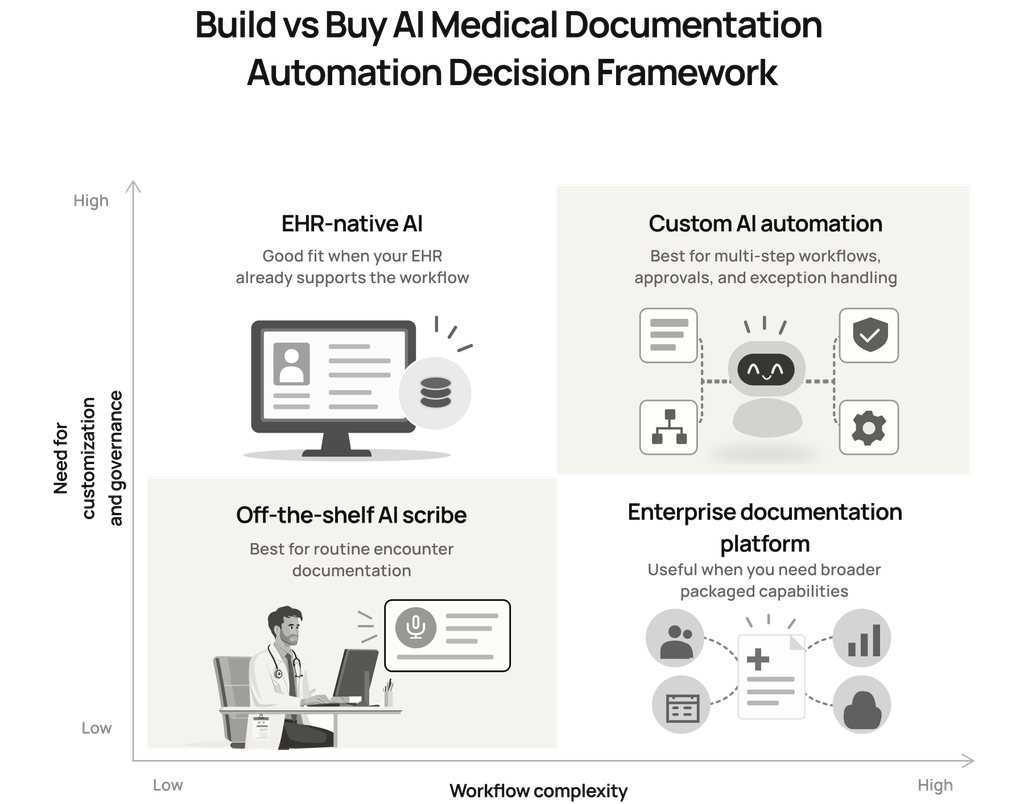
Should You Buy an AI Scribe, Use EHR-Native AI, or Build a Custom Solution?
Before answering this question, evaluate the AI in clinical documentation available in your current EHR configuration. If it covers the necessary documentation and approval steps, an additional product may offer little operational advantage.
Otherwise, the following criteria can help narrow the choice:
When should you buy an off-the-shelf AI scribe?
A commercial scribe is a sensible option when:
- The process ends with a signed encounter record. Subsequent clinical and administrative steps can continue through your established systems.
- Its templates fit your specialty. Put representative complex cases through the product to check whether its standard configuration meets your documentation standards.
- Chart updates work as required. Verify which EHR fields the software populates and whether staff must still transfer information manually.
- Clinician oversight is straightforward. Editing, approval, access, and sign-off functions align with your clinical policies.
When should you build a custom AI documentation solution?
Custom AI development becomes relevant when:
- Several actions depend on one another. A process needs sequencing, decisions, and handoffs that a packaged tool can’t configure.
- Document formats demand tailored handling. Inconsistent layouts or critical fields require extraction and validation beyond standard product settings.
- Exceptions follow different paths. An unsigned order, a duplicate record, and an uncertain patient match each need distinct owners and resolution steps.
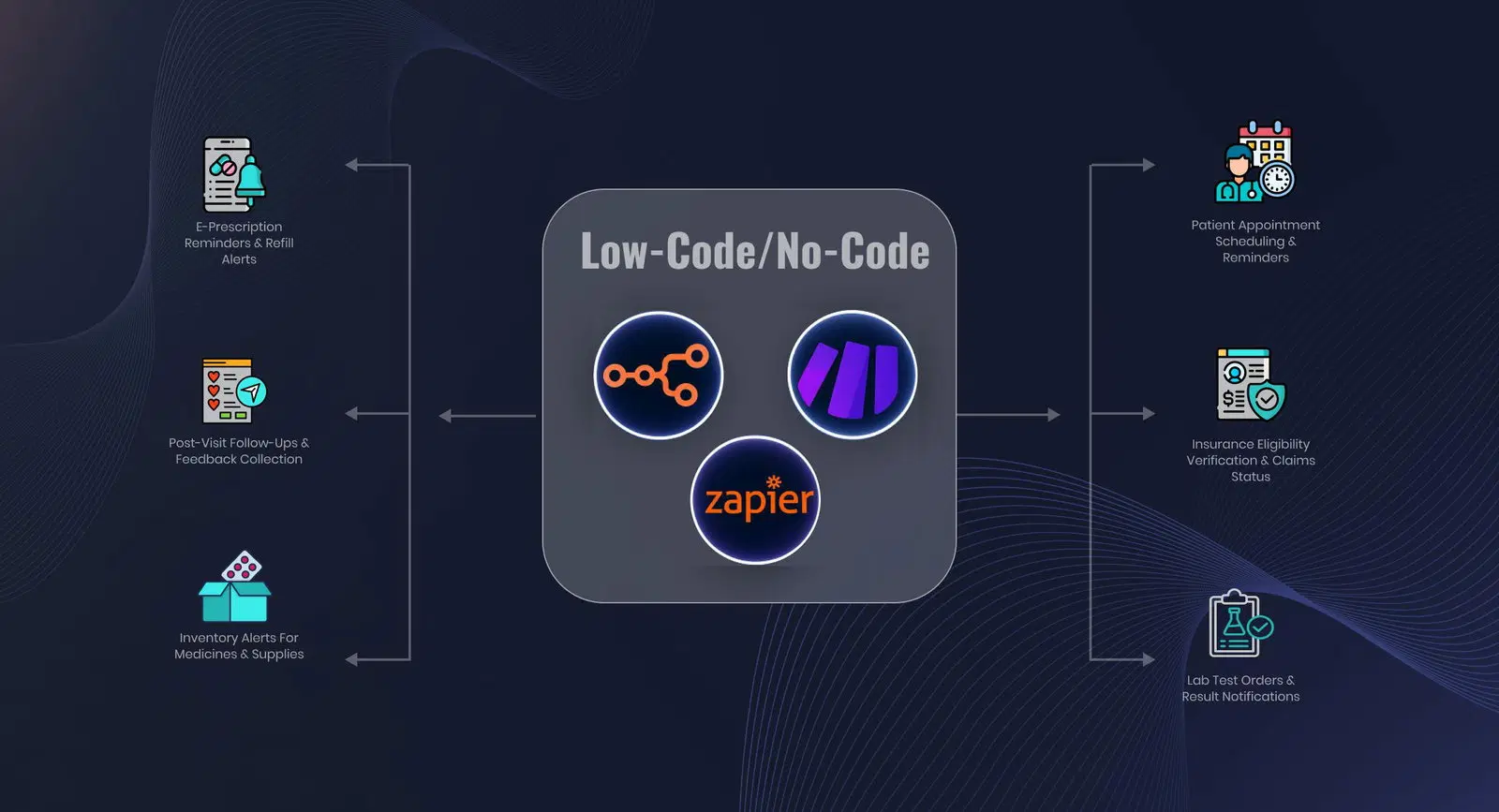
- Multiple applications must be updated together. Available connectors can’t coordinate the specific transactions your process requires.
- Internal controls are unusually specific. Your organization needs approval checkpoints, access restrictions, or audit procedures that existing platforms can’t enforce.
Can AI Documentation Integrate With Epic, athenahealth and Other EHRs?
Yes. AI documentation solutions can connect with major EHR platforms through FHIR APIs, HL7 interfaces, and vendor-specific integrations.
For example, Epic provides FHIR APIs for accessing patient records and clinical documents, including supported document-creation functions.
athenahealth offers APIs and interfaces for exchanging clinical information with external applications. The exact capabilities depend on your EHR configuration and authorized access.
How Much Does Medical Documentation Automation Cost, and What’s the ROI?
Once you’ve narrowed the approach, compare the full first-year expense. A subscription or development quote tells only part of the story. Let’s explore this in detail.
1. Off-the-shelf software
AI medical scribes commonly advertise plans around $40–$150+ per clinician per month. At those rates, a practice with 20 clinicians would budget approximately $9,600–$36,000 annually, before any additional enterprise charges.
Pay attention to clinician seats, recording or note limits, feature tiers, and EHR connectivity. For example, Freed’s entry-level plan includes up to 40 notes a month, while the availability of unrestricted EHR Push depends on the subscription tier.
Enterprise agreements may add administrative controls, onboarding, or negotiated terms.
2. Custom AI development
For a tightly scoped first workflow, Intuz offers a pilot price of $3,000–$7,000 per workflow, such as an orders-and-signatures or intake process.
Our broader AI automation benchmarks put multi-system projects at $15,000–$40,000, with advanced deployments involving several workflows, permissions, and governance requirements at $40,000–$150,000+.
Those estimates cover varying combinations of discovery, workflow mapping, AI configuration, interface development, EHR integration, testing, and release.
3. Ongoing operating costs
In addition, it’s important to allow for model or OCR usage, cloud hosting, monitoring, technical support, maintenance, and periodic security reviews. These charges can vary with document volumes and the number of connected applications.
As a reference point, Intuz provides operational support at approximately $250/month per automation lane annually, with hosting billed separately. New integrations or major workflow expansions are quoted separately.
How do you calculate ROI for healthcare documentation automation?
To assess the return from AI in clinical documentation, you can measure documentation effort before deployment and compare it with the time saved afterward. Here’s a fully illustrative example:
| Variable | Illustrative assumption |
| Participating clinicians | 20 |
| Minutes saved per clinician per day | 20 |
| Working days per year | 220 |
| Loaded hourly labor cost | $60 |
| Annual software expense | $24,000 |
| Annual operating expense | $6,000 |
| One-time implementation | $8,000 |
The annual time recovered is:
20 clinicians × 20 minutes × 220 days ÷ 60 = approximately 1,467 hours
At $60 an hour, that’s about $88,000 in staff capacity. For a financial ROI, connect some of those hours to expenses you can actually eliminate.
Say each clinician currently receives pay for three overtime hours of documentation per month, and automation removes them.
Annual savings would be 20 × 3 × 12 × $60 = $43,200.
With $38,000 in first-year software, operating, and implementation expenses, the calculation becomes:
First-year ROI = ($43,200 − $38,000) ÷ $38,000 × 100 = approximately 14%.
How Long Does AI Medical Documentation Automation Implementation Take?
When rolling out AI in clinical documentation, begin with one well-defined workflow and authorized system access. A six-week pilot is a useful planning example, and the stages can overlap:
| Phase | Indicative timeline | What happens |
| Assess | Week 1 | Examine representative records, map the process, and define success measures |
| Connect | Weeks 2–3 | Establish approved access, test environments, and field mappings |
| Develop | Weeks 2–3 | Configure document processing, business rules, and exception routing |
| Validate | Weeks 4–5 | Test clinical accuracy, mismatches, missing information, and failed updates |
| Deploy and optimize | Weeks 5–6 onward | Release with appropriate oversight, monitor results, and address operational issues |
Your timeline may be longer if permissions, interfaces, or clinical approvals need additional work.
How Does Intuz Automate Medical Documentation using AI?
At Intuz, we work with you from workflow assessment through deployment. We start by identifying the manual steps and defining measurable goals, then validate EHR access, architecture, security, and approval requirements.
Our team develops and evaluates the automation against representative clinical cases before releasing it with monitoring and ongoing refinement.
For Careonix, a home health provider, we automated fax intake, physician-order extraction, signature checks, and EMR uploads. Processing time fell from five minutes to 30 seconds, OCR accuracy exceeded 90% across 20+ document types, and the client projected $250,000 in annual savings.
If you’re considering AI in medical documentation for your organization, book a 45-minute documentation workflow assessment with Intuz. We’ll examine your process, identify a suitable first workflow, and outline the practical next steps.
FAQs
How much does it cost to build custom AI clinical documentation automation?
At Intuz, a tightly scoped pilot costs $3,000–$7,000 per workflow, such as intake or orders-and-signatures. Multi-system projects run $15,000–$40,000, and advanced deployments with several workflows and governance requirements run $40,000–$150,000+. Ongoing support is about $250/month per automation lane, with hosting billed separately.
Is custom automation cheaper than paying for AI scribe subscriptions?
They solve different problems. AI scribes cost about $40–$150+ per clinician per month, or $9,600–$36,000 a year for 20 clinicians, and cover encounter notes. A custom pilot costs $3,000–$7,000 per workflow and targets intake, orders or prior authorization work that scribes don’t automate.
How long does it take to implement AI documentation automation?
A single-workflow pilot takes about six weeks: assessment in week 1, system access and development in weeks 2–3, validation in weeks 4–5, and deployment from week 5 onward. Timelines run longer when EHR permissions, interfaces or clinical approvals need additional work.
Can AI documentation integrate with Epic and athenahealth?
Yes. Epic provides FHIR APIs for accessing patient records and clinical documents, including supported document-creation functions, and athenahealth offers APIs for exchanging clinical data with external applications. What an automation can read or write depends on your EHR configuration and the access your organization authorizes.
Do we need custom automation if our EHR already has built-in AI?
Not if the built-in AI covers your documentation and approval steps. Custom automation makes sense when a workflow involves dependent steps, inconsistent document formats, exceptions that need different owners, updates across several systems, or internal controls that packaged tools can’t enforce.
What ROI can clinical documentation automation deliver?
ROI comes from three places: clinician time recovered from charting and after-hours work, lower overtime and administrative staffing costs, and fewer claim denials from more complete documentation. Returns are highest when automation targets high-volume, repetitive workflows like intake, orders and prior authorization, not visit notes alone.
Can AI automate fax and referral intake?
Yes. Document AI reads incoming faxes and referrals, identifies the document type, extracts patient, provider and order details, flags missing signatures or information, and routes each item to the right EHR queue. Staff handle exceptions instead of keying in every page, which cuts intake time and manual errors.
Work with Intuz
Automate Your Clinical Documentation Workflow
Book a 45-minute workflow assessment consultation with our experts.
Let's Get Started
Share this article