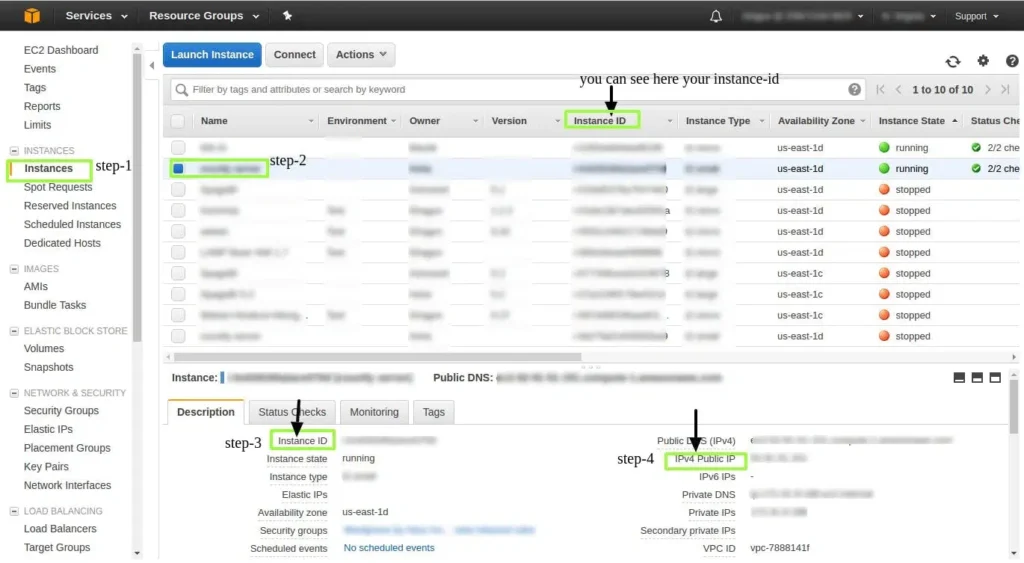
How to find Instance-ID and Instance-IPfor EC2 instance?
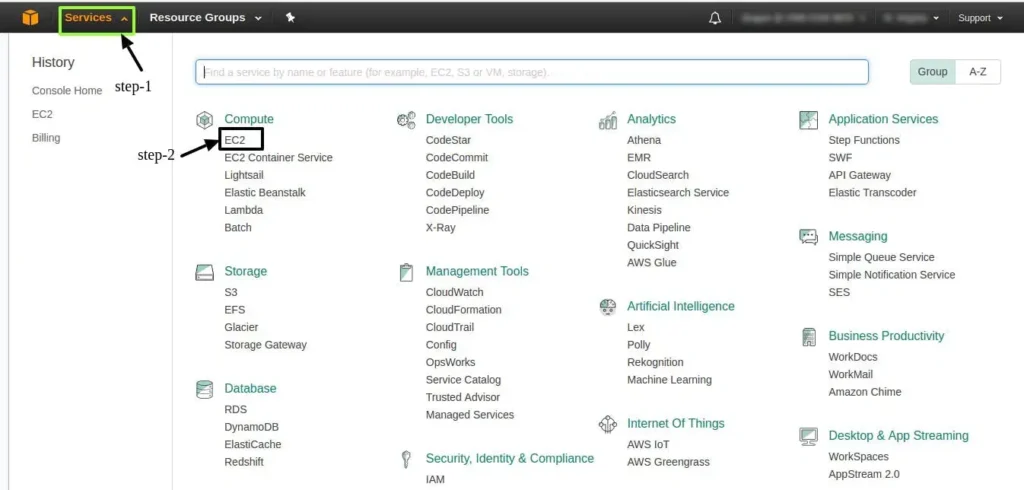
1. Login into your AWS Account, select the preferred region. Now, select EC2 Service.
2. Select the EC2 instance for which you want to know the “instance-public-ip” and “instance-id”. After selection in the description tab, you can see the details.